In our opinion, one of the first things all WordPress users should learn is how to deactivate WordPress plugins. We’re not just talking about how to do it from the admin area, but also how to deactivate plugins when you’re locked out of your site.… Read More »
A good way to become more productive and save time is to use keyboard shortcuts in WordPress. These are essential tools for anyone looking to streamline their workflow, whether you aim to write more efficiently or manage your WordPress site with greater ease. Our WPBeginner… Read More »
When I first started blogging, I made a classic mistake that I’ve seen many new website owners make: I thought having a website and a good social media presence was enough to connect with my audience. But then reality hit. Facebook changed its algorithm, and… Read More »
You just uploaded a great photo, but it is slightly crooked or has too much empty space. Opening Photoshop or Canva just to make a tiny tweak feels like a huge waste of time. We have felt that frustration often while managing our content. Luckily,… Read More »
It’s a frustrating feeling to create great content, only to have your images slow down your site and go completely unnoticed by search engines. Many business owners don’t realize that unoptimized images can hurt their rankings and turn visitors away before the page even loads.… Read More »
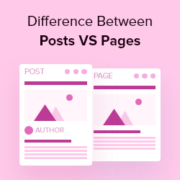
When new users first started with WordPress, a lot of them shared a similar concern: Should I use posts or pages for my content? If you’re scratching your head over this too, don’t worry. You’re not alone. It’s one of the most common questions we… Read More »
We came across a very interesting request from one of our readers recently. They asked us if it’s possible to change the number of posts displayed on their blog page to provide a better user experience for their audience. By default, all WordPress archive pages… Read More »
Trying to find your .htaccess file can be one of the most common frustrations when you start working on your WordPress site. You’re likely looking for it to fix a common error, but it seems to have vanished. If this sounds familiar, then you’re in… Read More »
WordPress security is a topic of huge importance for every website owner. Google blacklists around 10,000+ websites every day for malware and around 50,000 for phishing every week. If you are serious about your website, then you need to pay attention to the WordPress security… Read More »
When we launched our blog in 2009, we had no idea that it would eventually grow into a multi-million dollar business that helps countless beginners create their own websites. One question we keep hearing from aspiring entrepreneurs is: “Should I start a blog or a… Read More »
Used to store interaction and conversion data for campaigns in conjunction with Revenue Attribution.
1 year
_gat_omTracker*
Set, controlled and used by Google Analytics to collect and store data and then send that data to Google Analytics. OptinMonster provides the name if there is no existing tracker found on that page.
-
omCountdown-{id}-{elementId}
Used for countdown elements {elementId} in campaigns {id} to determine when it should complete.
-
om-{id}-closed / omSlideClosed-{id}
Used specifically with slide-in campaigns {id} to determine if it has been closed or not by a visitor.
30 days
om-success-cookie / omSuccessCookie
Used to determine if a visitor has successfully opted in to any campaign on your site to unlock content when using our Content Locking feature.
365 days
om-success-{id} / omSuccess-{id}
Used to determine if a visitor has successfully opted in to a campaign with the ID of {id} on your site.
365 days
omSeen-{id}
Used to determine if a visitor has been shown a campaign by the slug.
30 days
om-{id}
Used to determine if a visitor has interacted with a campaign ID of {id} on your site.
30 days
_omappvs
Used to determine when a new visitor becomes a returning visitor.