


So, your WordPress website isn’t working correctly. Maybe it started with a small issue—your site felt slow, or a strange link appeared where it shouldn’t have been.
Then, things got worse. Visitors start to see spam popups, your homepage redirects to random sites, or your hosting provider shuts everything down.
You try malware scans, restore a backup, or change passwords, but nothing works. The problem keeps coming back because hackers don’t just break in once—they leave hidden backdoors to return.
If you’re here, you’re likely searching for a WordPress security expert who can clean your site quickly and affordably.
Let’s talk about when you need help, how to find the right expert, and what to expect. Along the way, we’ll share the insider tips we’ve learned from running our own WordPress hacked site repair service.
Here is a quick overview of the topics we will cover in this article:
- Signs That You Need a WordPress Security Expert
- Why You Shouldn’t Wait to Fix a Hacked WordPress Site 🚨
- The Fastest Way to Get Your Site Fixed – Hiring a WordPress Security Expert
- What to Look For in a WordPress Security Expert
- How to Find a WordPress Security Expert
- How Security Experts Secure Your WordPress Site After Fixing It
- How Much Does It Cost to Hire a WordPress Security Expert?
- Bonus Resources
Signs That You Need a WordPress Security Expert
Not every issue means that your site is hacked, but there are clear warning signs that point to serious WordPress security problems.
If you notice any of the following, then it’s time to call in a professional:
- Strange redirects: Visitors click on your site but land on spammy pages.
- Google warnings: Your site is flagged as harmful or unsafe in search results.
- Unknown admin users: There are new WordPress user accounts with the administrator user role that you didn’t create.
- Host suspension: Your WordPress hosting provider disabled your site due to malware.
- SEO damage: Your site suddenly drops in keyword rankings or starts ranking for unrelated terms like “cheap pharmacy.”
- Slow performance: Your website is unusually slow or crashes often, even with caching plugins.
If any of these sound familiar, your site has likely been compromised. For more details, see our article explaining signs that your WordPress site is hacked.
Ignoring it won’t make it go away—hackers will continue exploiting it until the issue is properly fixed.
Why You Shouldn’t Wait to Fix a Hacked WordPress Site 🚨
The longer a hack stays on your site, the more damage it does. Hackers don’t just leave malware—they use your site to spread spam, steal data, or attack other websites.
Delaying a fix can lead to:
- Google blacklisting – Your site is marked unsafe, and traffic drops.
- Hosting suspension – Many web hosts disable hacked sites until the issue is resolved.
- Loss of customer trust – Visitors may never return if they see security warnings.
We have also seen website owners getting into legal trouble for failing to adequately protect customer data or causing damage.
The Fastest Way to Get Your Site Fixed – Hiring a WordPress Security Expert
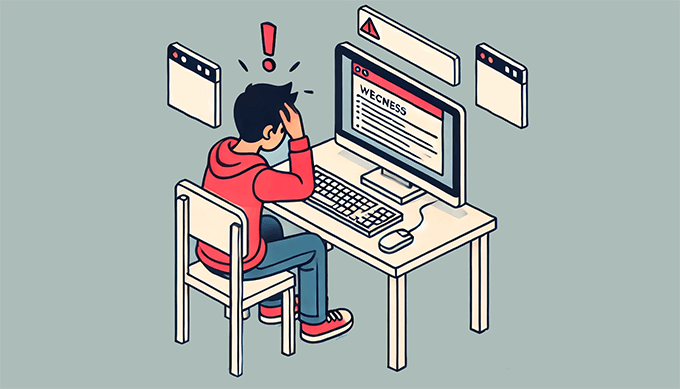
You have two options: spend hours trying to clean up your hacked site or hire an expert who knows exactly what to do.
You can install WordPress security plugins and run scans. However, hackers commonly install backdoors in a hacked site that can avoid detection by security plugins and let them infect your website again.
A security expert doesn’t just remove malware. They also clean hidden scripts, close security holes, and ensure hackers can’t return.
What to Look For in a WordPress Security Expert
Not all security experts are the same. Some do a quick cleanup but leave your site vulnerable to future attacks. You need someone who doesn’t just put out fires but also prevents them from happening again.
When hiring a WordPress security expert, you will want to look for these key qualities:
- Proven Reputation & Testimonials: Check reviews, case studies, or client testimonials. A solid track record speaks volumes about a security professional’s expertise.
- Years of Experience: A seasoned expert understands evolving threats and knows how to secure different types of WordPress sites.
- Complete Malware Removal: They should clean files, databases, and hidden backdoors thoroughly.
- Security Hardening: Cleaning isn’t enough. They must also reinforce your site’s defenses to prevent future hacks.
- Blacklist Removal: If Google or security services flag your site, they should help restore your rankings and reputation.
- Clear Pricing: Avoid experts who charge hourly with no estimate—fixed pricing is more transparent and predictable.
- Communication & Responsiveness: Security issues need fast action. Make sure that the security expert is easy to reach and quick to respond.
- Ongoing Maintenance & Support: A good security expert offers ongoing monitoring and updates, not just a one-time fix.
Taking the time to vet your security expert properly can save you from headaches later. Overall, a strong, proactive security strategy ensures your site stays safe in the long run.
How to Find a WordPress Security Expert
WordPress is the most popular website builder on the market, which means you can easily find freelancers, developers, and agencies providing support and services.
However, cleaning a hacked WordPress website is not the same as a site design service or fixing common errors. You will need an expert who specializes in WordPress security.
Here are some of the trusted services we recommend for fixing hacked WordPress sites.
1. Codeable
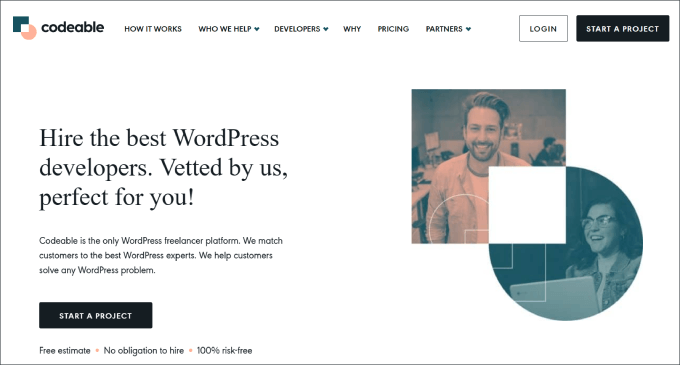
Codeable is a professional freelancer marketplace that connects you with vetted WordPress developers, including security specialists. It’s a great pick if you’d like to work directly with a developer but don’t want to do the vetting yourself.
Pricing: Starts at $70/hour, with project-based pricing available.
Pros:
- A strict vetting process ensures high-quality developers.
- Specialized WordPress security experts are available.
- Safe payment model—only pay when satisfied.
Cons:
- Pricing is higher than in freelancer marketplaces.
- Requires a project proposal and approval process.
Our Review: If you’re looking for a high-quality WordPress security specialist and are willing to pay for top-tier service, Codeable is an excellent choice.
2. Upwork
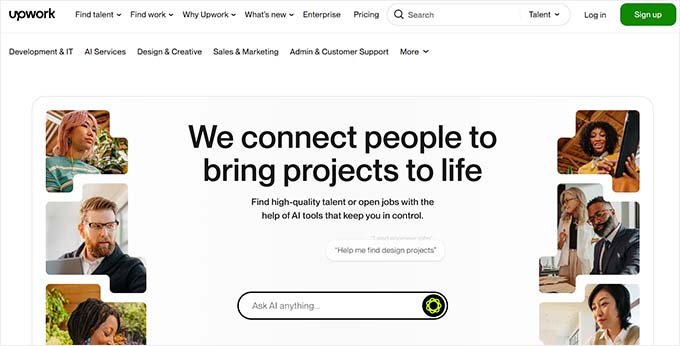
Upwork is a popular freelancing marketplace where you can find WordPress security experts from around the world. This can be a good option if you’d like to handpick someone to clean your site and are looking for a budget-friendly approach.
Pricing: Varies based on freelancer experience and project complexity. Some services may be cheaper, but you will need to do your research.
Pros:
- A large pool of WordPress freelancers with different expertise levels.
- Option to review freelancer ratings and past work.
- Competitive pricing with flexible budget options.
Cons:
- Finding a reliable expert requires deep research.
- Lower-cost options may not provide thorough security fixes.
Our Review: Upwork can be a good option if you have the time and experience to vet freelancers properly. However, many WordPress site owners might find the process overwhelming, leading them to choose the cheapest option. Ultimately, this isn’t always the best for security.
3. WordPress Security Agencies
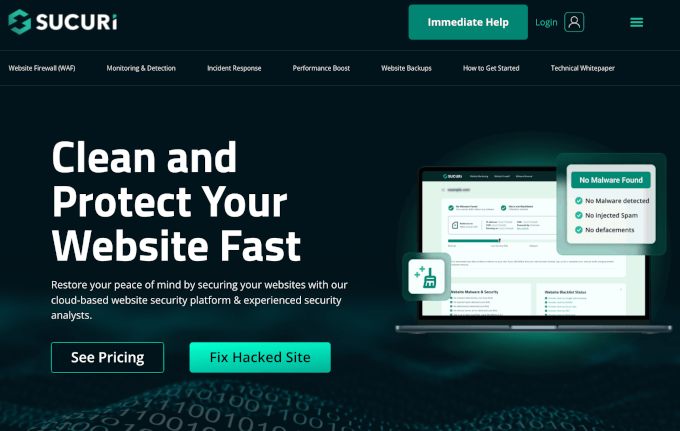
Companies like Sucuri, Wordfence, and MalCare also offer hacked site repair services as part of their premium security plans. You may wish to choose this option if you’re looking for an all-in-one security plan.
Pricing: Typically ranges from $229/year to $1250/year, depending on the plan and level of protection.
Pros:
- Includes ongoing security monitoring and firewall protection.
- Established companies with proven expertise in WordPress security.
- Some offer money-back guarantees or one-time cleanup options.
Cons:
- Higher cost due to recurring pricing model.
- May require a subscription for ongoing protection.
Our Recommendation: If you are open to paying an annual fee for advanced security features like premium firewalls, malware scanning, and real-time monitoring, then these services are a strong choice.
4. Fiverr

Fiverr offers security cleanup services from individual freelancers at budget-friendly prices. Similar to Upwork, it allows you to choose the specific developer that you want to work with.
Pricing: Starts as low as $20 but varies depending on service quality.
Pros:
- Very affordable compared to other options.
- Easy to browse freelancer ratings and customer reviews.
- Quick turnaround times for basic cleanup services.
Cons:
- Lower-cost options may not provide thorough security fixes.
- Varying quality of service—requires careful selection.
Our Review: Fiverr can be a good choice for small sites with minor security issues. However, for critical security fixes, it’s best to choose a vetted expert with positive reviews.
For more options, see our pick of the best WordPress development agencies.
How Security Experts Secure Your WordPress Site After Fixing It
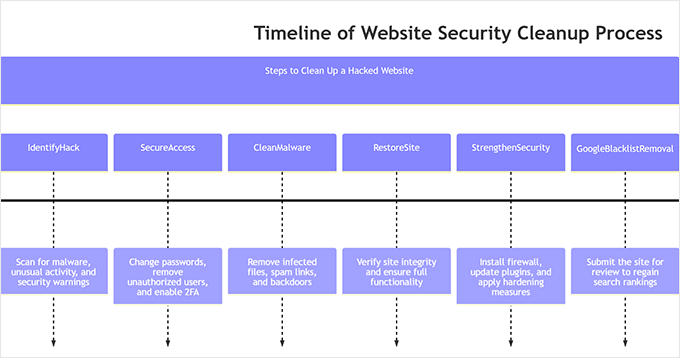
A proper security expert doesn’t just remove malware—they make sure it never happens again. Once your site is cleaned, they take extra steps to secure it against future attacks.
- Find and remove hidden backdoors: Hackers often leave secret access points. Experts scan your files and database to remove them.
- Strengthen login security: They enforce strong passwords, limit login attempts, and recommend two-factor authentication.
- Harden your website: Security settings are updated to block common attack methods, like brute-force login attempts.
- Backup your cleaned site: Some experts create a backup of your secure website so you can restore it quickly if anything happens in the future.
In our experience, this process can take longer for larger sites with thousands of files. Every file needs to be checked, and even a single infected file left behind could lead to reinfection.
How Much Does It Cost to Hire a WordPress Security Expert?
The cost of hiring a WordPress security expert can vary widely depending on who you work with and how serious the issue is. Freelancers typically charge $50–$300 for one-time fixes like malware removal, security hardening, or basic audits.
If you need more comprehensive protection, reputable agencies usually start around $500 and can go well over $2,000 for advanced services such as ongoing monitoring, incident response, or enterprise-level security setups.
Costs also depend on factors like the size of your site, whether you need emergency cleanup, and if you want ongoing protection instead of a one-time service.
Bonus Resources
The following are a few additional resources that will help you secure your WordPress website:
- Top Reasons Why WordPress Sites Get Hacked (& How to Prevent It)
- Ecommerce Security Tips: How to Secure Your WordPress Store
- How to Perform a WordPress Security Audit (Complete Checklist)
- How to Check for WordPress Security Updates (Beginners Guide)
- Best WordPress Security Plugins to Protect Your Site (Compared)
Once you get your website cleaned, don’t forget to follow our step-by-step WordPress security guide. This is the exact security setup we use on all our websites. It will add multiple layers of protection around your site, making it harder to break.
If you liked this article, then please subscribe to our YouTube Channel for WordPress video tutorials. You can also find us on Twitter and Facebook.



Have a question or suggestion? Please leave a comment to start the discussion.