The most experienced team of WordPress experts and educators.
Over 16+ years of WordPress and web development experience.
The team that advises some of the largest WordPress plugins in the industry used by over 25 million websites.
Led by WPBeginner founder, Syed Balkhi, a well-respected WordPress expert.
Experience
Our editorial staff includes a dedicated team of programmers, writers, video creators, and editors with over 16 years of experience in WordPress, web hosting, eCommerce, SEO, and online marketing.
Our editorial team manages every piece of content we publish at WPBeginner. Unlike other copycat tutorial websites, every person in our team is a true WordPress practitioner. You can learn more about our Editorial Process here.
The team is led by the most well-known and well-respected WordPress expert in the world, Syed Balkhi. He graduated from University of Florida and have been building WordPress websites since 2006.
Syed is also the founder of some of the most popular WordPress plugins in the market.
About WPBeginner
WPBeginner is the largest free WordPress resource for beginners to learn WordPress. We are part of the Awesome Motive family and reach over 100 million visitors every year. Our content is fact checked and reviewed by our Editorial team for accuracy and integrity. You can learn more about us and our editorial process.
That generic ‘mystery person’ avatar in your WordPress comments section isn’t doing your site any favors. Having built hundreds of WordPress sites, we know how a personalized comment section can make your site more engaging and professional. Whether you want to use your brand logo,… Read More »
Building a website for a church or religious organization shouldn’t feel like trying to fit a square peg into a round hole. Yet, most WordPress themes are built for businesses, bloggers, or online shops—leaving churches with designs that just don’t fit. At WPBeginner, we’ve helped… Read More »
Do you want to add space or indent paragraphs in WordPress? While most of your text is aligned left, in some cases you may want to indent paragraph for improved typography and better reading experience. In this article, we will show you how to easily… Read More »
Stripe is a popular platform that allows you to accept online payments worldwide without any fuss. The payment gateway is great for online stores, blogs, donation websites, and more. At WPBeginner, we accept payments with Stripe on various membership websites, including when selling our software… Read More »
Another year is about to end and what a great year it was. We can’t thank you enough for your continued support of WPBeginner. We look back at 2016 and feel grateful for the success and joy our team achieved. WPBeginner 2016 Recap from Syed… Read More »
Recently, one of readers users asked if it was possible to regenerate PDF thumbnails for old uploads in WordPress? In WordPress 4.7, you now have thumbnail previews for all new PDF files. However, this change does not affect older uploads. In this article, we will… Read More »
Recently, one of our readers asked if it was possible to view and control the WordPress cron job system in the dashboard. In our experience, this is a question that many WordPress users have, especially as they become more familiar with how WordPress operates behind… Read More »
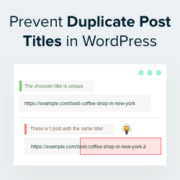
Have you ever clicked ‘Publish’ on a WordPress blog post and then realized that you used the same title as another post? It’s an easy mistake to make, especially if you’ve been blogging for a while or manage a large site. But duplicate post titles… Read More »
Falling snowflakes can help create holiday cheer and excitement on your website to make it visually more appealing. This is a fun way to add animations to your WordPress site for winter and the holiday season. However, knowing how to add these effects without slowing… Read More »
Running into pluggable.php file errors in WordPress can be confusing and frustrating, especially if you are not sure what is causing them. These errors usually happen due to conflicts with your themes, plugins, or custom code snippets. At WPBeginner, we have encountered countless errors, so… Read More »
Used to store interaction and conversion data for campaigns in conjunction with Revenue Attribution.
1 year
_gat_omTracker*
Set, controlled and used by Google Analytics to collect and store data and then send that data to Google Analytics. OptinMonster provides the name if there is no existing tracker found on that page.
-
omCountdown-{id}-{elementId}
Used for countdown elements {elementId} in campaigns {id} to determine when it should complete.
-
om-{id}-closed / omSlideClosed-{id}
Used specifically with slide-in campaigns {id} to determine if it has been closed or not by a visitor.
30 days
om-success-cookie / omSuccessCookie
Used to determine if a visitor has successfully opted in to any campaign on your site to unlock content when using our Content Locking feature.
365 days
om-success-{id} / omSuccess-{id}
Used to determine if a visitor has successfully opted in to a campaign with the ID of {id} on your site.
365 days
omSeen-{id}
Used to determine if a visitor has been shown a campaign by the slug.
30 days
om-{id}
Used to determine if a visitor has interacted with a campaign ID of {id} on your site.
30 days
_omappvs
Used to determine when a new visitor becomes a returning visitor.