The most experienced team of WordPress experts and educators.
Over 16+ years of WordPress and web development experience.
The team that advises some of the largest WordPress plugins in the industry used by over 25 million websites.
Led by WPBeginner founder, Syed Balkhi, a well-respected WordPress expert.
Experience
Our editorial staff includes a dedicated team of programmers, writers, video creators, and editors with over 16 years of experience in WordPress, web hosting, eCommerce, SEO, and online marketing.
Our editorial team manages every piece of content we publish at WPBeginner. Unlike other copycat tutorial websites, every person in our team is a true WordPress practitioner. You can learn more about our Editorial Process here.
The team is led by the most well-known and well-respected WordPress expert in the world, Syed Balkhi. He graduated from University of Florida and have been building WordPress websites since 2006.
Syed is also the founder of some of the most popular WordPress plugins in the market.
About WPBeginner
WPBeginner is the largest free WordPress resource for beginners to learn WordPress. We are part of the Awesome Motive family and reach over 100 million visitors every year. Our content is fact checked and reviewed by our Editorial team for accuracy and integrity. You can learn more about us and our editorial process.
Managing a WordPress site with lots of documents often leads to unexpected display issues. Recently, I helped a user whose specialized PDF plugin was fighting with the default thumbnail generator. It made their media library look cluttered and broke their front-end gallery layout. Fortunately, we… Read More »
Improving user interaction on your WordPress site can increase engagement and support a more lively community. Allowing users to like or dislike comments boosts interactivity, letting visitors share their opinions and participate in meaningful discussions. This feature can help highlight popular comments and even discourage… Read More »
You might have a packed event schedule on Facebook, but visitors on your WordPress site won’t know that unless you display those events directly on your pages. A Facebook events feed solves this problem by pulling events directly from your Facebook Page and displaying them… Read More »
Here at WPBeginner, we’ve had our share of moments needing to keep a page private, from bonus content for our email list to new designs that aren’t quite ready for public viewing. It’s a common task when managing a busy website. We know it can… Read More »
WordPress 4.7 was released just a few hours ago. It is the last major release of the year 2016, which brings some exciting new improvements and several bug fixes. In this article, we will show you what’s new in WordPress 4.7 and which features you… Read More »
Struggling to keep your readers engaged? Even the best-written blog posts often get skimmed or ignored, especially when they’re just long blocks of text. If you want visitors to actually interact with your content, you need to show, not just tell. That’s where Google Slides… Read More »
Everyone wants a faster website to rank higher in search results. However, Google AMP isn’t always the magic bullet that people think it is. We have tested countless performance strategies at WPBeginner. In our experience, rushing into AMP without a plan can actually break your… Read More »
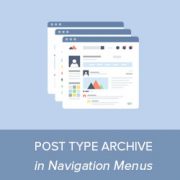
Recently, one of our readers asked if it was possible to add a link to custom post type archive pages in WordPress navigation menus. An archive page in WordPress displays a list of all posts under a specific post type, category, or tag. In this… Read More »
Imagine opening a long, helpful blog post that many people have commented on. WordPress will normally load the page and all of the comments first, before displaying it to the user. This results in a slower website and poor user experience. In our experience at… Read More »
Running a successful WordPress website means protecting the valuable content and functionality you’ve built over time. Throughout our years of helping WordPress users, we’ve consistently recommended having a solid backup strategy as one of the most important steps for any site owner. We’ve personally tested… Read More »
Used to store interaction and conversion data for campaigns in conjunction with Revenue Attribution.
1 year
_gat_omTracker*
Set, controlled and used by Google Analytics to collect and store data and then send that data to Google Analytics. OptinMonster provides the name if there is no existing tracker found on that page.
-
omCountdown-{id}-{elementId}
Used for countdown elements {elementId} in campaigns {id} to determine when it should complete.
-
om-{id}-closed / omSlideClosed-{id}
Used specifically with slide-in campaigns {id} to determine if it has been closed or not by a visitor.
30 days
om-success-cookie / omSuccessCookie
Used to determine if a visitor has successfully opted in to any campaign on your site to unlock content when using our Content Locking feature.
365 days
om-success-{id} / omSuccess-{id}
Used to determine if a visitor has successfully opted in to a campaign with the ID of {id} on your site.
365 days
omSeen-{id}
Used to determine if a visitor has been shown a campaign by the slug.
30 days
om-{id}
Used to determine if a visitor has interacted with a campaign ID of {id} on your site.
30 days
_omappvs
Used to determine when a new visitor becomes a returning visitor.