The most experienced team of WordPress experts and educators.
Over 16+ years of WordPress and web development experience.
The team that advises some of the largest WordPress plugins in the industry used by over 25 million websites.
Led by WPBeginner founder, Syed Balkhi, a well-respected WordPress expert.
Experience
Our editorial staff includes a dedicated team of programmers, writers, video creators, and editors with over 16 years of experience in WordPress, web hosting, eCommerce, SEO, and online marketing.
Our editorial team manages every piece of content we publish at WPBeginner. Unlike other copycat tutorial websites, every person in our team is a true WordPress practitioner. You can learn more about our Editorial Process here.
The team is led by the most well-known and well-respected WordPress expert in the world, Syed Balkhi. He graduated from University of Florida and have been building WordPress websites since 2006.
Syed is also the founder of some of the most popular WordPress plugins in the market.
About WPBeginner
WPBeginner is the largest free WordPress resource for beginners to learn WordPress. We are part of the Awesome Motive family and reach over 100 million visitors every year. Our content is fact checked and reviewed by our Editorial team for accuracy and integrity. You can learn more about us and our editorial process.
If you’re looking to resize the Gravatar images on your WordPress site, you’re in the right place. There have been occasions where we had to resize custom Gravatar sizes on WordPress sites we were working on, but the method differs depending on the theme you’re… Read More »
By default, you can change the permalink structure of WordPress posts, but not custom post types. However, with the right plugin, you can easily create permalinks for custom posts. Over the years, we’ve helped thousands of WordPress users optimize their sites for search engines and… Read More »
Are you looking for the best Black Friday and Cyber Monday deals on your favorite WordPress products. These next few days are the perfect time to buy premium WordPress plugins, themes, and hosting. To help you find the best deals, we have listed the best… Read More »
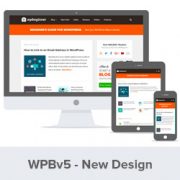
If you’re loading up WPBeginner today, then you might have noticed that we have a new website design. Considering our last design was from 2012, a lot of you would say that it’s about time that we gave WPBeginner a refresh. I wanted to share… Read More »
Recently one of our readers asked us how to add an email address in WordPress? Creating a link to an email address allows users to send you an email with a click. In this article, we will show you how to link to an email… Read More »
Sending emails from your WordPress site can be tricky for several reasons. The main one is that web hosting providers have a tendency to poorly configure their mail settings. This can block WordPress from delivering important emails. Luckily, there’s a solution. SendGrid is a reliable… Read More »
Want to start a blog, but not sure which blogging platform to choose? Most popular blogging platforms make getting started incredibly easy. The real differences only show up later, when you try to monetize, customize design, or move your content, and discover that your platform… Read More »
After years of blogging and managing multiple WordPress sites, we’ve had our fair share of heart-stopping moments. You know the ones – where you accidentally hit ‘Publish’ on a half-finished post, or worse, on one that’s barely started. It’s happened to us, and we bet… Read More »
Keeping your blog updated with fresh content takes real time, and most site owners are already stretched thin managing everything else. Allowing users to submit posts is a fantastic way to grow your content library and build an active community without writing every single word… Read More »
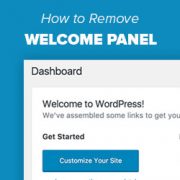
Most WordPress beginners see a welcome panel when they log into their dashboard. It’s designed to provide shortcuts and helpful tips, but after a while, it may start to feel unnecessary. We prefer a cleaner dashboard with fewer distractions — and it turns out, many… Read More »
Used to store interaction and conversion data for campaigns in conjunction with Revenue Attribution.
1 year
_gat_omTracker*
Set, controlled and used by Google Analytics to collect and store data and then send that data to Google Analytics. OptinMonster provides the name if there is no existing tracker found on that page.
-
omCountdown-{id}-{elementId}
Used for countdown elements {elementId} in campaigns {id} to determine when it should complete.
-
om-{id}-closed / omSlideClosed-{id}
Used specifically with slide-in campaigns {id} to determine if it has been closed or not by a visitor.
30 days
om-success-cookie / omSuccessCookie
Used to determine if a visitor has successfully opted in to any campaign on your site to unlock content when using our Content Locking feature.
365 days
om-success-{id} / omSuccess-{id}
Used to determine if a visitor has successfully opted in to a campaign with the ID of {id} on your site.
365 days
omSeen-{id}
Used to determine if a visitor has been shown a campaign by the slug.
30 days
om-{id}
Used to determine if a visitor has interacted with a campaign ID of {id} on your site.
30 days
_omappvs
Used to determine when a new visitor becomes a returning visitor.