The most experienced team of WordPress experts and educators.
Over 16+ years of WordPress and web development experience.
The team that advises some of the largest WordPress plugins in the industry used by over 25 million websites.
Led by WPBeginner founder, Syed Balkhi, a well-respected WordPress expert.
Experience
Our editorial staff includes a dedicated team of programmers, writers, video creators, and editors with over 16 years of experience in WordPress, web hosting, eCommerce, SEO, and online marketing.
Our editorial team manages every piece of content we publish at WPBeginner. Unlike other copycat tutorial websites, every person in our team is a true WordPress practitioner. You can learn more about our Editorial Process here.
The team is led by the most well-known and well-respected WordPress expert in the world, Syed Balkhi. He graduated from University of Florida and have been building WordPress websites since 2006.
Syed is also the founder of some of the most popular WordPress plugins in the market.
About WPBeginner
WPBeginner is the largest free WordPress resource for beginners to learn WordPress. We are part of the Awesome Motive family and reach over 100 million visitors every year. Our content is fact checked and reviewed by our Editorial team for accuracy and integrity. You can learn more about us and our editorial process.
Got something you want to sell, but no idea how to actually take payments on your own website? You don’t need to hire a developer or spend thousands of dollars to get started. With WordPress and WooCommerce, you can build a fully functional online store… Read More »
Have you ever had to make significant edits to an already published WordPress post? Maybe you are rewriting an old article or you have to update screenshots because they’re outdated. Since we have to do this on a regular basis on WPBeginner and on our… Read More »
We typed the same three keywords into every domain name generator below and counted how many available .com names each one returned in its first 20 results. Scores ranged from 57 out of 60 down to zero. Some of these tools invent short brand names,… Read More »
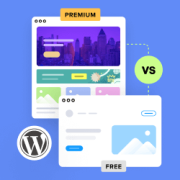
Many WordPress beginners struggle to decide between starting with a free theme or investing in a paid one right away. Free WordPress themes offer basic designs and features at no cost, ideal for beginners and simple websites. Premium themes provide advanced customization, dedicated support, and… Read More »
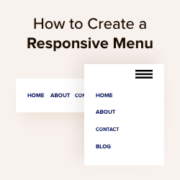
More than half of all website traffic comes from mobile devices. If your navigation menu doesn’t work well on smartphones and tablets, then a big chunk of your audience may struggle to find their way around your site. With years of experience building WordPress sites,… Read More »
Building an email list is essential for any WordPress website, but connecting forms to your email marketing service can sometimes feel challenging. If that sounds familiar, you’re not alone — many WordPress users have faced the same struggle. The good news is that Constant Contact… Read More »
Did you know that around half of all websites are in a language other than English? If you’re not a native English speaker, then you shouldn’t have to struggle through an English interface just to build your website. The good news is that WordPress makes… Read More »
If you want to change the default sender name and email address for outgoing WordPress emails, you’ve come to the right place. By default, WordPress uses ‘WordPress’ as the sender name for all outgoing WordPress notification emails. However, in our expert opinion, this doesn’t look… Read More »
Adding animated GIFs is a fun way to show personality in your blog posts. At WPBeginner, we often use them to make our tutorials more relatable. However, uploading large GIF files can slow down your website significantly. A slow site hurts your user experience and… Read More »
Running successful WordPress forms and signups means keeping out fake users. We’ve seen firsthand how disposable email addresses can lead to spam registrations, fake orders, and compromised data quality. While temporary emails have legitimate uses, they’re often misused by people trying to exploit website services.… Read More »
Used to store interaction and conversion data for campaigns in conjunction with Revenue Attribution.
1 year
_gat_omTracker*
Set, controlled and used by Google Analytics to collect and store data and then send that data to Google Analytics. OptinMonster provides the name if there is no existing tracker found on that page.
-
omCountdown-{id}-{elementId}
Used for countdown elements {elementId} in campaigns {id} to determine when it should complete.
-
om-{id}-closed / omSlideClosed-{id}
Used specifically with slide-in campaigns {id} to determine if it has been closed or not by a visitor.
30 days
om-success-cookie / omSuccessCookie
Used to determine if a visitor has successfully opted in to any campaign on your site to unlock content when using our Content Locking feature.
365 days
om-success-{id} / omSuccess-{id}
Used to determine if a visitor has successfully opted in to a campaign with the ID of {id} on your site.
365 days
omSeen-{id}
Used to determine if a visitor has been shown a campaign by the slug.
30 days
om-{id}
Used to determine if a visitor has interacted with a campaign ID of {id} on your site.
30 days
_omappvs
Used to determine when a new visitor becomes a returning visitor.