The most experienced team of WordPress experts and educators.
Over 16+ years of WordPress and web development experience.
The team that advises some of the largest WordPress plugins in the industry used by over 25 million websites.
Led by WPBeginner founder, Syed Balkhi, a well-respected WordPress expert.
Experience
Our editorial staff includes a dedicated team of programmers, writers, video creators, and editors with over 16 years of experience in WordPress, web hosting, eCommerce, SEO, and online marketing.
Our editorial team manages every piece of content we publish at WPBeginner. Unlike other copycat tutorial websites, every person in our team is a true WordPress practitioner. You can learn more about our Editorial Process here.
The team is led by the most well-known and well-respected WordPress expert in the world, Syed Balkhi. He graduated from University of Florida and have been building WordPress websites since 2006.
Syed is also the founder of some of the most popular WordPress plugins in the market.
About WPBeginner
WPBeginner is the largest free WordPress resource for beginners to learn WordPress. We are part of the Awesome Motive family and reach over 100 million visitors every year. Our content is fact checked and reviewed by our Editorial team for accuracy and integrity. You can learn more about us and our editorial process.
Most artists start their journey on social media, but relying solely on algorithms is a risky game. To truly own your brand and connect with your audience on your own terms, a professional website isn’t just an extra—it’s an essential. However, finding a design that… Read More »
If your site has outgrown Weebly, the idea of moving all your content to WordPress can feel like a daunting task. The thought of dealing with technical settings, content migration, and site setup can make the process seem overwhelming. The good news is that switching… Read More »
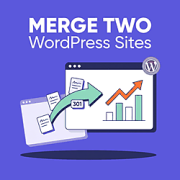
Do you want to merge two WordPress sites without losing your search rankings? The process is simple. You export the content from your secondary site, import it into your primary site, and then set up 301 redirects so every old URL points to its new… Read More »
If you run a charity or nonprofit, you need a way to accept donations on your WordPress site that doesn’t send supporters away mid-gift. The quickest option, a PayPal donate button, sends donors off your site to finish paying, and many drop off along the… Read More »
Do you want to display WordPress photos in columns and rows? By default, WordPress adds images in a vertical column on top of each other. However, if you are adding multiple photos to a blog post, then this doesn’t look very clean and requires a… Read More »
WordPress plugins are essential for customizing your website without editing code. They add all kinds of features that will make your website more dynamic and functional. From enhancing SEO to improving security, plugins can transform your site in many ways. In this beginner’s guide, we’ll… Read More »
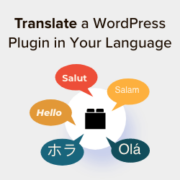
WordPress powers websites across the globe, and translating plugins into another language can make your site more accessible and user-friendly. Whether you’re creating a localized website for your audience or contributing to the WordPress community, learning how to translate a plugin is a valuable skill.… Read More »
While helping our users learn how to upload files to WordPress using FTP, one question comes up often: Which FTP client should I use on Windows or Mac? FTP clients let you access, edit, and transfer website files directly—without logging into your hosting control panel… Read More »
Many WordPress SEO guides say simple permalinks are best. But after working with lots of websites, we’ve found that’s not always true. Sometimes, especially for big sites, it’s better to have URLs that show where you are, like ‘yourstore.com/electronics/smartphones/iphone.’ This clear structure can make your… Read More »
Setting up parent and child pages is a great way to organize your WordPress site, but it often results in long, clunky URLs. By default, WordPress includes the parent page slug in every child page link, which can make your web addresses look unprofessional or… Read More »
Used to store interaction and conversion data for campaigns in conjunction with Revenue Attribution.
1 year
_gat_omTracker*
Set, controlled and used by Google Analytics to collect and store data and then send that data to Google Analytics. OptinMonster provides the name if there is no existing tracker found on that page.
-
omCountdown-{id}-{elementId}
Used for countdown elements {elementId} in campaigns {id} to determine when it should complete.
-
om-{id}-closed / omSlideClosed-{id}
Used specifically with slide-in campaigns {id} to determine if it has been closed or not by a visitor.
30 days
om-success-cookie / omSuccessCookie
Used to determine if a visitor has successfully opted in to any campaign on your site to unlock content when using our Content Locking feature.
365 days
om-success-{id} / omSuccess-{id}
Used to determine if a visitor has successfully opted in to a campaign with the ID of {id} on your site.
365 days
omSeen-{id}
Used to determine if a visitor has been shown a campaign by the slug.
30 days
om-{id}
Used to determine if a visitor has interacted with a campaign ID of {id} on your site.
30 days
_omappvs
Used to determine when a new visitor becomes a returning visitor.