Allison began her digital journey in 2017, transitioning from office administration to freelance writing. She quickly immersed herself in WordPress and content creation, building a blog that helped other aspiring writers start their freelance careers.
She joined Awesome Motive in 2018 and became part of the WPBeginner team in 2021, where she's dedicated to creating WordPress tutorials that make sense to everyone—especially beginners.
She has written thousands of articles and tutorials for WPBeginner, Blog Tyrant, IsItWP, OptinMonster, and more. Beyond writing, her expertise extends to content strategy, keyword research, email marketing, and analytics.
When she's not writing, she enjoys listening to punk rock music, doing yoga, playing Stardew Valley, and reading a good book.
Without a contact form, your WordPress site is missing the easiest way for visitors to reach you. Adding one is easy. The hard part is choosing from the many plugins that all promise to do it well. At WPBeginner, we’ve tested dozens of WordPress contact… Read More »
Have you ever noticed how hard it is for visitors to keep track of posts they want to revisit on your site? They might bookmark pages in their browser, but those links get lost, or they simply forget which articles caught their attention. A “favorites”… Read More »
Whether you are a photographer, designer, or business owner, your portfolio is the most powerful tool you have to win new clients. But it can be frustrating for visitors if they have to sift through dozens of images or projects just to find what they… Read More »
Staring at a quiet, lifeless photo on your website can feel frustrating when you have a great story to share. I recently added voice narrations to my own image uploads, and the personal touch completely transformed how visitors connect with my content. Adding sound clips… Read More »
Featured images are often the first thing people notice on a blog. They catch attention, draw readers in, and set the tone for your post. But in some WordPress themes, clicking the featured image doesn’t take visitors anywhere. Instead of opening your post, it just… Read More »
When I managed other blog writers, I had a list of guidelines they were supposed to follow, but it worried me that these guidelines, like forbidden words, would be missed. Even with clear instructions, writers would sometimes use titles that didn’t match our brand voice… Read More »
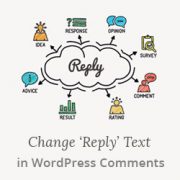
I’ve spent time experimenting with different reply text for the WordPress comments on my blog, looking for something that better reflected my brand and felt more personal to my readers. The default “Reply” works fine, but it doesn’t capture the friendly, conversational tone I want… Read More »
The membership site business model is really popular, and for good reason. It provides predictable recurring revenue and builds a loyal community around your content. But when we were launching our own WordPress membership website, we were worried that choosing the wrong plugin could cost… Read More »
A basic like button doesn’t always tell the full story. Facebook style reactions give your audience the emotional vocabulary to show they love, laugh, or feel amazement at your content. This simple addition makes readers feel connected and boosts engagement without requiring them to write… Read More »
Back when I was managing multiple client websites, I faced a common challenge: quickly adding dozens of posts and pages without lots of manual work. Like many WordPress users, I started by creating each post individually, until I learned there was a better way. Over… Read More »
Used to store interaction and conversion data for campaigns in conjunction with Revenue Attribution.
1 year
_gat_omTracker*
Set, controlled and used by Google Analytics to collect and store data and then send that data to Google Analytics. OptinMonster provides the name if there is no existing tracker found on that page.
-
omCountdown-{id}-{elementId}
Used for countdown elements {elementId} in campaigns {id} to determine when it should complete.
-
om-{id}-closed / omSlideClosed-{id}
Used specifically with slide-in campaigns {id} to determine if it has been closed or not by a visitor.
30 days
om-success-cookie / omSuccessCookie
Used to determine if a visitor has successfully opted in to any campaign on your site to unlock content when using our Content Locking feature.
365 days
om-success-{id} / omSuccess-{id}
Used to determine if a visitor has successfully opted in to a campaign with the ID of {id} on your site.
365 days
omSeen-{id}
Used to determine if a visitor has been shown a campaign by the slug.
30 days
om-{id}
Used to determine if a visitor has interacted with a campaign ID of {id} on your site.
30 days
_omappvs
Used to determine when a new visitor becomes a returning visitor.