Allison began her digital journey in 2017, transitioning from office administration to freelance writing. She quickly immersed herself in WordPress and content creation, building a blog that helped other aspiring writers start their freelance careers.
She joined Awesome Motive in 2018 and became part of the WPBeginner team in 2021, where she's dedicated to creating WordPress tutorials that make sense to everyone—especially beginners.
She has written thousands of articles and tutorials for WPBeginner, Blog Tyrant, IsItWP, OptinMonster, and more. Beyond writing, her expertise extends to content strategy, keyword research, email marketing, and analytics.
When she's not writing, she enjoys listening to punk rock music, doing yoga, playing Stardew Valley, and reading a good book.
Back in the early days of running my blog, every comment felt like a small victory. I wanted to thank each commenter personally, but as the blog grew, keeping up became impossible. Sound familiar? Through managing multiple WordPress sites and helping countless bloggers, I’ve discovered… Read More »
Writing blog posts should be easy, but retyping the same sections over and over makes it frustrating. Believe me, I experienced this firsthand in my early days at WPBeginner. Whether it’s introductions, call-to-actions, or FAQs, the process eats up valuable time. Using content templates in… Read More »
I still remember the first time I tested my WordPress contact form, and the email never arrived. Later, users started telling me they weren’t getting password reset links either. It was frustrating, and I quickly learned that WordPress’s default email system just isn’t very reliable.… Read More »
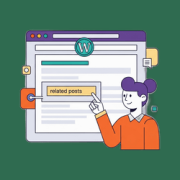
Related posts at the bottom of an article work great in theory, but most readers never scroll that far. Getting users to read more than one article is a challenge for every blogger. That is why inline related posts are so effective. By showing relevant… Read More »
At WPBeginner, we use a WhatsApp share button on our website because it gives readers a quick way to pass our guides along to friends and family. It’s a simple feature that consistently helps our content reach more people. If you want to add the… Read More »
Managing WordPress comments gets messy fast. One popular blog post can trigger spam, nonstop notifications, and moderation work that takes longer than writing the article itself. The issue isn’t your content — it’s the default WordPress comment system. It’s too basic for real discussion and… Read More »
When I added my first podcast episode to WordPress, my main goal was to keep visitors on my website to listen. Many beginners want this same setup but worry that large audio files will slow down their pages. Luckily, sharing music, interviews, or sound bites… Read More »
Adding a private messaging system to your WordPress site can completely transform the way your users interact. 💬 Imagine your members, customers, or students being able to send messages directly to each other—or to you—without ever leaving your site. It makes your community more engaging, builds… Read More »
Have you ever spent ages crafting the perfect blog post, only to find that the beautiful, high-resolution images are making your site painfully slow? I’ve been there, and it’s frustrating to know that slow load times can drive visitors away before they even see your… Read More »
If you’ve noticed that visitors are scrolling past your links without clicking, then you’re not alone. In my experience, plain text links are often too subtle to grab attention, which means readers miss out on the helpful resources and tools you recommend. That’s where live… Read More »
Used to store interaction and conversion data for campaigns in conjunction with Revenue Attribution.
1 year
_gat_omTracker*
Set, controlled and used by Google Analytics to collect and store data and then send that data to Google Analytics. OptinMonster provides the name if there is no existing tracker found on that page.
-
omCountdown-{id}-{elementId}
Used for countdown elements {elementId} in campaigns {id} to determine when it should complete.
-
om-{id}-closed / omSlideClosed-{id}
Used specifically with slide-in campaigns {id} to determine if it has been closed or not by a visitor.
30 days
om-success-cookie / omSuccessCookie
Used to determine if a visitor has successfully opted in to any campaign on your site to unlock content when using our Content Locking feature.
365 days
om-success-{id} / omSuccess-{id}
Used to determine if a visitor has successfully opted in to a campaign with the ID of {id} on your site.
365 days
omSeen-{id}
Used to determine if a visitor has been shown a campaign by the slug.
30 days
om-{id}
Used to determine if a visitor has interacted with a campaign ID of {id} on your site.
30 days
_omappvs
Used to determine when a new visitor becomes a returning visitor.