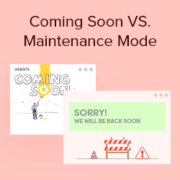
Choosing between coming soon and maintenance mode can feel confusing, especially if you’re launching or updating a WordPress site for the first time. They might look similar, but using the wrong one can affect how your site appears to visitors and search engines, which can… Read More »
When I started building websites for clients, one of the biggest challenges was turning interested visitors into actual leads. Adding a “Request a Quote” form changed that because it gave people a simple way to start the conversation. But I quickly learned that not all… Read More »
Do you know exactly what your website visitors are looking for? Guessing can only get you so far. To grow your business, you need direct answers from your audience about their needs and struggles. Questionnaires are the perfect way to gather this feedback. However, many… Read More »
Displaying featured posts in your WordPress sidebar is a great way to highlight important content, engage visitors, and increase page views. For example, at WPBeginner, we display our latest posts, helpful guides, and coupon pages in our sidebar. This motivates users to explore more of… Read More »
Embedding a Facebook Group feed can be a great way to showcase community interactions, share updates, and keep your website content fresh. This integration helps bridge your online communities and can increase visitor engagement. We have used different social media platforms to drive traffic to… Read More »
Writing math equations in WordPress can be challenging since the default editor doesn’t fully support mathematical formatting. However, there are ways to add equations to your site easily. In this article, we’ll guide you through three different methods for writing math equations in WordPress. Whether… Read More »
Finding the perfect WordPress theme is essential when you’re ready to sell your eBooks online. You need to create a seamless and effective platform for showcasing and selling your digital content. A well-chosen theme can significantly impact your sales and user experience. We know this… Read More »
Maybe you have seen these popups used for email list optins or another special offer on a big website. Multi-step Yes/No campaigns can improve your conversion rate by encouraging users to click on your promotion. At WPBeginner and our other brands, we use yes/no optins… Read More »
I first learned about WordPress from a friend as an alternative to another CMS platform. At that time, I wasn’t sure what it was or how to use it on my own websites. If you’re feeling that same uncertainty, you’re in the right place. Now,… Read More »
Choosing your first blogging platform can feel like a huge decision, and the fear of picking the wrong one is real. We’ve heard this story thousands of times from people who started on Blogger only to feel trapped by its limitations as their ideas grew.… Read More »
Used to store interaction and conversion data for campaigns in conjunction with Revenue Attribution.
1 year
_gat_omTracker*
Set, controlled and used by Google Analytics to collect and store data and then send that data to Google Analytics. OptinMonster provides the name if there is no existing tracker found on that page.
-
omCountdown-{id}-{elementId}
Used for countdown elements {elementId} in campaigns {id} to determine when it should complete.
-
om-{id}-closed / omSlideClosed-{id}
Used specifically with slide-in campaigns {id} to determine if it has been closed or not by a visitor.
30 days
om-success-cookie / omSuccessCookie
Used to determine if a visitor has successfully opted in to any campaign on your site to unlock content when using our Content Locking feature.
365 days
om-success-{id} / omSuccess-{id}
Used to determine if a visitor has successfully opted in to a campaign with the ID of {id} on your site.
365 days
omSeen-{id}
Used to determine if a visitor has been shown a campaign by the slug.
30 days
om-{id}
Used to determine if a visitor has interacted with a campaign ID of {id} on your site.
30 days
_omappvs
Used to determine when a new visitor becomes a returning visitor.