Did you just start a blog and want to submit it to Apple News? By becoming an Apple News publisher, you can monetize your news channel while giving your readers the ability to read your blog alongside with their other favorite websites from a single… Read More »
Building an email list is essential for any WordPress website, but connecting forms to your email marketing service can sometimes feel challenging. If that sounds familiar, you’re not alone — many WordPress users have faced the same struggle. The good news is that Constant Contact… Read More »
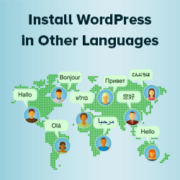
At WPBeginner, we often hear from users who feel intimidated by WordPress because they think it’s only available in English. However, many WordPress beginners don’t realize they can easily install WordPress in other languages. In fact, WordPress supports over 130 languages, making it very accessible… Read More »
Our readers often ask us if it’s possible to show attachment file icons in WordPress. Adding file icons helps users identify the type of file they’re downloading at a glance, which is great for helping them understanding your content better. I’ve tested different methods for… Read More »
Sometimes, you outgrow your website. Maybe you started a personal blog years ago and don’t post anymore, or you built a test site that you no longer need. In other cases, a business may close down, and there’s no reason to keep the site online.… Read More »
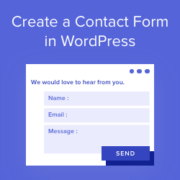
When I first started building WordPress websites, I didn’t realize how useful a contact form could be. It’s not just a way for people to reach you. It also keeps your email address private, cuts down on spam, and makes it easier to stay organized.… Read More »
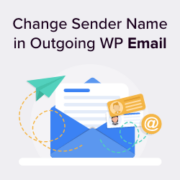
If you want to change the default sender name and email address for outgoing WordPress emails, you’ve come to the right place. By default, WordPress uses ‘WordPress’ as the sender name for all outgoing WordPress notification emails. However, in our expert opinion, this doesn’t look… Read More »
Imagine walking into a bakery and seeing a big sign that says, ‘Over 1,000 cookies baked fresh today!’ You’d want to buy one, wouldn’t you? Showing stats on your WordPress site, like how many posts, comments, and users you have, can have the same effect… Read More »
If you’re running a membership site or online community, then you’ve probably noticed that WordPress’s default registration form only collects a username and email address. That means you’re missing crucial information from your members right from the start. Custom registration forms solve this problem. You… Read More »
Do you want to easily jump to specific posts and pages for quick editing in WordPress admin area? Normally if you have a lot of content that you need to frequently update, then it becomes quite time consuming to locate that content in the WordPress… Read More »
Used to store interaction and conversion data for campaigns in conjunction with Revenue Attribution.
1 year
_gat_omTracker*
Set, controlled and used by Google Analytics to collect and store data and then send that data to Google Analytics. OptinMonster provides the name if there is no existing tracker found on that page.
-
omCountdown-{id}-{elementId}
Used for countdown elements {elementId} in campaigns {id} to determine when it should complete.
-
om-{id}-closed / omSlideClosed-{id}
Used specifically with slide-in campaigns {id} to determine if it has been closed or not by a visitor.
30 days
om-success-cookie / omSuccessCookie
Used to determine if a visitor has successfully opted in to any campaign on your site to unlock content when using our Content Locking feature.
365 days
om-success-{id} / omSuccess-{id}
Used to determine if a visitor has successfully opted in to a campaign with the ID of {id} on your site.
365 days
omSeen-{id}
Used to determine if a visitor has been shown a campaign by the slug.
30 days
om-{id}
Used to determine if a visitor has interacted with a campaign ID of {id} on your site.
30 days
_omappvs
Used to determine when a new visitor becomes a returning visitor.