Publishing content consistently is one of the best ways to grow your WordPress blog and keep your audience engaged. But manually hitting ‘Publish’ every time can be a hassle if you’re managing a busy content calendar. While we manually schedule all posts on WPBeginner, many… Read More »
One of our readers recently shared a common concern about multilingual WordPress sites. They wanted to know if the WordPress admin area could stay in English while the site supported multiple languages. At WPBeginner, we’ve been serving a global audience for over a decade, so… Read More »
Adding registration dates to your WordPress user profiles is one of the simplest ways to make your site look more professional and established. This small detail can build credibility and help your community members see the history behind your growing site. 📅 Most WordPress site… Read More »
It’s that time of the year again, where we share the best Black Friday and Cyber Monday deals on your favorite WordPress products. This is the best time to buy WordPress plugins, themes, and hosting because all providers usually offer their best deal of the… Read More »
Regular backups are important for peace of mind. But what if you have only a database backup? Restoring a WordPress site from a backup can seem daunting, but it’s easier than you might think. At WPBeginner, we’ve seen many cases where users relied on a… Read More »
How can I boost my user engagement is a question we’ve been getting a lot lately. We have written several articles about it such as using point system and post reactions. In this article, we will show you how to boost user engagement with a… Read More »
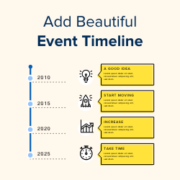
Do you want to share your company’s story without boring your visitors with walls of text? A visual timeline is the perfect solution. Event timelines are a fantastic way to highlight your story or showcase key moments in a way that truly engages your audience.… Read More »
Adding a YouTube video gallery to your WordPress site can make it more engaging. While WordPress lets you embed YouTube videos in posts, the built-in Embed block isn’t ideal for creating a clean gallery layout. The good news is there are great plugins to help… Read More »
WordPress allows you to create private posts and even password protected posts. The problem with private posts is that you need to have editor level permissions to see this post. But what if you wanted to share post with only a specific group of people… Read More »
Are you looking for the best code editors to edit WordPress theme files? You can use any plain text editor, such as NotePad. However, there are better code editors out there with features like syntax highlighting, advanced find and replace options, FTP integration, and more.… Read More »
Used to store interaction and conversion data for campaigns in conjunction with Revenue Attribution.
1 year
_gat_omTracker*
Set, controlled and used by Google Analytics to collect and store data and then send that data to Google Analytics. OptinMonster provides the name if there is no existing tracker found on that page.
-
omCountdown-{id}-{elementId}
Used for countdown elements {elementId} in campaigns {id} to determine when it should complete.
-
om-{id}-closed / omSlideClosed-{id}
Used specifically with slide-in campaigns {id} to determine if it has been closed or not by a visitor.
30 days
om-success-cookie / omSuccessCookie
Used to determine if a visitor has successfully opted in to any campaign on your site to unlock content when using our Content Locking feature.
365 days
om-success-{id} / omSuccess-{id}
Used to determine if a visitor has successfully opted in to a campaign with the ID of {id} on your site.
365 days
omSeen-{id}
Used to determine if a visitor has been shown a campaign by the slug.
30 days
om-{id}
Used to determine if a visitor has interacted with a campaign ID of {id} on your site.
30 days
_omappvs
Used to determine when a new visitor becomes a returning visitor.