


Creating a website for your church can feel overwhelming, especially if you’re not a web designer. The good news is that plenty of user-friendly website builders make creating your own site possible, even if you don’t have any technical skills.
Over the last few years, we’ve tried and tested tons of website builders. Our overall favorite option is self-hosted WordPress since it gives you complete control over your website while also being affordable and beginner-friendly.
That said, we know that everyone has unique needs, and there are lots of other excellent church website builders out there. So, we decided to research and test all the most popular options and share our findings.
In our opinion, self-hosted WordPress still wins, even for church websites. However, we also discovered some other solid platforms, including Sharefaith and Ministry Designs.
In this guide, we will explore the 9 best church website builders to help you find the perfect option for your needs.
A Quick Look: Best Church Website Builders ⛪
Are you in a hurry? Here’s a quick look at our top choices for the best church website builders:
| # | Church Website Builder | Best For | Pricing |
| 🥇 | WordPress | Full ownership & control + customization + flexibility | Free, with additional web hosting + domain name costs |
| 🥈 | Wix | Small churches seeking all-in-one, easy website setup | Freemium, paid plans start from $17 per month (annual) |
| 🥉 | Hostinger Website Builder | All-in-one website solution for quick setup | From $2.99 per month |
| 4 | Sharefaith | Tailored tools for sermon and event management | $172 per month (annual) |
| 5 | WordPress.com | All-in-one, managed solution | From $4.09 per month |
| 6 | Ministry Designs | 1-1 support from a representative | $97 per month |
| 7 | Nucleus | Churches with lots of online members | $49 per month |
| 8 | Weebly | A beginner-friendly solution with eCommerce features | From $10 per month (annual) |
| 9 | Squarespace | Design flexibility + ease of use + multiple users | From $16 per month (annual) |
Why Do I Need a Church Website?
A church website can be a digital extension of your ministry. It serves as a central hub for your congregation and community, offering easy access to important information like service times, event details, and updates.
Today, most people head online to find answers, including looking for a church. Having a website ensures your ministry remains accessible and welcoming to both your current members and anyone new looking to connect.
A well-designed church website also strengthens communication. It lets you share sermons, host online giving, and even stream live services. All of this makes it easier to engage with your audience beyond the church walls.
Plus, it’s a powerful outreach tool that can help you connect with people who are searching for a spiritual home in your area.
Without a website, it’s like keeping your church’s doors closed throughout the week. A church website ensures you’re always open, ready to serve, and available to anyone in need, anytime.
How We Tested and Reviewed the Best Church Website Builders
When you’re trying to pick the right website builder for your church, you’ll want to look for features that help you do all the important tasks easily. Here are the key things we carefully checked when testing and reviewing these church website builders:
- 📅 Calendar features: We looked for tools that make it simple to list regular services, events, and activities. The goal is to make sure your church schedule is easy for visitors to find and follow, encouraging participation.
- 🙌 Support for sermons: We focused on platforms that support both video and audio uploads without extra technical steps. This way, your congregation can catch up on sermons anytime, even if they missed them live.
- 🙏 Easy member registration and login: We prioritized website builders that support secure member login areas. This feature is key for protecting your content, like meeting minutes or internal announcements.
- 🔐 Advanced user permissions: We looked into options that allow role-based capabilities so you can assign specific tasks to volunteers without risking access to sensitive areas of your church site.
- 💸 Donation options: We picked platforms that let churches securely collect donations and contributions, particularly from members who may attend remotely.
- 🎨 Templates and user-friendly design: We looked for website builders with modern, church-focused templates that are easy to customize. The ability to tweak layouts, add images, and adjust colors ensures your website reflects your church’s identity.
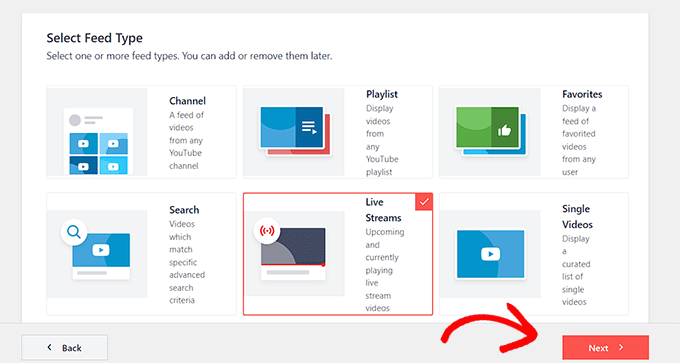
- 📡 Live streaming integration: We evaluated whether each builder supports embedding live streams or integrating with popular streaming platforms, which has become increasingly important for hybrid worship.
Why Trust WPBeginner?
At WPBeginner, we have over 16+ years of hands-on experience helping people build and manage all sorts of WordPress websites.
That said, we understand the unique challenges churches face when establishing an online presence. From managing sermons and events to accepting donations and building community, a church website has a lot to do.
For this roundup, we tested and reviewed all the most popular website builders based on what matters the most to churches: ease of use, customizable templates, donation options, community tools, and more.
This guide brings together years of our own experience, careful testing, and smart tips from the WPBeginner team. Our research is constantly updated, so you can trust that our advice is accurate and up-to-date. For more details, check out our complete editorial process.
Now, here are the most popular church website builders on the market.
1. WordPress

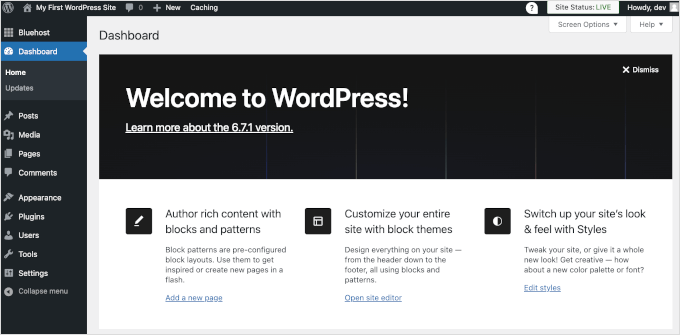
WordPress or WordPress.org is a powerful, user-friendly website builder that can create any type of site. The best thing about it is that it gives you full ownership and control of your website. That means your data will always belong to you, and you can customize every aspect of your site. You can also extend its features using free or premium plugins.
Our Experience with WordPress
At WPBeginner, our blog runs on WordPress, and we’re continually impressed by its versatility and power. We’ve covered this platform in detail in our ultimate WordPress review.
Before we dive deeper, it’s important to note that WordPress.org, also called “self-hosted WordPress,” is different from WordPress.com (we’ll discuss WordPress.com later in the article).
If you’d like to know how they’re different, then check out our guide that compares WordPress.org vs. WordPress.com.
As we mentioned, one of the things we love most about WordPress is that you fully own your website.
Unlike other free website builders, there are no ads, and you’re in charge of everything from the design to the content. This makes WordPress a great foundation for any church website.
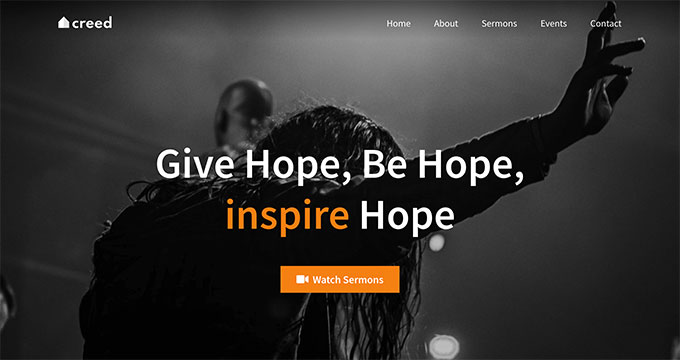
When it comes to building a church site, we found a wide selection of church themes (both free and premium) that can help get your website up and running quickly. For more information, see our expert picks of the best church themes for WordPress.
You can also use popular WordPress page builder plugins like SeedProd, Divi, or Beaver Builder to create completely custom church websites without writing any code.
For additional features, WordPress has over 62,000 plugins. This means you can add extra functionality like contact forms, photo galleries, image sliders, and more with just a few clicks.
During our research, we discovered the church-specific Sermon Manager plugin can help with uploading and organizing your church’s sermons.
You can also easily accept online donations using a donation and fundraising plugin. For that, we recommend WPForms Lite, a free plugin that lets you accept Stripe payments.
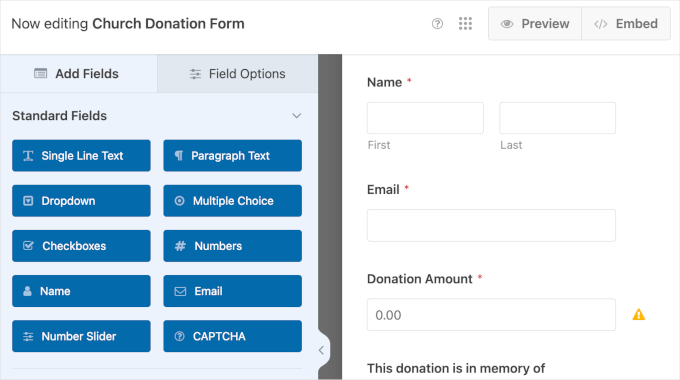
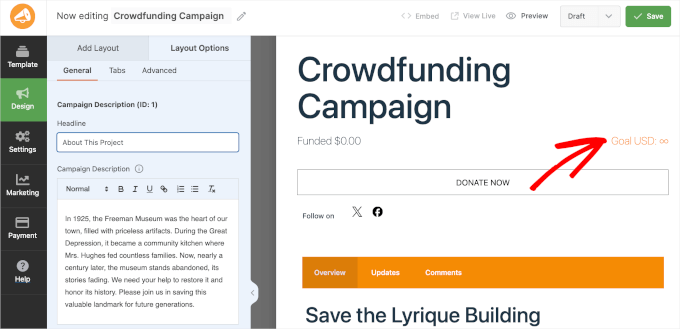
Or, if you can afford a few premium plugins, WP Charitable is a fantastic tool for managing donations.
It even lets you create more advanced crowdfunding campaigns.
If you want to collaborate with other people, then WordPress lets you create as many user accounts as you need. You can even assign different roles and permissions so you can control exactly what each person can do on your church website.
On the other hand, you can add a member option to your site using a plugin like MemberPress. That way, your congregation can actively participate on your church website.
On top of all that, there’s a huge supportive community around WordPress, making it easy to get help when you need it. We even run our own free Facebook group called WPBeginner Engage where you’ll find lots of encouragement and support.
WordPress is free, open-source software, which means you have complete control over your website. But since it’s self-hosted, you will need a domain name and web hosting to make your church website live.
⭐ Our friends at Bluehost, a popular web hosting company, have agreed to offer WPBeginner readers a free domain name and a generous discount on hosting. That means you can start a church website for just $2.99 per month! Just use our Bluehost coupon code to get started.
Once you have set up your domain and hosting, you can see our guide on how to make a WordPress website.
✅ Pros of WordPress:
- Full ownership and control over your church website
- A wide selection of free and premium church themes (website templates)
- Customizable design with page builder plugins or intuitive built-in editing tools
- Access to tons of plugins for adding church-specific functionality, such as donation and crowdfunding plugins
- Supports multiple user accounts with customizable roles and permissions
- Easily integrate live streaming through plugins or embed codes
- Massive, supportive community
❌ Cons of WordPress:
- Requires a domain name and web hosting (since it’s self-hosted software)
- You’ll need to handle updates, backups, and security yourself
- There’s a bit of a learning curve for beginners
⭐ Why we recommend WordPress: WordPress is the most flexible platform for building a church website. It’s easy to customize, and with over 62,000 free plugins, you can add any feature you need. Plus, WordPress is free to use and gives you full control over your site.
Pricing: WordPress itself is free, but you’ll need to pay for a domain name and web hosting. The cost of a domain name is normally around $9 – $15 per year, and web hosting normally starts around $7.99 per month.
📝 You can use WordPress with all major hosting providers. If you want a Bluehost alternative, then we recommend SiteGround or any of these top WordPress hosting companies.
2. Wix
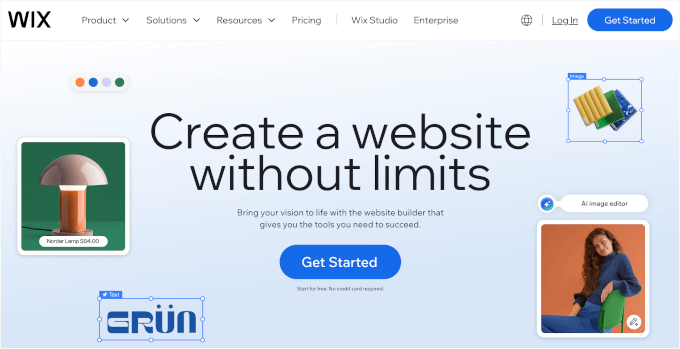
Wix is one of the most popular website building platforms that doesn’t require any technical skills. Plus, it’s a fully hosted platform, so it’s a great option for small churches looking for an all-in-one solution.
Our Experience with Wix
When we build websites, we definitely lean towards website builders that work with WordPress. However, to give you the best advice, we actually signed up for a Wix plan ourselves so we could test it out thoroughly.
During setup, we were happy to see that Wix’s interface is very user-friendly. You can just drag things around to build your site, so it’s perfect for beginners.
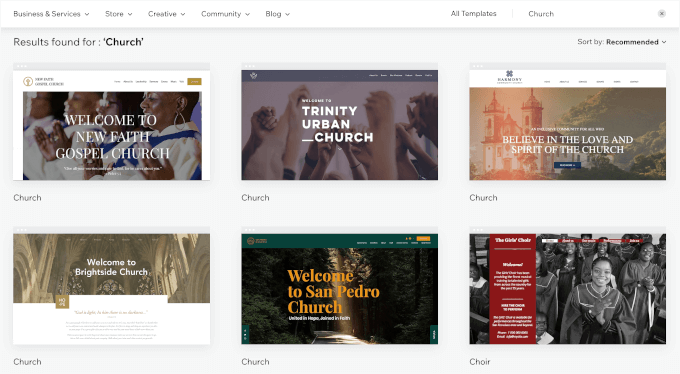
It offers a collection of templates designed specifically for churches, including features for events, service schedules, and more.
You can pick a template that fits your church’s style and then customize it from there.
Another good thing is that Wix provides a free SSL. You just need to turn it on for your church website, and it will help protect your visitors’ data. This feature is especially important if you plan to accept payments or donations, or have a contact form.
To accept donations on Wix, you can use the Wix Donations app and create campaigns for each cause.
We also found that you can customize the donation form with options like donation amounts and frequencies.
To process donations, you’ll need a paid plan and a payment provider like Wix Payments or PayPal. However, it’s important to note that if you choose Wix Payments, they might charge a processing fee.
Another thing worth noting is that Wix also offers event management tools, allowing you to set up event pages and manage RSVPs. This can be really handy for organizing church gatherings, fundraisers, and community outreach events.
✅ Pros of Wix:
- User-friendly drag-and-drop interface
- Fully hosted platform, so you don’t need separate hosting
- Free SSL included in all plans for secure data protection
- Church-specific templates with features like events and service schedules
- Customizable donation forms with the Wix Donations app
- Built-in event management and RSVP tools
❌ Cons of Wix:
- Free plan has limitations like branded domain and reduced storage
- Paid plan required to accept donations or payments
- Wix Payments charges processing fees for transactions
- You can’t easily switch to another platform later (your site design won’t transfer)
⭐ Why we recommend Wix: Wix is a great choice for beginners looking to create a professional church website with minimal effort. It offers easy customization, built-in hosting, and tools tailored for churches, like pre-made church-specific templates, donation campaigns, and event features.
Pricing: Wix offers a free plan, but it comes with limitations, like a branded domain name and reduced bandwidth and storage. The Light plan, which costs $17 per month, offers more features but doesn’t allow you to accept payments online. To collect funds, you’ll need to upgrade to the Core plan at $29 per month or higher.
3. Hostinger Website Builder

If you’re looking for an all-in-one solution that lets you set up your website fast, then Hostinger Website Builder is a great option. It provides web hosting, so you don’t need to buy that separately. Plus, all the plans come with a free domain, business email address, built-in SEO tools, email marketing, and more.
Our Experience with Hostinger Website Builder
During setup, we really appreciated how quick it was to create a church website. We just typed in “church” for the type of website and then clicked a few options to finish creating the site.
We like that Hostinger includes 150+ pre-designed templates plus a powerful drag-and-drop builder so you can customize any design. This makes building a church website quick and easy.
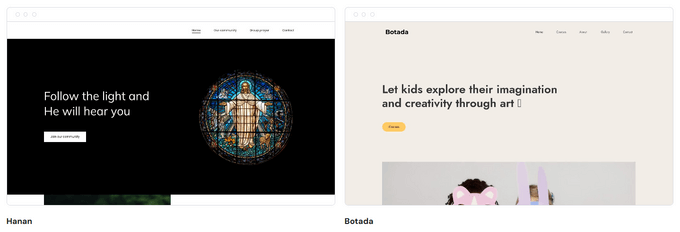
In the editor, we learned that we can tweak the site layout and design in almost any way we can imagine. One downside is that there isn’t a specific donations feature.
However, you can easily create and sell products. That said, you could potentially create a product called “Donation” in different amounts.
If you ever need any help, there’s support available 24/7. You can contact the Hostinger team by email or live chat. We found that the live chat team was helpful and quick to respond.
It’s also worth mentioning that Hostinger offers a 30-day money back guarantee, so you can try the platform risk-free. And with its AI-powered tools, including an image generator and blog content creator, you can get your church website looking polished in no time.
✅ Pros of Hostinger Website Builder:
- All-in-one website solution (includes web hosting)
- Drag-and-drop builder for easy customization
- 150+ customizable pre-designed templates
- AI-powered tools like an image generator and blog generator
- 24/7 customer support via email and live chat
❌ Cons of Hostinger Website Builder:
- No specific donations feature (requires a workaround)
- Limited customization options compared to WordPress
- Difficult to switch to another platform (you’d need to rebuild your church website)
⭐ Why we recommend Hostinger Website Builder: We chose Hostinger because it offers an easy, all-in-one solution for building a church website. With its drag-and-drop builder, 150 templates, and AI image generator, it’s quick and easy to get started.
Pricing: Hostinger Website Builder starts at just $2.99 per month. Their eCommerce plan starts at $3.99 per month, which could be useful if your church wants to sell products, event tickets, or anything else online.
Just keep in mind that these are introductory rates for longer billing terms, and renewal prices are higher.
4. Sharefaith

Sharefaith is a well-known website builder made specifically for churches. It offers a dedicated platform with tailored tools for sermon and event management.
Our Experience with Sharefaith
When we tested Sharefaith, we were impressed by how quickly we could navigate the setup process.
One standout feature of Sharefaith is the extensive selection of church-focused templates. Unlike some platforms, all templates are designed specifically for churches, so you won’t have to sift through irrelevant options.
Plus, Sharefaith makes it easy to preview and test different templates before committing to one. The platform also shines when it comes to sermon management.
Uploading sermons to your church website, whether in audio or video format, is simple. We found it useful that sermons can be organized by preacher or series, making it easier for visitors to browse past messages.
Additionally, the built-in calendar feature was a breeze to use and felt like a great tool for keeping the congregation informed about services and events.
Another standout is Sharefaith Giving, which simplifies accepting donations and tithes directly through your site.
The included media library is also a huge plus. With over 90,000 graphics, videos, and stock images, we never felt limited in design choices. However, for those who prefer a personal touch, the ability to upload custom visuals is a nice bonus.
Lastly, Sharefaith’s advanced tools let you add extra users, and they also have free site migration for annual plans. This can be a lifesaver if you’re not familiar with technical processes.
✅ Pros of Sharefaith:
- Church-specific templates and access to a vast media library with over 90,000 assets
- Easy sermon uploads with audio, video, and detailed categorization
- Built-in calendar for services and events
- Sharefaith Giving integration for donations and tithes
- Ability to add multiple users through advanced tools
- Free site migration for annual plan subscribers
❌ Cons of Sharefaith:
- Not the most budget-friendly option, making it less ideal for churches with tight finances
- Limited functionality compared to WordPress (lacks access to a wide range of plugins and extensions)
- No free trial or free plan available
⭐ Why we recommend Sharefaith: If you’re looking for seamless sermon management, a built-in event calendar, and donation tools, Sharefaith is a top contender. While it’s not the most budget-friendly choice, the cost may be worth it for churches looking for comprehensive support.
Pricing: Sharefaith costs $172/month if you pay annually, which is the minimum plan you can purchase if you want to create a website. This also includes unlimited media assets like activity pages, family devotionals, worship videos, kids curriculum, and more.
It could be a worthwhile investment, especially if your church plans to use lots of specialized features, like the ability to easily upload sermons.
5. WordPress.com
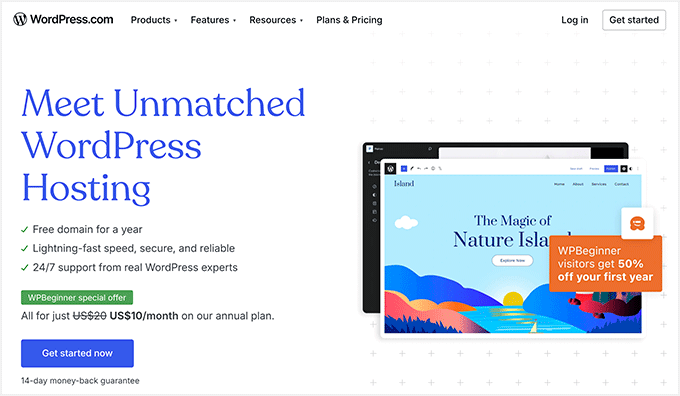
WordPress.com is based on the same underlying code as WordPress.org. It can be a good alternative if you don’t mind having a limited version of the WordPress software and you want an all-in-one option (where you don’t have to worry about finding separate hosting services).
Our Experience with WordPress.com
We prefer having the flexibility of WordPress.org, but we also have tons of experience with WordPress.com since lots of our readers have asked us questions about it over the years. You can check out our complete WordPress.com review for more details.
It’s easy to get confused about the difference between WordPress.org and WordPress.com. The key thing to know is that WordPress.com is a commercial offering, whereas the WordPress.org software is free and open-source.
There are restrictions on what you can do with WordPress.com, and the free plan is quite limited, which is why we normally recommend WordPress.org instead. However, WordPress.com can be the right choice in some situations.
The best thing about WordPress.com is that it’s hosted for you. That means you don’t need to worry about backups, updates, or security. It’s all handled on your behalf.
There are hundreds of different themes (designs) that you can choose for your website. This includes plenty of options, both free and premium, that are suitable for churches.
We do appreciate that it’s quite straightforward to move from WordPress.com to WordPress.org in the future. This helps keep your options open.
✅ Pros of WordPress.com:
- Fully hosted platform, handling backups, updates, and security for you
- Hundreds of themes, both free and premium, that are suitable for churches
- The option to migrate from
WordPress.comtoWordPress.orgin the future
❌ Cons of WordPress.com:
- You won’t be able to customize your site to the same extent that you can with other website builders.
- WordPress doesn’t have a drag-and-drop interface like some other website builders, so it can be harder to get to grips with
- The free plan is very limited and doesn’t provide any support.
⭐ Why we recommend WordPress.com: We chose WordPress.com for its convenience as a fully hosted platform that handles security, backups, and updates. It’s an ideal choice for those who want a simple solution with plenty of theme options, and the ability to easily migrate to WordPress.org if needed.
Pricing: The paid plans are fairly cheap, starting at just $4.09/month (billed annually) for a custom domain name, 24/7 support, and the ability to install plugins.
6. Ministry Designs
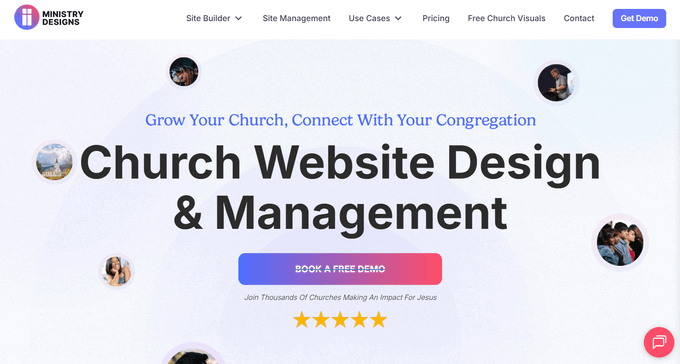
Ministry Designs, a website builder specifically designed for churches, offers full hands-on support with a representative. So it can be a good idea if you expect you’ll need 1-1 attention.
Our Experience with Ministry Designs
During setup, we found Ministry Designs’ features intuitive and highly relevant for managing a ministry’s digital presence.
With this platform, you can upload sermons, create a calendar, and even manage an email list, making it a comprehensive solution for church websites. When we tested the sermon upload feature, it was simple to use and allowed for easy categorization by series or preacher.
You’ll also find a variety of beautiful, fully responsive templates that look great on both mobile devices and desktops. During our trial, the templates stood out for their clean design and ease of customization. We are confident that even non-technical users could create a professional-looking church site using Ministry Designs.
Ministry Designs also offers unlimited training. You’ll even get your very own ‘Ministry Success Representative’ who will guide you step-by-step through building your site, often using screen-sharing technology to show you exactly what to do. It’s like having a personal coach for your church website!
The process begins with an hour-long initial phone call, followed by ongoing support to ensure your website is up and running smoothly. We appreciate this personalized approach, as it makes the setup feel less daunting compared to other platforms we’ve tried.
We also learned that the platform lets you have multiple user accounts. You get 3 users included for free, with the option to easily add more for an additional fee as your team grows.
Regarding the support team, you can easily reach them via the live chat feature on their website, even without signing up.
✅ Pros of Ministry Designs:
- Sermon uploads, calendars, and email list management tailored for ministries
- Personalized guidance from a “Ministry Success Representative” with screen-sharing support
- Responsive and friendly team accessible via live chat
- Allows up to 3 free users, with options to add more for larger teams
- Done-for-you website building option available
❌ Cons of Ministry Designs:
- You’ll be paying a large upfront fee
- While their templates are good, they’re not necessarily any better or more advanced than the ones you could get on many other (much cheaper) website builders.
- Extra charges apply for adding more than 3 users
⭐ Why we recommend Ministry Designs: We chose Ministry Designs because it’s built specifically to meet the needs of churches. It offers features that are highly relevant to ministries, like sermon uploads, calendars, and email list management. It stands out for offering 1-1 customer support to all users.
Pricing: Ministry Designs charges a $97 per month for the “Do It Yourself” Site plan, which includes unlimited support. For complete site management, it costs $247 per month.
We know that’s a significant amount to pay, but you might find it’s well worth the investment if your church doesn’t have a volunteer with the technical skills to create a website without a lot of hands-on support. It could save you a lot of headaches!
7. Nucleus
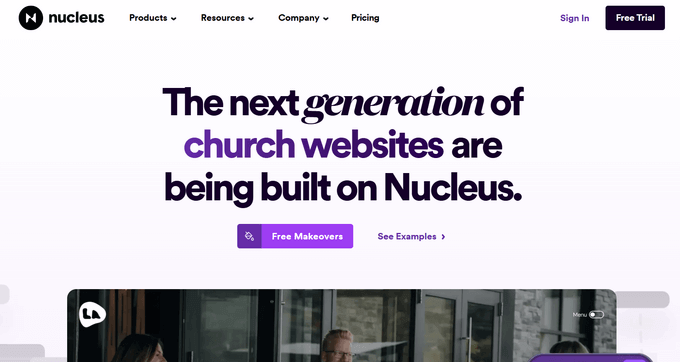
Nucleus is another all-in-one church website builder option. It’s designed to be the “central hub” of your congregation, so it’s perfect if you expect to have a lot of online members.
Our Experience with Nucleus
With a strong emphasis on signup forms, this platform can encourage more people to become online users of your church’s website. This can be a huge help in streamlining communication and encouraging members to interact.
When you sign up for Nucleus, you’ll get access to a library of video clips, though only a small selection is available during the free trial. We found the video clips helpful for creating engaging content, but we would have loved more variety during the trial period.
The absolute best feature we found was the pre-made social media posts that even come with suggested captions. This doesn’t just simplify your content creation process; it can genuinely help your church stay consistent and active with its online presence across platforms.
Additionally, Nucleus provides helpful documentation, live chat support, and a Facebook group where users can exchange tips and advice.
You can try Nucleus risk-free with a 15-day free trial – no credit card required. This made it easy to explore the platform without any financial commitment, which we appreciated. If you need more time to decide, Nucleus will happily extend the trial period upon request.
And if affordability is a concern, then it’s worth checking if your church qualifies for Nucleus’ “scholarships” for smaller churches and startups.
Beyond the website builder, Nucleus also offers modules for church management, email communications, giving, and event registration, all of which can be added to your plan. This makes it a true all-in-one church platform if you choose to use the full suite of tools.
✅ Pros of Nucleus:
- Strong focus on signup forms
- Pre-made social media posts with suggested captions
- Helpful library of video clips for creating engaging content (though this is limited during the free trial)
- Live chat support and access to a Facebook group for community tips and advice
- Scholarships for smaller churches and startups
- Additional modules available for church management, giving, and communications
❌ Cons of Nucleus:
- Support is available only from 9 am to 5 pm EST, which may lead to delays
- Donations require an additional flat fee through RebelGive
- Multiple-user access is currently not available
- More expensive than some alternatives when you add multiple modules
⭐ Why we recommend Nucleus: As a church website builder, Nucleus stood out for its all-in-one approach, especially with its focus on signup forms and memberships. The pre-made social media posts with suggested captions can help you save time and maintain consistency. Additionally, the 15-day risk-free trial and affordability scholarships make it an easy and budget-friendly choice.
Pricing: Nucleus costs $49 per month if you choose to pay monthly, or it’s $588 per year if you pay upfront for a whole year. The great news is that you don’t need to pay more as your website grows. It’s a single, flat fee that gives you access to all of its powerful features, no matter how much your website grows.
8. Weebly

Weebly is an easy-to-use website builder that is perfect for beginners. It also comes with built-in eCommerce features, making it a great option for churches that want to accept online donations or sell merchandise.
⚠️ Weebly is currently owned by Square and is in maintenance mode. While the platform remains operational and Square has confirmed support through at least July 2026, no new features are being developed.
New users may want to consider Square Online as an alternative, or choose one of the other builders on this list for a more actively developed platform.
Our Experience with Weebly
In our experience, the drag-and-drop interface made creating a site feel intuitive, and the variety of editable designs gave us plenty of creative freedom to customize the site.
The built-in eCommerce feature allows you to take donations, which is a great option for churches. However, it’s worth noting that Weebly charges a 3% transaction fee on donations or sales, which could add up over time if your church relies on online contributions.
We also liked the App Center, which offers various add-ons to enhance your church website’s functionality. For example, there are audio players that you can use to upload and share sermons. This feature was especially helpful for adding multimedia content easily.
Support is available 24/7 via email, and live chat is available during business hours. We found the support team to be responsive and helpful. Plus, if you’re on the Pro plan or higher, you can access phone support, which is an added bonus.
Lastly, if you need to create a membership area for church members to access exclusive content, Weebly offers this option on higher-tier plans. This feature can be useful for protecting sensitive information, ensuring only members can view specific pages.
✅ Pros of Weebly:
- Beginner-friendly drag-and-drop interface with plenty of church-specific templates
- Built-in donation feature, though with a 3% transaction fee
- Audio players so you can share sermons with ease
- Ability to create protected areas for church members on higher-tier plans.
- 24/7 email support, live chat during business hours, and phone support for Pro plan users
❌ Cons of Weebly:
- The app selection can be somewhat limited, meaning you might not find some niche features you need. For example, some other website builders might offer a dedicated sermon app with advanced features, which you won’t find here.
- Platform is in maintenance mode with no new features being developed
- Square is encouraging users to migrate to Square Online
⭐ Why we recommend Weebly: In our opinion, Weebly stands out for its ease of use and beginner-friendly drag-and-drop interface. The variety of customizable designs and built-in eCommerce support are also key benefits. The ability to add multimedia content and create a membership area for church members on higher-tier plans is also highly convenient.
Pricing: Their paid plans start from $10/month (billed annually), but this won’t let you remove ads. You’ll need to pay for the $12/month Professional plan if you want to remove ads and have unlimited storage.
📝 Want to know how Weebly compares to WordPress? Then, check out our WordPress vs Weebly comparison.
9. Squarespace

Squarespace is a popular all-in-one website builder known for its user-friendliness and beautiful design.
Our Experience with Squarespace
We found Squarespace particularly convenient for church websites, as it allows for multiple users, making team collaboration easy.
The platform’s block editor also simplifies adding images, videos, and audio files. You can take advantage of these flexible media options for uploading and sharing sermons.
We also appreciated the seamless image handling, ensuring that everything looks great across all devices. Plus, the ability to browse and select free images from Unsplash directly within Squarespace was a big bonus.
It’s also worth noting that Squarespace provides strong SEO tools built in, including customizable page titles, meta descriptions, and clean URLs. This can help your church rank higher in local search results when people search for churches in your area.
Another thing we loved about Squarespace was the large selection of fonts. It makes it easy to match the website’s typography to your church’s printed materials for a consistent look.
One more valuable feature was the flexibility to add contributors, especially on higher-tier plans. And, if you’re looking to accept donations, you can use Squarespace’s ‘Donations’ block, which is available on all paid plans.
In addition, we appreciated the free trial with no strings attached, which didn’t require credit card details to get started.
✅ Pros of Squarespace:
- User-friendly platform, great for beginners
- Flexible media options and large font selections
- Strong built-in SEO tools for local search visibility
- Access to Unsplash for free images
- Accept donations directly on your website
- Free trial with no credit card required
❌ Cons of Squarespace:
- Limited church-specific templates. While ‘Community & Non-Profits’ templates can work as a starting point, they’ll likely require significant customization to fit your church’s needs
- Limited third-party extensions compared to platforms like WordPress
- Transaction fees on donations. The Basic plan charges a 2% transaction fee on donations, while the Core plan ($23/month) and higher eliminate Squarespace’s transaction fee (though payment processor fees still apply).
⭐ Why we recommend Squarespace: We like Squarespace because it offers one of the most user-friendly designs with versatile features. You can add multiple users and get a variety of customization options, which is super convenient. Plus, the option to take donations on all plans adds valuable functionality for churches.
Pricing: The Basic website plan is $16/month (if you pay annually) and it allows you to accept donations. But, if you want access to premium blocks and extensions, we recommend going for the Core plan at $23/month (also billed annually).
Related: For details on how Squarespace stacks up against WordPress, you can go through our Squarespace vs WordPress comparison guide.
Expert Pick: What Is the Best Church Website Builder?
WordPress is hands down the best website builder for churches. There’s a reason why it’s the most popular website builder in the world, powering over 43% of all websites on the internet.
It comes with dozens of church templates and beginner-friendly editing options, so you can build your church website without writing any code.
When it comes to cost, we recommend using our Bluehost web hosting offer, as it includes a free domain name and free SSL certificate. Plus, you can use our Bluehost coupon code to get a huge discount.
You can also quickly add any feature like donations, sermons, contact forms, photo galleries, membership, email marketing, and so much more by using popular WordPress plugins.
If you want a WordPress alternative, then we recommend using Wix. It offers a free plan that lets you create a full website for your church, even if you’re on a very tight budget. It’s also incredibly easy to use, even if you don’t have any technical skills.
💡 Ready to create your church website? Then follow our step by step guide on how to make a website with WordPress.
Best Church Website Builders: FAQs
Choosing the right website builder for your church can feel like a really big decision, and it’s okay to have questions!
Here are some answers to common things we get asked all the time, to help you pick the best tool for your church.
Why do I need a church website in the first place?
In today’s digital world, a website is often the first place people go to learn about a church. A well-designed website acts as your church’s online front door, welcoming visitors, providing essential information (like service times and location), and sharing your ministry’s message.
It can be a powerful tool for connecting with your community, both locally and globally.
What features are essential for a church website?
While every church is unique, some key features are crucial for most: a calendar for events and services, a way to share sermons (audio or video), online giving options, contact details, and information about your staff.
We’ve found that churches who prioritize these elements typically see greater engagement from their community.
Do I need technical skills to build a church website?
The level of technical skill you’ll need really depends on the website builder you choose. Luckily, many options out there offer drag-and-drop interfaces and user-friendly templates, which means they’re really accessible, even for beginners.
How much does a church website cost?
Costs range from free plans with limited features to premium plans with more advanced capabilities.
A domain name (your website’s address, like yourchurch.org) typically costs around $10-$15 per year. Meanwhile, web hosting (the server space where your website lives) can range from a few dollars to several hundred per month, depending on your needs. If you’re starting with a tight budget, there are affordable options available.
How important is website security for a church?
Website security is super important for any organization, and it’s absolutely crucial for churches. After all, you might be handling sensitive information like member data and online donations.
Make sure the platform you pick offers strong security features, like SSL certificates (which encrypt your website’s data) and regular backups, to keep your website and your community’s information safe.
What if I need help building or maintaining my church’s website?
Most website builders offer customer support if you ever get stuck. You can also find freelance web developers who specialize in church websites if you need extra help. And of course, WPBeginner offers tons of free resources and guides to help you every step of the way.
Can I live stream church services through my website?
Yes, most website builders allow you to embed live streams from platforms like YouTube, Facebook Live, or Vimeo.
If you use WordPress, there’s dedicated live streaming plugins that make this process straightforward. Some church-specific builders like Subsplash also offer built-in streaming tools as part of their platform.
How do I accept online donations on my church website?
The method depends on your website builder. With WordPress, you can use plugins like WPForms or WP Charitable to create donation forms and accept payments through Stripe or PayPal.
Alternatively, platforms like Sharefaith, Wix, and Squarespace have built-in donation features.
We hope this article helped you learn about the best church website builders. You may also want to take a look at our expert list of the best WordPress plugins for non-profits and our comparison of the best business phone services for non-profits.
If you liked this article, then please subscribe to our YouTube Channel for WordPress video tutorials. You can also find us on Twitter and Facebook.




Have a question or suggestion? Please leave a comment to start the discussion.