WPBeginner WordPress tutorials help you learn WordPress, so you can improve your website. Our step by step WordPress tutorials are easy to understand and will help you follow the WordPress best practices. Don't waste your time buying WordPress books or outdated WordPress tutorial PDFs that cover just the basics. Our WordPress tutorials are written by experts with 15+ years of WordPress experience, and it contains real-life examples and tips that allows you to learn WordPress faster. We also keep our tutorials up to date.
You can find our other latest free WordPress tutorials below, and you can always use the search feature on our site to find helpful WordPress tutorials faster.
If you don't see a WordPress tutorial that you're looking for, then please reach out to your team and let us know. All our WordPress tutorial ideas are suggested by our users over the last 13+ years.
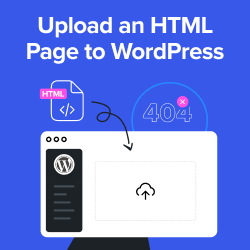
Remember the days of static HTML websites? We do. Even now, with WordPress powering over 43% of all websites, there are times when you need to upload a custom HTML page. But here’s the thing – WordPress doesn’t always play nice with HTML uploads, often… Read More »
Custom fields let you add extra details to your WordPress posts and pages. They open up new possibilities, allowing you to store and display additional information without needing complex plugins. Many WordPress users, especially those exploring customizations, wonder why they can’t find the ‘Custom Fields’… Read More »
One of the challenges we’ve faced while running a multi-author WordPress blog is managing post-publication edits. By default, contributors and guest bloggers can’t edit their published posts. This can cause problems if contributors need to quickly fix a typo, correct wrong information, or update a… Read More »
Are you seeing the ‘failed to open stream’ error on your WordPress site? Don’t panic. We sometimes encounter this error quite when testing new plugins and themes, and we’ve developed several reliable ways to fix it quickly. While this error message might look technical and… Read More »
WordPress offers categories and tags as default taxonomies for organizing content. However, for specific content types or complex organizational needs, custom taxonomies provide greater flexibility. At WPBeginner, we use custom taxonomies on our website to organize content into groups, such as tutorials, guides, showcases, and… Read More »
WordPress comes with basic post statuses like “Draft” and “Published.” But if you’re managing multiple writers, or just keeping track of your own posts, those defaults may not give you enough visibility into where each article stands. As a team that has managed hundreds of… Read More »
Working with our partner brands has given us clear insights into what actually turns visitors into paying customers. We’ve also tested a wide range of strategies across different WooCommerce setups, and the lessons we’ve learned have had a real impact on conversion rates. One thing… Read More »
Is your WordPress ‘Add Media’ button not working? This small problem can make it hard to add pictures or videos to your posts. Many WordPress users have this issue, and it’s tough because there are no error messages to help. Thankfully, we’ve figured out how… Read More »
After years of developing WordPress websites, we’ve learned that there’s one must-have element all business sites should have: a clear organizational chart. Think about it. Have you ever visited a company’s website and wondered who’s in charge of what? Or maybe you’re an employee trying… Read More »
Have you ever wanted to share your story or expertise on a sensitive topic but hesitated, worried about putting your name out there? It’s a common feeling, and you’re right to be cautious about protecting your identity online. At WPBeginner, we’ve walked countless users through… Read More »
Used to store interaction and conversion data for campaigns in conjunction with Revenue Attribution.
1 year
_gat_omTracker*
Set, controlled and used by Google Analytics to collect and store data and then send that data to Google Analytics. OptinMonster provides the name if there is no existing tracker found on that page.
-
omCountdown-{id}-{elementId}
Used for countdown elements {elementId} in campaigns {id} to determine when it should complete.
-
om-{id}-closed / omSlideClosed-{id}
Used specifically with slide-in campaigns {id} to determine if it has been closed or not by a visitor.
30 days
om-success-cookie / omSuccessCookie
Used to determine if a visitor has successfully opted in to any campaign on your site to unlock content when using our Content Locking feature.
365 days
om-success-{id} / omSuccess-{id}
Used to determine if a visitor has successfully opted in to a campaign with the ID of {id} on your site.
365 days
omSeen-{id}
Used to determine if a visitor has been shown a campaign by the slug.
30 days
om-{id}
Used to determine if a visitor has interacted with a campaign ID of {id} on your site.
30 days
_omappvs
Used to determine when a new visitor becomes a returning visitor.