WPBeginner WordPress tutorials help you learn WordPress, so you can improve your website. Our step by step WordPress tutorials are easy to understand and will help you follow the WordPress best practices. Don't waste your time buying WordPress books or outdated WordPress tutorial PDFs that cover just the basics. Our WordPress tutorials are written by experts with 15+ years of WordPress experience, and it contains real-life examples and tips that allows you to learn WordPress faster. We also keep our tutorials up to date.
You can find our other latest free WordPress tutorials below, and you can always use the search feature on our site to find helpful WordPress tutorials faster.
If you don't see a WordPress tutorial that you're looking for, then please reach out to your team and let us know. All our WordPress tutorial ideas are suggested by our users over the last 13+ years.
After running multiple WordPress sites, we’ve learned that small usability improvements can make a big difference. One of those improvements is adding a clear, easy-to-find logout link. We use logout links across our online stores and on the WP101 training platform because they make life… Read More »
Recently, one of our readers asked what they could do to fix the DNS_PROBE-FINISHED_NXDOMAIN problem. We’ve come across this error ourselves several times, so we have a few go-to solutions for this. This error message appears in Chrome when your browser can’t connect to the… Read More »
Moving your email service to a new provider often feels risky. One wrong setting, and you worry that important messages from customers will simply vanish into the void. To make the switch, you need to change your MX records, which act like a digital change-of-address… Read More »
Offering fixed prices doesn’t work for every business, especially if you provide custom services or bulk products. A ‘Request a Quote’ form solves this by letting customers share their needs before you discuss money. This simple addition can bridge the gap between a casual visitor… Read More »
Building a WooCommerce store can feel like trying to decorate an empty house – it’s hard to visualize how everything will come together without actual products to work with. You might find yourself wondering how your theme will handle product galleries, whether your layout works… Read More »
Have you ever looked at your website analytics and wondered not just what your visitors did, but why they did it? For a long time, we relied on Google Analytics, but we always felt we were missing the story behind the numbers. That’s where Microsoft… Read More »
Do you want to enable GZIP compression in WordPress? GZIP compression makes your website faster by compressing the data and delivering it to the user’s browsers much quicker. A faster website improves user experience and brings in more sales and conversions for your business. In… Read More »
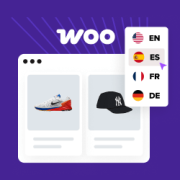
Before we started translating WPBeginner into other languages, we noticed that we were missing out on new visitors and customers by only offering content in English. I’ve also helped store owners localize their WooCommerce stores, and I’ve learned that offering translated content is a common… Read More »
Imagine trying to navigate a vast ocean without a compass. That’s what running a website without visitor tracking feels like. Tracking the number of website visitors on your site can help you get insights to grow your business. You can better understand your audience by… Read More »
You pour hours into creating valuable content for your audience. The last thing you want is for someone to steal it. This is a major concern for many creators, leading them to ask for ways to protect their work in WordPress. Recently, one of our… Read More »
Used to store interaction and conversion data for campaigns in conjunction with Revenue Attribution.
1 year
_gat_omTracker*
Set, controlled and used by Google Analytics to collect and store data and then send that data to Google Analytics. OptinMonster provides the name if there is no existing tracker found on that page.
-
omCountdown-{id}-{elementId}
Used for countdown elements {elementId} in campaigns {id} to determine when it should complete.
-
om-{id}-closed / omSlideClosed-{id}
Used specifically with slide-in campaigns {id} to determine if it has been closed or not by a visitor.
30 days
om-success-cookie / omSuccessCookie
Used to determine if a visitor has successfully opted in to any campaign on your site to unlock content when using our Content Locking feature.
365 days
om-success-{id} / omSuccess-{id}
Used to determine if a visitor has successfully opted in to a campaign with the ID of {id} on your site.
365 days
omSeen-{id}
Used to determine if a visitor has been shown a campaign by the slug.
30 days
om-{id}
Used to determine if a visitor has interacted with a campaign ID of {id} on your site.
30 days
_omappvs
Used to determine when a new visitor becomes a returning visitor.