WPBeginner WordPress tutorials help you learn WordPress, so you can improve your website. Our step by step WordPress tutorials are easy to understand and will help you follow the WordPress best practices. Don't waste your time buying WordPress books or outdated WordPress tutorial PDFs that cover just the basics. Our WordPress tutorials are written by experts with 15+ years of WordPress experience, and it contains real-life examples and tips that allows you to learn WordPress faster. We also keep our tutorials up to date.
You can find our other latest free WordPress tutorials below, and you can always use the search feature on our site to find helpful WordPress tutorials faster.
If you don't see a WordPress tutorial that you're looking for, then please reach out to your team and let us know. All our WordPress tutorial ideas are suggested by our users over the last 13+ years.
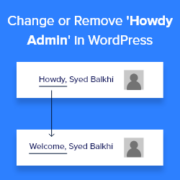
When we first started customizing WordPress sites, that little ‘Howdy’ message in the admin bar always caught our eye. It felt a bit too casual, especially when we were building professional websites for clients. Small touches like greetings can leave a big impression, and ‘Howdy’… Read More »
In recent times, virtual meetings and webinars have become necessary tools for businesses, educators, and content creators. Integrating Zoom meetings and webinars into your WordPress site can streamline your communication. It can boost user engagement by providing seamless access to virtual events directly from your… Read More »
Is your WordPress site feeling sluggish? A slow website is the fastest way to lose visitors and drop in search rankings. Even if you have fast hosting, you might be missing a critical optimization: browser caching. At WPBeginner, we use expires headers to tell browsers… Read More »
Looking for more control over your WordPress site’s design and function? Learning to edit HTML is the answer. HTML (HyperText Markup Language) is the code that structures your content, telling web browsers how to display your pages. Editing it directly comes in handy for advanced… Read More »
‘How do I make my links stand out?’ That’s a question we hear regularly from our WPBeginner readers. While it might seem like a small detail, link colors play an important role in your website’s usability and conversion rates. That is why we use the… Read More »
Your website’s background color sets the entire mood for your visitors. Maybe you want something clean and professional, warm and welcoming, or bold and creative – whatever vibe you’re going for, the right background color can make all the difference. The good news is that… Read More »
Speed tests often flag the ‘leverage browser caching’ warning, making it sound like a complicated technical issue. We fix this error regularly to help websites load faster and rank better in search results. Browser caching simply tells a user’s computer to store files like images… Read More »
Do you want to learn how to change your WordPress logo size? Your website logo is an important part of your brand, so you will want to make sure it looks good. However, sometimes, it’s not clear how to make the logo bigger or smaller.… Read More »
Leaving the WordPress version number in your website’s source code can make you vulnerable to online attacks. Hackers often target specific WordPress versions with known vulnerabilities. That’s why removing the WordPress version number from your website can greatly improve its security. At WPBeginner, we’ve helped… Read More »
Are you tired of manually copying data from WooCommerce into spreadsheets? When I was testing different automation tools, I found a super quick way to connect WooCommerce directly to Google Sheets – and it only takes 10 minutes to set up. I’ve thoroughly tested this… Read More »
Used to store interaction and conversion data for campaigns in conjunction with Revenue Attribution.
1 year
_gat_omTracker*
Set, controlled and used by Google Analytics to collect and store data and then send that data to Google Analytics. OptinMonster provides the name if there is no existing tracker found on that page.
-
omCountdown-{id}-{elementId}
Used for countdown elements {elementId} in campaigns {id} to determine when it should complete.
-
om-{id}-closed / omSlideClosed-{id}
Used specifically with slide-in campaigns {id} to determine if it has been closed or not by a visitor.
30 days
om-success-cookie / omSuccessCookie
Used to determine if a visitor has successfully opted in to any campaign on your site to unlock content when using our Content Locking feature.
365 days
om-success-{id} / omSuccess-{id}
Used to determine if a visitor has successfully opted in to a campaign with the ID of {id} on your site.
365 days
omSeen-{id}
Used to determine if a visitor has been shown a campaign by the slug.
30 days
om-{id}
Used to determine if a visitor has interacted with a campaign ID of {id} on your site.
30 days
_omappvs
Used to determine when a new visitor becomes a returning visitor.