WPBeginner WordPress tutorials help you learn WordPress, so you can improve your website. Our step by step WordPress tutorials are easy to understand and will help you follow the WordPress best practices. Don't waste your time buying WordPress books or outdated WordPress tutorial PDFs that cover just the basics. Our WordPress tutorials are written by experts with 15+ years of WordPress experience, and it contains real-life examples and tips that allows you to learn WordPress faster. We also keep our tutorials up to date.
You can find our other latest free WordPress tutorials below, and you can always use the search feature on our site to find helpful WordPress tutorials faster.
If you don't see a WordPress tutorial that you're looking for, then please reach out to your team and let us know. All our WordPress tutorial ideas are suggested by our users over the last 13+ years.
Creating an online quiz website is easier than most people think. Whether you want to build a BuzzFeed-style personality quiz site, create educational assessments for students, or launch a trivia site for your audience, you can have a fully functional quiz website launched in no… Read More »
If you’re looking for a way to build a community and boost engagement on your website, then accepting calendar events from users is a great place to start. This is a win-win situation: Your visitors get free promotion for their events, and you get to… Read More »
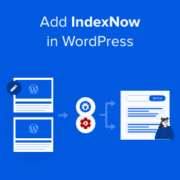
Do you hate waiting for search engines to notice your new content? It is frustrating to publish a great post and see zero traffic because search engines haven’t crawled it yet. The traditional approach requires search engines to visit your site at random intervals. This… Read More »
Linking to external websites in your navigation menu is sometimes necessary, but it can accidentally drain your site’s SEO authority. If you don’t use the ‘nofollow’ tag, search engines might pass your hard-earned ranking power to those third-party sites. At WPBeginner, we always apply the… Read More »
Stuck with a WordPress update that won’t budge? The ‘another update is currently in progress’ error can be frustrating, especially when you’re eager to keep your site up-to-date and secure. We’ve dealt with this error countless times across our own sites and even the WPBeginner… Read More »
Disabling the language switcher on the WordPress login screen can simplify the user experience for your visitors. While it might seem like a small change, having too many options on the login page can confuse some users. If the language switcher doesn’t serve a clear… Read More »
Do you want to restore the classic widgets editor in WordPress? The release of WordPress 5.8 removed the classic widgets editor in favor of the Gutenberg widget block editor to control your website widget areas. In this article, we’ll show you how you can disable… Read More »
While RSS feeds are great for promoting your content in directories, feed readers, and other platforms, they have one big drawback: your blog posts’ featured images won’t show up. When I first started syndicating my WordPress content through RSS feeds, I was frustrated by how… Read More »
Imagine losing a new customer just because they could not find your front door. It happens more often than you think when business websites lack clear directions. At WPBeginner, we have helped countless local business owners fix this exact problem. Adding a proper map does… Read More »
Every year, we run a birthday giveaway on WPBeginner and offer prizes in exchange for following us on social media, sharing the competition, or signing up for our email newsletter. Apart from rewarding our readers with free software to grow their businesses, these giveaways have… Read More »
Used to store interaction and conversion data for campaigns in conjunction with Revenue Attribution.
1 year
_gat_omTracker*
Set, controlled and used by Google Analytics to collect and store data and then send that data to Google Analytics. OptinMonster provides the name if there is no existing tracker found on that page.
-
omCountdown-{id}-{elementId}
Used for countdown elements {elementId} in campaigns {id} to determine when it should complete.
-
om-{id}-closed / omSlideClosed-{id}
Used specifically with slide-in campaigns {id} to determine if it has been closed or not by a visitor.
30 days
om-success-cookie / omSuccessCookie
Used to determine if a visitor has successfully opted in to any campaign on your site to unlock content when using our Content Locking feature.
365 days
om-success-{id} / omSuccess-{id}
Used to determine if a visitor has successfully opted in to a campaign with the ID of {id} on your site.
365 days
omSeen-{id}
Used to determine if a visitor has been shown a campaign by the slug.
30 days
om-{id}
Used to determine if a visitor has interacted with a campaign ID of {id} on your site.
30 days
_omappvs
Used to determine when a new visitor becomes a returning visitor.