WPBeginner WordPress tutorials help you learn WordPress, so you can improve your website. Our step by step WordPress tutorials are easy to understand and will help you follow the WordPress best practices. Don't waste your time buying WordPress books or outdated WordPress tutorial PDFs that cover just the basics. Our WordPress tutorials are written by experts with 15+ years of WordPress experience, and it contains real-life examples and tips that allows you to learn WordPress faster. We also keep our tutorials up to date.
You can find our other latest free WordPress tutorials below, and you can always use the search feature on our site to find helpful WordPress tutorials faster.
If you don't see a WordPress tutorial that you're looking for, then please reach out to your team and let us know. All our WordPress tutorial ideas are suggested by our users over the last 13+ years.
When we first started automating customer communications in WordPress, sending targeted coupons manually was eating up hours of our time. After testing numerous solutions, we discovered that FunnelKit Automations and Uncanny Automator were game-changers for automating coupon campaigns. They let you create sophisticated coupon campaigns… Read More »
Many online creators use Gumroad to sell digital products like ebooks, music, and online courses. We have helped many businesses set up online stores, and have recently noticed a trend of creators moving away from Gumroad to WordPress. The main reason for this shift is… Read More »
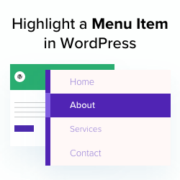
Highlighting a menu item in WordPress can draw your visitors’ attention to important pages or special offers. This can help improve navigation and user engagement. Whether you want to emphasize a new feature, a sale, or an essential update, making certain menu items stand out… Read More »
Sometimes, you may want to show custom content to users from specific locations, on specific dates, or under other conditions. Website personalization is not available in WordPress out of the box. However, there are simple and easy tools you can use to handle this. For… Read More »
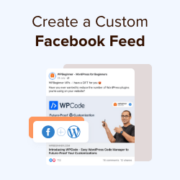
When building websites, we sometimes like to add the brand’s Facebook feed to one of its page. This allows visitors to see the latest updates, announcements, and community interactions without leaving the site. While manual methods exist, they’re not the most efficient for displaying Facebook… Read More »
We’ve run into our fair share of WordPress errors — white screens, missing pages, and plugin conflicts that seem to come out of nowhere. Sometimes, WordPress doesn’t show what’s going wrong by default. You just see a blank page or a vague message that doesn’t… Read More »
Discord is a well-known VOIP chat application that allows you to build your own communities and enables users to communicate with each other through text, voice, and video. As of 2024, Discord has about 227 million active users. Connecting your WordPress site with your Discord… Read More »
For small businesses and online stores, email is the lifeblood of communication. But juggling marketing campaigns, order confirmations, user notifications, and customer inquiries can quickly become overwhelming. At WPBeginner and our partner websites, we use email automation to save valuable time, ensure consistent communication, and… Read More »
Manually copying lead data from your website into Salesforce can be frustrating. It eats up your time and often leads to messy errors that cost you money. Even then, you might miss details or create mix-ups, which can hurt your conversion rates. We understand the… Read More »
Running a business often means drowning in client emails: sharing documents back and forth, chasing project updates, and answering the same questions again and again. We’ve seen this firsthand with many business owners. They spend hours every week organizing files and sending repetitive updates. That’s… Read More »
Used to store interaction and conversion data for campaigns in conjunction with Revenue Attribution.
1 year
_gat_omTracker*
Set, controlled and used by Google Analytics to collect and store data and then send that data to Google Analytics. OptinMonster provides the name if there is no existing tracker found on that page.
-
omCountdown-{id}-{elementId}
Used for countdown elements {elementId} in campaigns {id} to determine when it should complete.
-
om-{id}-closed / omSlideClosed-{id}
Used specifically with slide-in campaigns {id} to determine if it has been closed or not by a visitor.
30 days
om-success-cookie / omSuccessCookie
Used to determine if a visitor has successfully opted in to any campaign on your site to unlock content when using our Content Locking feature.
365 days
om-success-{id} / omSuccess-{id}
Used to determine if a visitor has successfully opted in to a campaign with the ID of {id} on your site.
365 days
omSeen-{id}
Used to determine if a visitor has been shown a campaign by the slug.
30 days
om-{id}
Used to determine if a visitor has interacted with a campaign ID of {id} on your site.
30 days
_omappvs
Used to determine when a new visitor becomes a returning visitor.