Often beginners get confused when trying to pick the right WordPress plugins for their needs. We frequently get questions like what is the best WordPress plugin to build an online store, add testimonials, accept payments, create a contact form, and so much more. Unlike other sites, our expert team at WPBeginner tests and review the best WordPress plugins for each task and create step-by-step installation guides to make your life easier. We do the research, so you don't have to.
If you're just getting started, then you may want to start with our popular WordPress plugin guides:
We also have a WPBeginner Solutions Center where we have our expert reviews and our community reviews of top WordPress plugins and tools.
You can find our other latest WordPress plugin guides below, and you can always use the search feature on our site to find helpful WordPress tutorials faster.
If you don't see a WordPress plugin guide that you're looking for, then please reach out to your team and let us know. All our WordPress content ideas are suggested by our users over the last 15+ years.
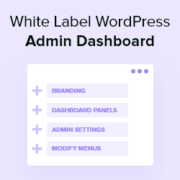
The default WordPress admin area works fine out of the box, but it rarely feels like your site. Whether you’re running a personal blog or managing projects for clients, the generic dashboard doesn’t reflect your brand. That’s where white labeling comes in. It lets you… Read More »
It might surprise you that All in One SEO can automatically optimize your images for search engines. After setting up this plugin on lots of websites, including our own, we’ve seen how many of its best tools often go unnoticed. You’re likely using the basics… Read More »
“What does our audience really want?” That’s the question we kept asking ourselves when we started WPBeginner. After trying different feedback methods, we finally found the answer in interactive polls. They completely changed how we understood our readers’ needs. To figure out the most effective… Read More »
Do you want to track WordPress widget history to monitor changes made to the widgets on your site? Widgets are blocks of content that you can add to your website. They allow you to add different elements to your sidebars, such as signup forms, images,… Read More »
One-click Google login lets visitors sign up or log in to your site using an account they already have. Instead of creating yet another username and password, they can access your content or online store with a single click. We’ve found that users appreciate this… Read More »
Selling a product or service directly from your website is a fantastic way to grow. You can make it happen with a simple payment form, with no need for a complex online store. This straightforward approach is perfect for so many goals. You could offer… Read More »
What if you could create a site where people naturally want to submit their own listings? Through our years of working with WordPress, we’ve come across many people who’ve built successful directories that serve their communities while generating steady income. Web directories solve two problems… Read More »
If you’re like many WordPress site owners, you might think of comments mainly as a way to measure engagement. You reply to them, approve or delete them, and then move on. But here’s something you might not have considered: the people leaving comments are your… Read More »
Venmo has become a popular way to pay in the U.S., with millions of people using it for everything from casual transfers to online purchases. If your WordPress or WooCommerce store serves U.S.-based customers, adding Venmo at checkout can make the payment process quicker and… Read More »
There’s something powerful about the right quote at the right moment. A simple inspirational message can boost engagement, keep visitors browsing longer, and make your site more memorable. For example, at WPBeginner, we display user reviews across our brand websites to build trust and keep… Read More »
Used to store interaction and conversion data for campaigns in conjunction with Revenue Attribution.
1 year
_gat_omTracker*
Set, controlled and used by Google Analytics to collect and store data and then send that data to Google Analytics. OptinMonster provides the name if there is no existing tracker found on that page.
-
omCountdown-{id}-{elementId}
Used for countdown elements {elementId} in campaigns {id} to determine when it should complete.
-
om-{id}-closed / omSlideClosed-{id}
Used specifically with slide-in campaigns {id} to determine if it has been closed or not by a visitor.
30 days
om-success-cookie / omSuccessCookie
Used to determine if a visitor has successfully opted in to any campaign on your site to unlock content when using our Content Locking feature.
365 days
om-success-{id} / omSuccess-{id}
Used to determine if a visitor has successfully opted in to a campaign with the ID of {id} on your site.
365 days
omSeen-{id}
Used to determine if a visitor has been shown a campaign by the slug.
30 days
om-{id}
Used to determine if a visitor has interacted with a campaign ID of {id} on your site.
30 days
_omappvs
Used to determine when a new visitor becomes a returning visitor.