Often beginners get confused when trying to pick the right WordPress plugins for their needs. We frequently get questions like what is the best WordPress plugin to build an online store, add testimonials, accept payments, create a contact form, and so much more. Unlike other sites, our expert team at WPBeginner tests and review the best WordPress plugins for each task and create step-by-step installation guides to make your life easier. We do the research, so you don't have to.
If you're just getting started, then you may want to start with our popular WordPress plugin guides:
We also have a WPBeginner Solutions Center where we have our expert reviews and our community reviews of top WordPress plugins and tools.
You can find our other latest WordPress plugin guides below, and you can always use the search feature on our site to find helpful WordPress tutorials faster.
If you don't see a WordPress plugin guide that you're looking for, then please reach out to your team and let us know. All our WordPress content ideas are suggested by our users over the last 15+ years.
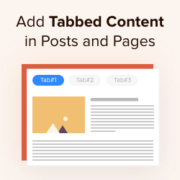
One of our readers recently asked us how to divide posts into tabs to save space and make it easier for users to find what they’re looking for. At WPBeginner, we’ve helped many website owners enhance their content organization with tabbed layouts. Adding tabbed content… Read More »
One of our readers asked us how to find and insert Creative Commons-licensed images in WordPress. At WPBeginner, we’ve helped countless users find the right images for their projects without worrying about copyright issues. Ensuring you have permission to use images in your blog posts… Read More »
When it comes to raising money, many people spend a lot of time planning, pitching to investors, and facing potential rejections. Meanwhile, others turn to crowdfunding platforms like Kickstarter or Indiegogo to ease the process. But there are easier ways to do it, and you… Read More »
Keeping up with WordPress admin notifications can feel like trying to read sticky notes scattered all over your desk. Some alerts show up at the top of the dashboard, others hide in plugin settings, and a few just vanish before you even notice them. We’ve… Read More »
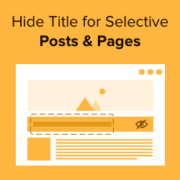
Do you want to hide the title for selective WordPress posts and pages? Titles can be helpful for both search engines and visitors, but not every page needs to display a title depending on its design. In this article, we will show you how to… Read More »
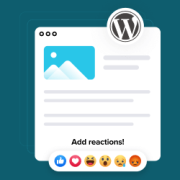
Are you frustrated watching visitors read your WordPress content but never interact with it? You know people are engaging with your posts, the analytics prove it, but getting them to leave comments or share feedback feels nearly impossible. Luckily, there’s a simple fix that actually… Read More »
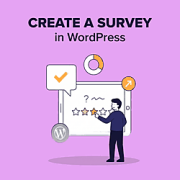
Want to know what your readers really think about your website? A survey lets you ask them directly, whether you’re looking for feedback on your content, ideas for new features, or ways to improve their experience. We’ve been running surveys on WPBeginner for more than… Read More »
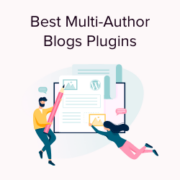
Managing a multi-author WordPress website brings a unique set of challenges compared to running a solo blog. You have to plan content schedules, organize editorial workflows, and monitor user activity to keep everything running smoothly. When WPBeginner started in 2009, we only had one writer,… Read More »
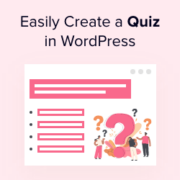
We’ve tried lots of ways to make WordPress sites more interactive — and one feature that always grabs attention is a quiz. We’ve built everything from playful personality quizzes to in-depth knowledge tests, and they’re great for boosting engagement. Quizzes aren’t just entertaining: you can… Read More »
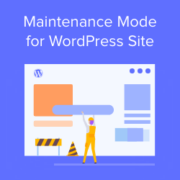
Do you want to put your WordPress site in maintenance mode without losing potential customers or frustrating visitors? With maintenance mode, you can temporarily hide your website while performing updates or making changes. During maintenance, visitors will see a user-friendly notice instead of a broken… Read More »
Used to store interaction and conversion data for campaigns in conjunction with Revenue Attribution.
1 year
_gat_omTracker*
Set, controlled and used by Google Analytics to collect and store data and then send that data to Google Analytics. OptinMonster provides the name if there is no existing tracker found on that page.
-
omCountdown-{id}-{elementId}
Used for countdown elements {elementId} in campaigns {id} to determine when it should complete.
-
om-{id}-closed / omSlideClosed-{id}
Used specifically with slide-in campaigns {id} to determine if it has been closed or not by a visitor.
30 days
om-success-cookie / omSuccessCookie
Used to determine if a visitor has successfully opted in to any campaign on your site to unlock content when using our Content Locking feature.
365 days
om-success-{id} / omSuccess-{id}
Used to determine if a visitor has successfully opted in to a campaign with the ID of {id} on your site.
365 days
omSeen-{id}
Used to determine if a visitor has been shown a campaign by the slug.
30 days
om-{id}
Used to determine if a visitor has interacted with a campaign ID of {id} on your site.
30 days
_omappvs
Used to determine when a new visitor becomes a returning visitor.