Often beginners get confused when trying to pick the right WordPress plugins for their needs. We frequently get questions like what is the best WordPress plugin to build an online store, add testimonials, accept payments, create a contact form, and so much more. Unlike other sites, our expert team at WPBeginner tests and review the best WordPress plugins for each task and create step-by-step installation guides to make your life easier. We do the research, so you don't have to.
If you're just getting started, then you may want to start with our popular WordPress plugin guides:
We also have a WPBeginner Solutions Center where we have our expert reviews and our community reviews of top WordPress plugins and tools.
You can find our other latest WordPress plugin guides below, and you can always use the search feature on our site to find helpful WordPress tutorials faster.
If you don't see a WordPress plugin guide that you're looking for, then please reach out to your team and let us know. All our WordPress content ideas are suggested by our users over the last 15+ years.
In our many years of experience building websites, we’ve seen lots of WordPress releases. Each new release includes the latest features, security updates, and more. This makes some old feature files unnecessary, so it is best practive to remove them to preserve your server resources.… Read More »
We live in a world filled with diverse languages. Linguists estimate there are around 6,000 to 7,000 different languages worldwide. Even though many people understand English, translating your site can be worthwhile if a large portion of your audience speaks another language. Translating content ensures… Read More »
You are about to launch a new product, and you have developed a great website for it using the world’s favorite web publishing platform, WordPress. You want to test it live on its own domain and hosting, but you are not yet ready to make… Read More »
Sometimes, you might realize that a specific post type isn’t the best fit for your content. Switching to a different format can help you create a more organized website structure and even boost your visibility in search results. Custom post types are designed to organize… Read More »
A generic WordPress login page can feel out of place — especially if you’re running a membership site, online course, or any site where users regularly log in. It’s often the first impression people get after signing up, and if it looks plain or disconnected… Read More »
Recently, a WPBeginner reader asked for our help regarding an issue with images on their website. It all started when the user switched to a new theme, and the theme displayed thumbnails next to the excerpt of the post. The problem was that all new… Read More »
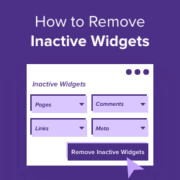
WordPress widgets can make areas like your website’s sidebar, header, and footer more engaging for your visitors. But if you aren’t using particular widgets, then your inactive widgets section can become cluttered over time. By removing inactive widgets, you can make this area easier to… Read More »
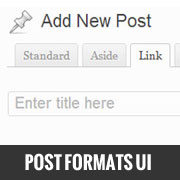
Post formats were introduced in WordPress 3.1 to offer micro-blogging functionality in WordPress. Despite it being there, most beginners have no clue on how to use it. Reason: Because it is not as prominent as it is in on Tumblr. WordPress has a user interface… Read More »
If you allow user registration on your WordPress site, you likely receive an email notification every time a new person signs up. While this is exciting at first, it can quickly become annoying as your website grows. A flooded inbox makes it difficult to spot… Read More »
More than 2 million people read and interact with our website, so we know how important the comments section is for making a blog post more engaging. Featuring comments that are encouraging and exciting at the top of the WordPress comments section can increase user… Read More »
Used to store interaction and conversion data for campaigns in conjunction with Revenue Attribution.
1 year
_gat_omTracker*
Set, controlled and used by Google Analytics to collect and store data and then send that data to Google Analytics. OptinMonster provides the name if there is no existing tracker found on that page.
-
omCountdown-{id}-{elementId}
Used for countdown elements {elementId} in campaigns {id} to determine when it should complete.
-
om-{id}-closed / omSlideClosed-{id}
Used specifically with slide-in campaigns {id} to determine if it has been closed or not by a visitor.
30 days
om-success-cookie / omSuccessCookie
Used to determine if a visitor has successfully opted in to any campaign on your site to unlock content when using our Content Locking feature.
365 days
om-success-{id} / omSuccess-{id}
Used to determine if a visitor has successfully opted in to a campaign with the ID of {id} on your site.
365 days
omSeen-{id}
Used to determine if a visitor has been shown a campaign by the slug.
30 days
om-{id}
Used to determine if a visitor has interacted with a campaign ID of {id} on your site.
30 days
_omappvs
Used to determine when a new visitor becomes a returning visitor.