Often beginners get confused when trying to pick the right WordPress plugins for their needs. We frequently get questions like what is the best WordPress plugin to build an online store, add testimonials, accept payments, create a contact form, and so much more. Unlike other sites, our expert team at WPBeginner tests and review the best WordPress plugins for each task and create step-by-step installation guides to make your life easier. We do the research, so you don't have to.
If you're just getting started, then you may want to start with our popular WordPress plugin guides:
We also have a WPBeginner Solutions Center where we have our expert reviews and our community reviews of top WordPress plugins and tools.
You can find our other latest WordPress plugin guides below, and you can always use the search feature on our site to find helpful WordPress tutorials faster.
If you don't see a WordPress plugin guide that you're looking for, then please reach out to your team and let us know. All our WordPress content ideas are suggested by our users over the last 15+ years.
You sent the perfect welcome email to your new users and subscribers, but it went to the spam folder. This is a frustrating problem for many WordPress users, and we’ve even faced it ourselves. Now, you need to make sure those welcome emails actually reach… Read More »
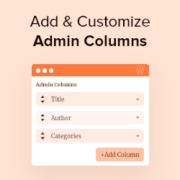
Are you looking for a way to add and customize admin columns in WordPress? By default, the WordPress dashboard has columns for posts, pages, comments, users, and more. However, you may be able to work faster and improve the editorial flow by creating your own… Read More »
‘Free shipping on orders over $50!’ It’s a compelling offer that can significantly boost sales, but adding it correctly in WooCommerce requires some know-how. After testing various shipping discount methods in our demo environment, we’ve found the most reliable ways to set these up. We… Read More »
After you spend hours writing the perfect blog post, the title is what determines whether your hard work gets noticed. A great headline is the key to standing out in search results and getting the clicks you deserve. But trying to create a title that… Read More »
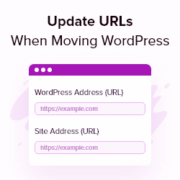
Moving a WordPress site to a new domain is exciting, but seeing a screen full of broken links afterward can be terrifying. We know the sinking feeling of finding missing images and 404 errors that hurt your search rankings. After migrating hundreds of websites across… Read More »
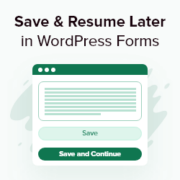
Long WordPress forms can frustrate visitors, and when they give up halfway, you lose potential leads. A Save & Continue feature solves this problem. It lets users save their progress and return later to finish the form at their convenience, improving the user experience and… Read More »
If you’ve ever tried to accept payments on your WordPress site, then you know it’s not always as simple as it should be. Customers expect to pay quickly and securely, and a clunky checkout can quickly cost you sales. That’s why so many website owners… Read More »
Tracking email performance is important for understanding how your audience interacts with your content so you can improve your email marketing efforts. By setting up email tracking in WordPress, you can monitor metrics like opens, clicks, and other engagement data to optimize your campaigns and… Read More »
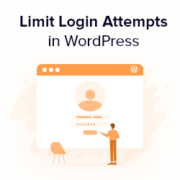
Imagine a thief repeatedly trying different keys to break into your home. A similar thing happens during a brute force attack, where hackers try thousands of password combinations to gain access to your site. That probably sounds scary, but luckily, you can easily defend your… Read More »
Product reviews are one of the most powerful trust signals for any WooCommerce store. The problem is getting customers to actually leave them. Most buyers are perfectly happy with their purchase. They just don’t think about writing a review unless there’s a clear reason to… Read More »
Used to store interaction and conversion data for campaigns in conjunction with Revenue Attribution.
1 year
_gat_omTracker*
Set, controlled and used by Google Analytics to collect and store data and then send that data to Google Analytics. OptinMonster provides the name if there is no existing tracker found on that page.
-
omCountdown-{id}-{elementId}
Used for countdown elements {elementId} in campaigns {id} to determine when it should complete.
-
om-{id}-closed / omSlideClosed-{id}
Used specifically with slide-in campaigns {id} to determine if it has been closed or not by a visitor.
30 days
om-success-cookie / omSuccessCookie
Used to determine if a visitor has successfully opted in to any campaign on your site to unlock content when using our Content Locking feature.
365 days
om-success-{id} / omSuccess-{id}
Used to determine if a visitor has successfully opted in to a campaign with the ID of {id} on your site.
365 days
omSeen-{id}
Used to determine if a visitor has been shown a campaign by the slug.
30 days
om-{id}
Used to determine if a visitor has interacted with a campaign ID of {id} on your site.
30 days
_omappvs
Used to determine when a new visitor becomes a returning visitor.