Often beginners get confused when trying to pick the right WordPress plugins for their needs. We frequently get questions like what is the best WordPress plugin to build an online store, add testimonials, accept payments, create a contact form, and so much more. Unlike other sites, our expert team at WPBeginner tests and review the best WordPress plugins for each task and create step-by-step installation guides to make your life easier. We do the research, so you don't have to.
If you're just getting started, then you may want to start with our popular WordPress plugin guides:
We also have a WPBeginner Solutions Center where we have our expert reviews and our community reviews of top WordPress plugins and tools.
You can find our other latest WordPress plugin guides below, and you can always use the search feature on our site to find helpful WordPress tutorials faster.
If you don't see a WordPress plugin guide that you're looking for, then please reach out to your team and let us know. All our WordPress content ideas are suggested by our users over the last 15+ years.
Adding taxonomy images or category icons to your WordPress site can help you make categories stand out. However, WordPress does not offer an option to upload these images by default. It only displays category or taxonomy names on the archive pages. This can look plain… Read More »
Is your older content silently hurting your website’s credibility? When visitors land on a post that hasn’t been touched in years, they often assume the information is wrong and leave immediately. At WPBeginner, we prioritize transparency to maintain reader trust. We always display the ‘Last… Read More »
Allowing user registration on your WordPress website is a great way to build a loyal reader base and thriving communities. But here’s the thing: leaving your site open to anyone is like keeping your front door unlocked. Before long, spammers, bots, and random users with… Read More »
When you read an article online, it helps to put a face to the name. Seeing a real person builds trust and makes the content feel much more personal. However, many themes just show a generic icon by default. Even if the author has a… Read More »
External images in WordPress can cause unexpected problems for your website. These are images hosted on another domain, CDN, or social media platforms rather than your own WordPress media library. When left unmanaged, external images can slow down your site, break unexpectedly, or disappear when… Read More »
Running a business with several branches is exciting, but it comes with unique challenges. The biggest is often making sure customers find the correct address for the location nearest to them. We have seen many business owners lose potential foot traffic simply because search engines… Read More »
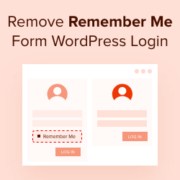
Do you want to remove the remember me option from your WordPress login page? The ‘Remember Me’ option is a small checkbox that lets you and your users save their username and password on the WordPress login screen. In this article, we’ll show you how… Read More »
You know that feeling when you’re reading a long article online and have no idea how much more there is to go? That’s the problem reading progress bars solve for your WordPress visitors. These simple visual indicators show readers exactly how much of an article… Read More »
Accepting Google Pay on your WordPress site can improve your customers’ overall shopping experience. From our own experience running online stores, we know how important it is to offer multiple payment options to cater to the different preferences of your customer base. By providing Google… Read More »
The WordPress block editor is great for creating content, but one important thing it’s missing is a collaborative feature. This feature is important for efficient teamwork, especially if you’re running a multi-author blog like WPBeginner. Thankfully, we’ve found an easy, codeless way to add this… Read More »
Used to store interaction and conversion data for campaigns in conjunction with Revenue Attribution.
1 year
_gat_omTracker*
Set, controlled and used by Google Analytics to collect and store data and then send that data to Google Analytics. OptinMonster provides the name if there is no existing tracker found on that page.
-
omCountdown-{id}-{elementId}
Used for countdown elements {elementId} in campaigns {id} to determine when it should complete.
-
om-{id}-closed / omSlideClosed-{id}
Used specifically with slide-in campaigns {id} to determine if it has been closed or not by a visitor.
30 days
om-success-cookie / omSuccessCookie
Used to determine if a visitor has successfully opted in to any campaign on your site to unlock content when using our Content Locking feature.
365 days
om-success-{id} / omSuccess-{id}
Used to determine if a visitor has successfully opted in to a campaign with the ID of {id} on your site.
365 days
omSeen-{id}
Used to determine if a visitor has been shown a campaign by the slug.
30 days
om-{id}
Used to determine if a visitor has interacted with a campaign ID of {id} on your site.
30 days
_omappvs
Used to determine when a new visitor becomes a returning visitor.