Are you looking to start a fashion blog but don’t know where to begin? It is easy to start a blog, but the tricky part is to be successful and make money from it. In this article, we will show you how to start a… Read More »
Running a successful online store isn’t just about having great products – it’s about making it easy for customers to buy from you. As the team behind WPBeginner, we’ve had the unique opportunity to observe what works (and what doesn’t) across thousands of online stores.… Read More »
You’ve probably looked at your WordPress website stats and wondered why people aren’t buying, signing up, or sticking around. The data shows what’s happening, but not why. That’s where user experience feedback comes in. At WPBeginner, we run annual reader surveys to learn what’s working… Read More »
Do you want to migrate your WordPress site but are not sure if everything is ready? Website migration can be complicated as there are many things to look after. Having a checklist can help ensure that you’ve followed all the steps. This also prevents multiple… Read More »
Does the thought of changing your WordPress DNS settings make you nervous? You’re not alone. For many beginners, DNS feels like a scary technical barrier. It often seems like one wrong click could take your entire website offline. We have managed domains and DNS records… Read More »
When it comes to optimizing sites for search engines, many new users have a tendency to stuff their content with keywords. However, this is not a good practice and could lead to over-optimization, which can then lead to being penalized by search engines like Google.… Read More »
Managing wholesale orders in WordPress can be easy if you have the right setup. But without the proper tools, it quickly becomes a hassle for both you and your customers. When bulk buyers have to browse page after page just to find what they need,… Read More »
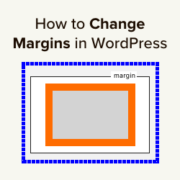
Changing margins in WordPress is a simple way to improve your site’s design. Margins create space between elements, making your content more readable and visually appealing. As a general best practice, we always use margins and spacing when designing our WordPress sites. We’ve noticed that… Read More »
Lots of travelers love to be the first to discover niche travel experiences and guides that take them off the beaten path. So, if you launched your travel business on a smaller scale, like on social media or at a local level with word-of-mouth recommendations,… Read More »
WordPress has evolved so much over the years, and with each update, it brings new features to make website building easier. One of the common questions we get is about using the new Full Site Editing (FSE) feature introduced in WordPress 5.9. We personally use… Read More »
Used to store interaction and conversion data for campaigns in conjunction with Revenue Attribution.
1 year
_gat_omTracker*
Set, controlled and used by Google Analytics to collect and store data and then send that data to Google Analytics. OptinMonster provides the name if there is no existing tracker found on that page.
-
omCountdown-{id}-{elementId}
Used for countdown elements {elementId} in campaigns {id} to determine when it should complete.
-
om-{id}-closed / omSlideClosed-{id}
Used specifically with slide-in campaigns {id} to determine if it has been closed or not by a visitor.
30 days
om-success-cookie / omSuccessCookie
Used to determine if a visitor has successfully opted in to any campaign on your site to unlock content when using our Content Locking feature.
365 days
om-success-{id} / omSuccess-{id}
Used to determine if a visitor has successfully opted in to a campaign with the ID of {id} on your site.
365 days
omSeen-{id}
Used to determine if a visitor has been shown a campaign by the slug.
30 days
om-{id}
Used to determine if a visitor has interacted with a campaign ID of {id} on your site.
30 days
_omappvs
Used to determine when a new visitor becomes a returning visitor.