When we launched WPBeginner, we quickly saw how valuable the sidebar could be for connecting with our visitors. We started using images in our sidebar to make it more visually engaging, and the results were impressive. Images helped us promote our free courses, highlight coupon… Read More »
When I first started building WordPress websites, I learned PHP and became comfortable editing themes. At the same time, I also installed plugins to add new features quickly. Over time, I discovered that both approaches have their advantages and drawbacks. Plugins provide a fast, no-code… Read More »
Affiliate marketing might seem complicated, but it’s actually simple. You recommend a product or service you like, and when someone buys through your link, you earn a commission. 💸 Think of it as sharing something useful and getting rewarded for it. Most affiliate marketers start without… Read More »
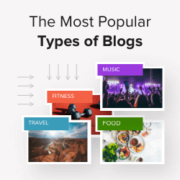
“What should I blog about?” That’s one of the top questions we get asked by aspiring bloggers. And we get it – with so many blog types out there, picking the right niche can feel overwhelming. As a team that’s built multiple highly successful blogs… Read More »
When we first launched WPBeginner in 2009, we only had a handful of pages, such as our homepage, blog categories, a Write for Us page, Editors and Contributors page, a Suggestion page, a Services page, an About page, and a Contact page. That’s all we… Read More »
Whenever I sit down to write a blog post, my web browser often becomes my biggest distraction. With multiple tabs open for research and emails, losing focus happens far too quickly. That is exactly why I started using the WordPress desktop app for my writing… Read More »
Protecting your blog’s name and logo is essential for your brand. Trademarking and copyrighting help shield you from unauthorized use and legal issues. In this guide, we’ll show you how to trademark and copyright your blog’s name and logo. Securing these protections ensures your brand… Read More »
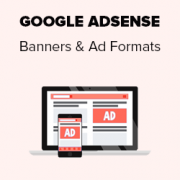
One of the most common questions beginners ask after signing up with Google AdSense is which are the highest performing Google AdSense banner sizes? Some Google AdSense ad formats are more noticeable, which means they get more clicks and bring more revenue. In this article,… Read More »
A site-specific plugin allows you to easily add code snippets to your WordPress website without relying on your theme. It allows you to use custom code to improve your site and not worry about having to redo everything when your theme gets updated. At WPBeginner,… Read More »
Do you want to start a food blog and make money from your recipes? Starting a new food blog can be challenging for beginners, specially when you are not a techy. Having helped over 100,000+ users start their own blogs, we are often asked about… Read More »
Used to store interaction and conversion data for campaigns in conjunction with Revenue Attribution.
1 year
_gat_omTracker*
Set, controlled and used by Google Analytics to collect and store data and then send that data to Google Analytics. OptinMonster provides the name if there is no existing tracker found on that page.
-
omCountdown-{id}-{elementId}
Used for countdown elements {elementId} in campaigns {id} to determine when it should complete.
-
om-{id}-closed / omSlideClosed-{id}
Used specifically with slide-in campaigns {id} to determine if it has been closed or not by a visitor.
30 days
om-success-cookie / omSuccessCookie
Used to determine if a visitor has successfully opted in to any campaign on your site to unlock content when using our Content Locking feature.
365 days
om-success-{id} / omSuccess-{id}
Used to determine if a visitor has successfully opted in to a campaign with the ID of {id} on your site.
365 days
omSeen-{id}
Used to determine if a visitor has been shown a campaign by the slug.
30 days
om-{id}
Used to determine if a visitor has interacted with a campaign ID of {id} on your site.
30 days
_omappvs
Used to determine when a new visitor becomes a returning visitor.