As WordPress experts who’ve helped countless website owners improve their content, we’ve seen how overlooked image captions can be. Most people focus on writing great content and choosing the right images, but they forget about the small details that can make their posts stand out.… Read More »
I built my first WordPress website almost 20 years ago, and I still remember assuming it would be free. After all, WordPress itself doesn’t cost anything, so why would running a site? I quickly found out the hard way that hosting fees, premium themes, and… Read More »
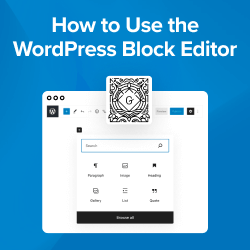
Creating beautiful content in WordPress doesn’t have to feel overwhelming. The block editor (Gutenberg) was specifically designed to make building pages and posts as simple as dragging and dropping blocks into place. No technical skills are required. Think of it like building with digital Lego… Read More »
Every great business starts with a name. In 2026, your domain name is more than just an address. It is your unique digital identity and the foundation of your online brand. Choosing a domain can feel overwhelming when you see technical jargon like IP addresses… Read More »
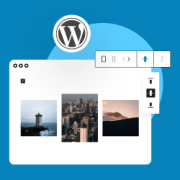
When we first switched to the WordPress block editor, even simple tasks like adding and aligning images felt different. After helping so many users through WPBeginner, we have noticed this is one of the most common hurdles people face when transitioning to Gutenberg. The good… Read More »
Have you ever wished for a “time machine” for your WordPress site? A way to undo changes after you’ve already hit the update button? We’ve certainly been in that situation while managing our own blog. That’s why we rely on one of WordPress’s most powerful… Read More »
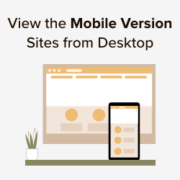
Reviewing the mobile version of your WordPress site in a desktop preview is a simple but essential task. It lets you check how your site looks on smaller screens, helping you spot layout issues or design flaws you might miss otherwise. Over the years, we’ve… Read More »
Choosing a domain name is one of the most exciting first steps when starting a new website. It’s the foundation of your brand, and picking the perfect one can feel like a big decision. After launching many successful online businesses, we’ve turned this challenge into… Read More »
After helping our partner brands build successful online stores, one thing became crystal clear: the products that sell best are the ones that solve real problems. In fact, before we launch any new plugin or tool, we carefully study what our users actually need, which… Read More »
When you’re a beginner managing multiple WordPress blogs, posting content at the right time can be a constant struggle. We run several blogs ourselves, so we know exactly how stressful this can be without the right setup. You may find yourself staying up late to… Read More »
Used to store interaction and conversion data for campaigns in conjunction with Revenue Attribution.
1 year
_gat_omTracker*
Set, controlled and used by Google Analytics to collect and store data and then send that data to Google Analytics. OptinMonster provides the name if there is no existing tracker found on that page.
-
omCountdown-{id}-{elementId}
Used for countdown elements {elementId} in campaigns {id} to determine when it should complete.
-
om-{id}-closed / omSlideClosed-{id}
Used specifically with slide-in campaigns {id} to determine if it has been closed or not by a visitor.
30 days
om-success-cookie / omSuccessCookie
Used to determine if a visitor has successfully opted in to any campaign on your site to unlock content when using our Content Locking feature.
365 days
om-success-{id} / omSuccess-{id}
Used to determine if a visitor has successfully opted in to a campaign with the ID of {id} on your site.
365 days
omSeen-{id}
Used to determine if a visitor has been shown a campaign by the slug.
30 days
om-{id}
Used to determine if a visitor has interacted with a campaign ID of {id} on your site.
30 days
_omappvs
Used to determine when a new visitor becomes a returning visitor.