


Many beginners skip WordPress maintenance to save money, only to face expensive emergency repairs when their site crashes. It’s a painful lesson that ends up costing far more than a regular maintenance plan.
At WPBeginner, we manage a large portfolio of websites and have tested dozens of support services. We know exactly which maintenance tasks are essential, and which pricey “extras” are just a waste of budget.
In this guide, we’ll break down the real costs of WordPress maintenance so you can keep your site running smoothly without overpaying. 💸
WordPress Maintenance Costs at a Glance
We will cover website maintenance costs in detail, but here’s a quick overview of how much it will cost, depending on the type of website you have and the level of maintenance required:
| Type of Website | Monthly Maintenance Costs | Type of Maintenance |
| Personal Website | $0-30 | Basic Maintenance |
| Professional Blog | $30-100+ | Mid-level Maintenance |
| Business Website | $100-300+ | Advanced Maintenance |
| eCommerce Store | $300-1000+ | Customized Maintenance |
What Is WordPress Maintenance?
WordPress maintenance is about keeping your website running smoothly and securely. It includes tasks like updating plugins and themes, backing up your site, fixing errors, and making sure everything loads fast and works properly.
Imagine your WordPress website is like a well‑oiled machine. Maintenance means taking care of that machine with regular tasks to keep it running smoothly.
Here are some key things included in WordPress maintenance:
- Updates: Just like your phone needing software updates, WordPress, your themes, and plugins need updates to fix bugs and improve security.
- Backups: Regularly backing up your website is like having a spare tire for your car. If something goes wrong, you can restore your site from a backup.
- Security: It is crucial to keep hackers out. Maintenance includes tasks like scanning for malware, blocking suspicious traffic, and patching security vulnerabilities.
- Performance: A slow website means a poor user experience, a drop in rankings, and lost revenue. Maintenance helps optimize your site for speed, giving visitors a good experience.
With that said, here’s a quick overview of all the topics we’ll cover in this guide. You can click on a link below to jump to a section:
Let’s jump right in!
What Affects the Price of WordPress Maintenance?
A lot of factors can impact your site’s maintenance costs.
A simple personal WordPress blog with a few pages won’t need as much care as a giant online store with hundreds of products. The more features your website has, the more maintenance it usually needs.
Updates are another factor. These updates can be for WordPress itself, the theme that gives your site its design, and any WordPress plugins you use for special features. If your site requires frequent updates, it can add to the cost.
The level of support you need for your site can also impact maintenance costs. For instance, if you require custom development, the cost will go up because many companies charge for the number of development hours.
Similarly, having multiple support channels can also affect the price. If you require support through different channels, like live chat, email, phone calls, or video conferences, maintenance costs will typically be higher.
Besides that, it is also important to keep your website safe from hackers. Some WordPress websites might just need basic security measures, while others might need web application firewalls (WAFs).
That said, let’s look at how much you can expect to pay to maintain your WordPress website.
How Much Does WordPress Maintenance Cost?
Now that you know some of the factors that can impact the price of website maintenance, let’s break down rough cost estimates for different types of websites:
- ✏️ Personal Website: $0–$30 per month. This is a basic setup, so maintenance costs are low. You can do the maintenance yourself and only have to pay for premium tools. Plus, since many essential WordPress plugins are free, you might maintain them without spending anything.
- 🧑💻 Professional Blog: $30-$100 per month. These blogs might have more features and need more frequent updates. Plus, you might need to invest in robust security tools to protect your content or purchase on-demand development services for custom features.
- 💼 Business Website: $100-$300 per month. These sites often have contact forms, booking systems, and other features that require more care. So you’d need regular updates, backups, strong security, custom work, and continuous uptime monitoring to ensure your site never goes offline.
- 🛒 eCommerce Store: $300-$1000+ per month. Online stores have a lot going on, with payments, product listings, and security needing close attention. The maintenance costs can be higher for larger eCommerce stores, which might need speed optimization, stronger security, custom coding, and constant uptime monitoring.
Next, let’s look at the different types of maintenance approaches you can choose from.
Which Type of Maintenance Should You Choose?
Your WordPress website maintenance costs will also depend on the approach you take to maintaining your site.
DIY Approach
For instance, if you have a personal WordPress blog or a new website, you can take the DIY (do it yourself) approach.
You can maintain the site yourself, use free plugins and tools to create backups, run malware scans, and manually update your site.
Do note that if you use premium plugins, remember that part of your maintenance budget will go toward annual license renewals to keep getting updates.
For more details, you may like to see our guide on the WordPress maintenance tasks you need to do regularly.
Freelance Developers
You can also hire freelancers for specific maintenance tasks.
For example, if you need help debugging a technical issue or maintaining your site’s database, then you can reach out to a developer or an experienced professional.
The cost of hiring a freelancer depends on your project’s complexity and size, the developer’s experience level, and your overall budget. As an estimate, freelancers can charge anywhere between $25 and $100+ per hour for maintaining your website.
There are many freelance websites where you can connect with developers and other WordPress experts.
For instance, Codeable is a platform that connects you with vetted WordPress developers. Unlike other platforms, they carefully manage the project‑to‑developer ratio, ensuring that freelancers have a fair opportunity to land jobs.

For more options, please see our complete list of the best places to hire WordPress developers.
Maintenance Agencies
If you are looking for a team of experts to handle all the maintenance for you, you can choose a WordPress maintenance agency.
By outsourcing your website maintenance to professionals, you will save time and can focus on growing your business.
Meanwhile, a team of experts will ensure your website is up to date, gets regular backups, is protected from cyberattacks, and experiences minimal downtime.
Unlike hiring a single freelancer who might be unavailable on weekends or holidays, an agency team works around the clock. They ensure your website is always up to date, gets regular backups, and is protected from cyberattacks.
The cost of hiring a WordPress support agency depends on the services you want. A basic maintenance package can cost between $60 and $100 per month.
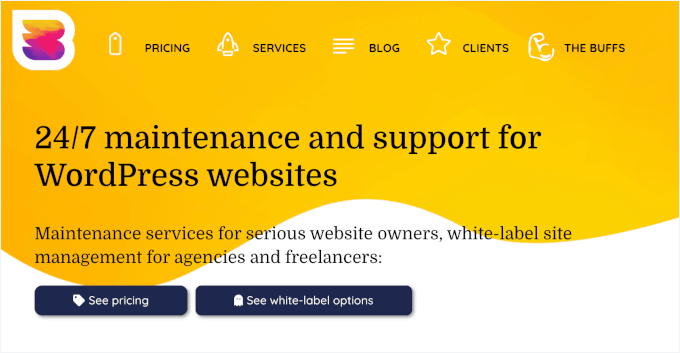
For example, WP Buffs offers a simple maintenance package starting at $79 per month.
If you require on-demand development hours, advanced security options, and other maintenance services, the cost will increase to between $500 and $1000+ per month.
FAQ About WordPress Website Maintenance Cost
It can be confusing to figure out how much WordPress website maintenance really costs and what’s involved. So, here are some quick answers to the most commonly asked questions:
Do WordPress websites really need maintenance?
Yes. Think of it like a car – if you don’t do regular check‑ups, things can break down. Maintenance means updating your site, backing it up, checking security, and making sure everything runs smoothly.
How much does it cost to maintain a WordPress website?
It depends on your site type and needs. If you have a simple personal site, you might spend as little as $0 to $30 a month. But if you run a small business website or an online store, maintenance could cost you $100 to $1000 or more each month.
How much do freelancers charge for WordPress maintenance?
Freelancer prices can vary quite a bit. Usually, retainers for ongoing maintenance range from $50 to $150+ per month, depending on what you need and how complex your site is.
Are there any hidden costs with WordPress?
Yes, sometimes. These can include premium plugins or themes, security tools, custom work, or upgrading your WordPress hosting plan to handle more traffic and storage. Plus, if your site has a problem, emergency fixes can add unexpected costs.
Bonus Resources 🔗: More WordPress Maintenance Guides
We hope this article helped you learn about WordPress maintenance costs and how much you should pay. Next up, you may also want to explore our guides on:
- How to Check for WordPress Plugin Conflicts
- How to Redirect Visitors to a Maintenance Page in WordPress
- How to Fix WordPress Stuck in Maintenance Mode
- How to Make a WordPress Disaster Recovery Plan
- How to Contact WordPress Support
- WordPress Maintenance – Ultimate Guide for Beginners
If you liked this article, then please subscribe to our YouTube Channel for WordPress video tutorials. You can also find us on Twitter and Facebook.




Olaf
Finally, someone who’s making an effort to explain that website care, maintenance, and keeping everything running smoothly takes effort, time, and money. I often come across people who think website maintenance services are unnecessarily expensive, and it’s sometimes challenging to explain just how much work goes into ensuring everything functions flawlessly. I might start sending them this article so they can understand that it’s not just ten minutes a month.
Kzain
For blow website business owners like me, understanding these variables helps make informed decisions on whether to manage the site ourselves or invest in professional services. Thanks for the detailed insights!
Jiří Vaněk
Website maintenance is very important to me, and I really strive to keep my personal blog in perfect condition. However, sometimes I don’t have the time, resources, or know-how to handle everything, and third-party services become very helpful. It’s great to have an overview of how much such a service costs or should cost, so one can navigate the pricing of various companies. Thank you for detailing this topic, including the common charges. It’s good to be informed and knowledgeable about this.
Moinuddin Waheed
Maintaining a website for updates and other technical related details becomes a tough task for beginners.
Thanks for the breakdown of the maintenance cost for different categories of the websites.
It has helped me understand the tasks required in maintaining the websites like updates, security, backups and others.
In my humble opinion it is always a wise decision to outsource maintenance services from experts and keep oneself out of the complex technical jargons leaving time and energy for focusing on real tasks.
WPBeginner Support
Thank you for sharing your opinion!
Admin