


I first learned about WordPress from a friend as an alternative to another CMS platform. At that time, I wasn’t sure what it was or how to use it on my own websites.
If you’re feeling that same uncertainty, you’re in the right place.
Now, 21 years later, WordPress is my go-to website builder. It has also become the world’s largest website builder, powering more than 43% of all websites on the internet.
For new users, there is still some confusion about WordPress. For instance, is it blogging software or a website builder? Can it be used commercially? Which WordPress version do I need?
In this guide, I will walk you through everything and try to answer all your questions about WordPress, its pros and cons, and how to get started.
TL: DR; Quick Summary: What is WordPress?
WordPress is the world’s most popular website builder and content management system (CMS). It’s open-source software that allows anyone, from beginners to large corporations, to create any type of website, blog, or online store. It’s important to distinguish between WordPress.org (the free, self-hosted software that gives you full control) and WordPress.com (a for-profit hosting service with limitations).
I’m going to cover a lot of really useful information in this beginner’s guide. So, I recommend reading the entire thing.
That said, if you’re in a hurry, you can use the jump links below to skip to a specific section:
- How WordPress Became the World’s Favorite Website Builder
- WordPress.org vs. WordPress.com: What’s the Difference?
- What Kind of Websites Can You Make Using WordPress?
- What Do You Need to Use WordPress?
- How Does WordPress Work?
- Who Uses WordPress?
- Why Use WordPress to Make a Website?
- Video Tutorial
- FAQs About WordPress
- Additional Resources for Learning WordPress
Otherwise, keep reading to learn all about WordPress! 🤓
How WordPress Became the World’s Favorite Website Builder
At WPBeginner, we use WordPress for all our websites, including this one. In fact, our CEO, Syed Balkhi, built his first WordPress blog in 2006 and founded WPBeginner in 2009 to share what he learned.
What started as a simple blogging tool in 2003 has grown into a full content management system (CMS) that now powers over 43% of all websites. Its journey began when Matt Mullenweg and Mike Little transformed an older project into a user-friendly platform for everyone.
A key reason for its success is that it’s open source. This means a global community of developers contributes to making it powerful, flexible, and free to use. To learn more, see our full WordPress review or our guide on the history of WordPress.
WordPress.org vs. WordPress.com: What’s the Difference?
One of the first things that confuses beginners is the difference between WordPress.org and WordPress.com. Throughout this guide, when I say “WordPress,” I am referring to WordPress.org, the free, open-source software you install on your own hosting account.
Here’s a quick breakdown of the key differences:
| Feature | WordPress.org (Self-Hosted) | WordPress.com |
|---|---|---|
| Cost | The software is free, but you pay for hosting (the “land” your site lives on) and a domain name (your address). | Offers a limited free plan, but paid plans are required for custom domains, more storage, and removing ads. |
| Hosting | You choose your own hosting provider, giving you full control over performance and cost. | Hosting is included. You cannot move your site to another host. |
| Customization | Unlimited. You can upload any theme or plugin to add any feature you can imagine. | Limited. You can only use approved themes and plugins, with full access restricted to expensive business plans. |
| User Control | You have complete ownership and control over all your website files and data. | The platform owns your site, and they can suspend it if you violate their terms of service. |
A simple analogy is building a car. WordPress.org is like being given a powerful, free engine. You get to choose the car’s frame (your hosting), and it’s ready to drive off the lot, but you have to follow their rules and can’t make major modifications.
For a detailed breakdown, check out our full comparison of WordPress.org vs. WordPress.com.
What Kind of Websites Can You Make Using WordPress?
Based on our direct experience building hundreds of websites, we can confirm that you can make any kind of website imaginable with WordPress. It is incredibly flexible and highly customizable for any project.
People worldwide use WordPress to make money online because it can handle everything from a simple blog to a massive eCommerce operation.
Here are just a few examples of what you can build:
- Start a blog
- Make a small business website
- Create an online store
- Build a membership community with a tool like BuddyBoss.
- Sell online courses
- Sell digital products like eBooks or software with Easy Digital Downloads.
- And many more
What Do You Need to Use WordPress?
To use the self-hosted WordPress.org software, you need two essential components: a domain name and web hosting.
A domain name is the address of your website on the internet (like wpbeginner.com). Web hosting is the service that stores your website’s files and makes them accessible online.
Think of your website like a house. Web hosting is the land where your website lives, and the domain name is the address that helps people find it.
To get started, you’ll need to sign up with a WordPress hosting provider. I recommend Bluehost. They’re one of the largest hosting providers and an officially recommended WordPress host.
Normally, a domain name costs $14.99 per year, and web hosting starts at $7.99 per month. But thanks to Bluehost’s special offer for WPBeginner readers, you can get hosting plus a free domain name for just $2.99 per month.
ℹ️ Note: We are long-time Bluehost customers and host several of our smaller websites with them. We have found them to be highly reliable, super-fast, and are always delighted by their excellent customer service. See our detailed Bluehost review to learn more.
If you want step-by-step guidance, check out our complete tutorial on how to make a website. It walks you through everything from choosing a domain to setting up WordPress.
How Does WordPress Work?
WordPress is designed to make building and managing a website as simple as possible. At its core, WordPress works by combining three main components: the dashboard, themes, and plugins. Together, these tools let you control your site’s content, design, and features without coding.
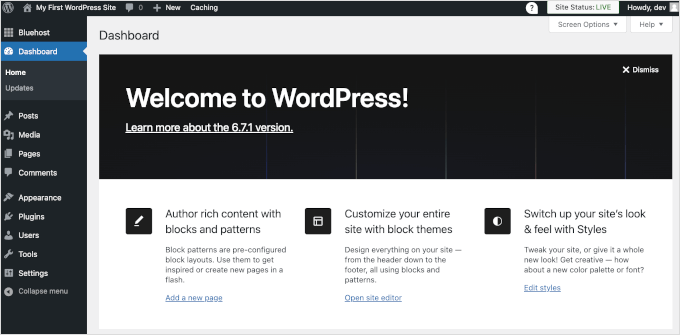
The WordPress Dashboard
Once you have installed WordPress, you’ll be greeted by the WordPress dashboard. This is your website’s control center, where you can create pages, write posts, upload media, and manage all your settings.
Customizing Your Site with Themes
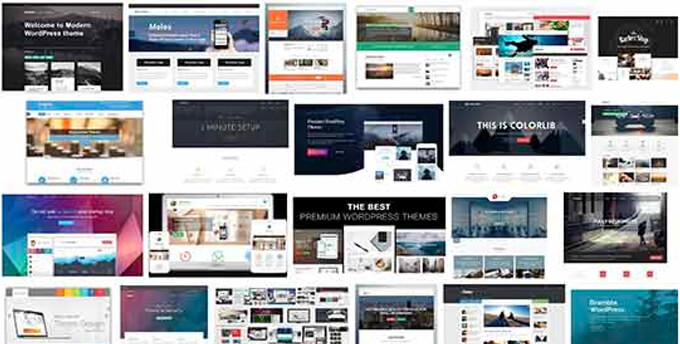
Your website’s design is controlled by a WordPress theme. Themes are like design templates that control the look and feel of your site. There are thousands of free WordPress themes available, as well as premium options with more advanced features.
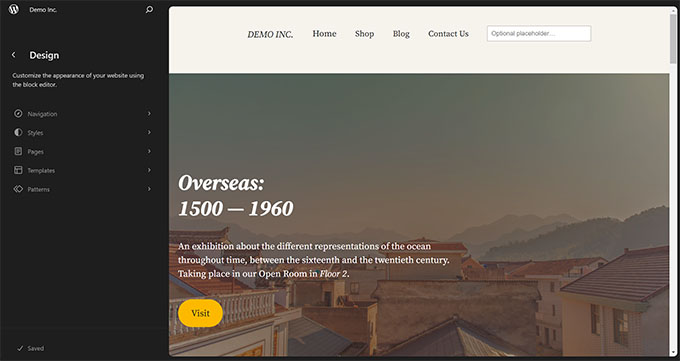
You can customize your site’s design using a few different tools.
For older “classic” themes, the Theme Customizer lets you adjust site-wide settings like colors and fonts.
For modern “block” themes, the Full Site Editor gives you full drag-and-drop control over your entire site’s layout.
The Block Editor is what you’ll use to add content like text and images to individual posts and pages.
Expanding Features with Plugins
The real magic of WordPress comes from plugins. Plugins are like apps for your website that let you add new features without any coding.
For example, you can add a contact form, improve your SEO, or even build a full online store with WooCommerce.
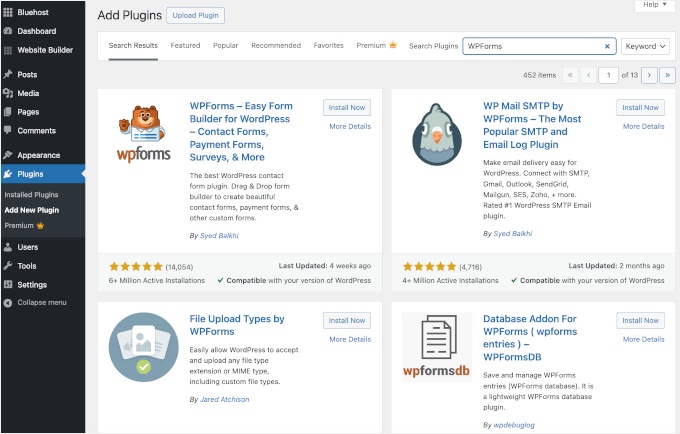
There are over 60,000 free plugins in the official WordPress directory, plus thousands more premium plugins offering advanced features and dedicated support.
Here are a few types of must-have WordPress plugins to get started:
- Contact Forms – Every website needs a contact form. I use and recommend WPForms for all my sites.
- Backup plugins – Keep your website safe with automatic backups.
- SEO plugins – Improve your search engine rankings. I use All in One SEO because it provides a complete toolkit to optimize my content.
- Security plugins – Protect your site from hackers and malware.
- Page builders – Create beautiful layouts without coding. We use SeedProd to design custom landing pages for our partner brands, like WPForms and Duplicator.
You can explore our full list of must-have plugins to supercharge your website.
Who Uses WordPress?
WordPress isn’t just for bloggers or small businesses. It’s powerful enough for global brands, yet flexible enough for personal websites.
Here are some well-known names that trust WordPress to power their sites:
The White House
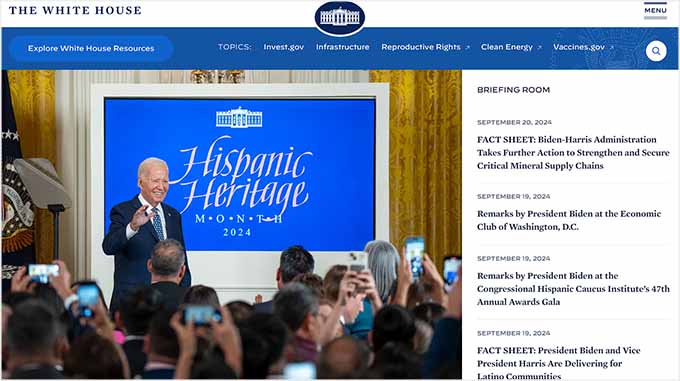
The official website of the White House is built using WordPress, featuring the latest updates, news, and resources.
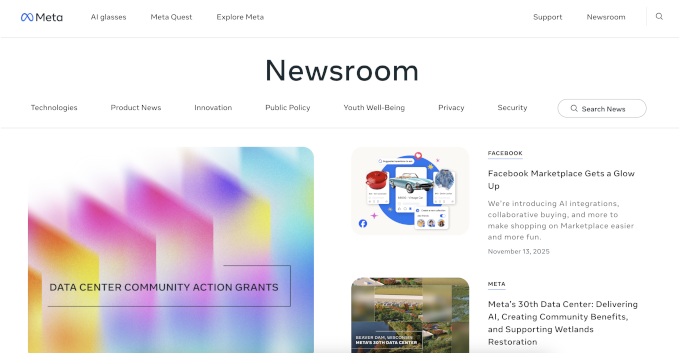
Facebook’s corporate site runs on WordPress, where it shares company news, highlights its products, and manages its official Newsroom blog.
The New York Times
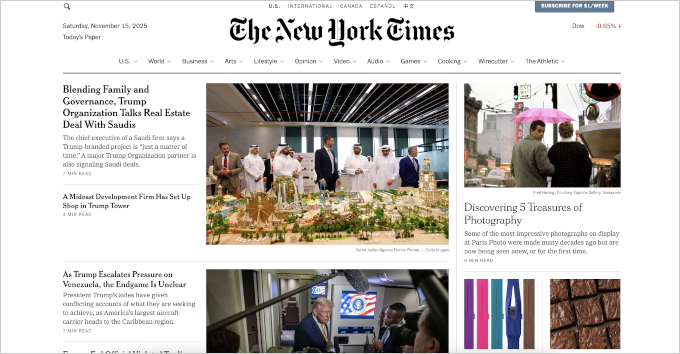
The New York Times uses WordPress for its corporate website to showcase the company behind the iconic newspaper.
Microsoft
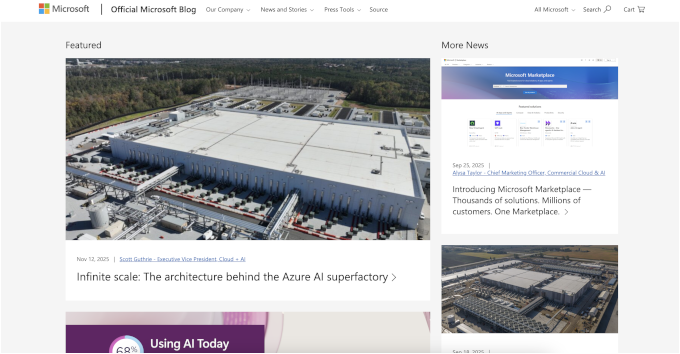
Microsoft uses WordPress to run its official blog, featuring company news, information, and product highlights.
Sony Music

Sony Music is one of the biggest music producers in the world. They use WordPress to power their corporate website, representing top artists and labels.
For more examples, check out our complete list of the most popular brands using WordPress.
Why Use WordPress to Make a Website?
With dozens of website builders on the market, you might wonder why over 43% of the web chooses WordPress.
I believe it’s the best platform for beginners and small businesses because it makes website creation accessible for everyone. Here are a few key reasons why.
WordPress Gives You More Freedom
WordPress is free and open-source software. This means you have full control and complete ownership of your website and all its content.
It isn’t owned by a single company, and the WordPress Foundation, a nonprofit, protects its independence. Learn more in our explainer: Who owns WordPress.
WordPress Is Easy to Use
One of the biggest reasons for its popularity is that WordPress is incredibly easy to use. It comes with an intuitive admin area and a visual site editor that shows you exactly how your content will look on the front end (often called a “WYSIWYG” or “What You See Is What You Get” editor).
There is also a ton of free help available. You can join our WPBeginner Engage Facebook Group, with over 98,000 members, to get free help from our experts and other users.
WordPress Is Super Flexible
With thousands of professional themes and plugins, you can customize your website to do anything you want.
You can also use drag-and-drop WordPress page builder plugins to create completely custom designs without writing any code.
WordPress Is Multilingual
WordPress is available in over 180 languages and locales. You can easily choose your website’s language during installation or change it later from the settings page.
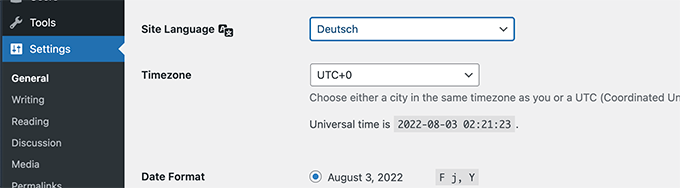
You can even create a multilingual website using a plugin and use AI to automatically translate your website content.
WordPress Is Cost-Effective
With WordPress, you only pay for what you need. You start with a monthly hosting fee and can add features using free plugins.
This allows you to control the cost of your website and spend more on premium tools only when your site starts to grow.
Video Tutorial
Check out our YouTube guide if you’d rather learn about WordPress with a video.
FAQs About WordPress
Since 2009, we have helped millions of beginners get started with WordPress. Here are answers to some of the most common questions we hear.
Why is WordPress available for free?
WordPress is open-source software, which means it is free for anyone to use and modify. While the software itself is free, you will need to pay for a domain name and web hosting. For more details, see our article on why WordPress is free.
What are the advantages of using WordPress?
The main advantages are that it’s easy for beginners to use, completely flexible with themes and plugins, and gives you full ownership of your site. You also have access to a massive community for support.
What are the disadvantages of using WordPress?
The main disadvantage is that you are responsible for your own site management. This includes handling security, backups, and software updates. However, most of these tasks can be easily automated with plugins, even for beginners.
How can I learn WordPress?
WPBeginner is the largest free WordPress resource site for beginners in the world. You can start with our free WordPress video tutorials or join our WPBeginner Engage Facebook group of over 98,000 members to ask questions and get help.
Do I need to learn programming to use WordPress?
No, you do not need to learn programming to use WordPress. Most WordPress users have no coding skills. Themes and plugins allow you to build a powerful website without touching a single line of code.
Which WordPress hosting company should I choose?
For beginners, we recommend starting with Bluehost or Hostinger. They are both officially recommended by WordPress and offer great value. If your budget is a bit larger, premium hosts like SiteGround or WP Engine are excellent choices.
How do I start a WordPress website?
Getting started is easy. Just follow our step-by-step tutorial on how to make a WordPress website. If you need help, you can use our free WordPress blog setup service, and our expert team will set up your site for you.
We hope this article helped you understand what WordPress is and how you can use it. You may also want to see our guide on things to do after installing WordPress or our expert picks for the best email marketing services to grow your website.
Additional Resources for Learning WordPress
- How to Make a Website (Step-by-Step Guide)
- WordPress.org vs. WordPress.com Comparison
- 24 Must-Have WordPress Plugins for Business Websites
- How to Choose the Best WordPress Hosting
If you liked this article, then please subscribe to our YouTube Channel for WordPress video tutorials. You can also find us on Twitter and Facebook.




Harry Dubose
Super helpful guide — it clearly explains what WordPress is, nicely lays out the differences between WordPress.com vs .org, and gives a realistic picture with both its advantages (flexibility, SEO benefits, large theme/plugin ecosystem, strong community) and challenges (security, maintenance, cost creep, learning curve). Perfect for beginners figuring out if WordPress is the right platform
Jiří Vaněk
Will you also write something more about the license that WordPress uses? I mean GNU/GPL and what advantages or disadvantages does such a license have? I would also be interested in this topic.
WPBeginner Support
We have an article below that you may find helpful:
https://www.wpbeginner.com/glossary/gpl/
Admin
Jiří Vaněk
Over the years in IT, I have tried many editorial systems such as Joomla, Drupal, etc. Based on this experience, I dare to say that Wordpress is really the most flexible system and the best for beginners.