


One of the first, and most confusing, decisions a new website owner faces is choosing between WordPress.com and WordPress.org. We get this question all the time from readers, and we completely understand the uncertainty.
The names are nearly identical, but choosing between them is like deciding whether to rent an apartment or buy a house.
At WPBeginner, we have guided a lot of different users through this exact decision. In this article, we will explain how WordPress.com and WordPress.org are related, what makes them different, and which one is right for you.
Quick Answer: How Are WordPress.com and WordPress.org Related?
WordPress.org is the free, open-source software you use to build a website with full control (like owning a house). WordPress.com is a for-profit hosting service built on that same software, offering an easier but more limited experience (like renting an apartment). Both share the same code and leadership, but they are separate projects.
Why Understanding the Difference Matters
Picking the wrong platform can lock you into limitations that cost time and money to fix later.
- Avoid costly mistakes – Knowing the relationship helps you choose the right path from the start.
- Plan for growth – Understanding each platform’s strengths lets you scale your site without surprises.
The Birth of WordPress.org
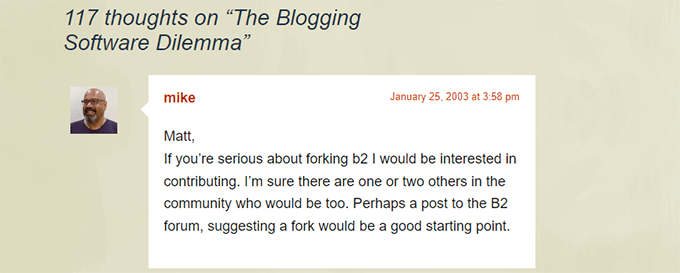
In January 2003, Matt Mullenweg wrote a post on his blog about the future of blogging software after the b2/cafelog project stopped receiving updates.
Mike Little, a professional developer, left a comment on the post expressing interest to contribute. Their collaboration led to the first release of WordPress on May 27, 2003.
WordPress quickly attracted former b2/cafelog users who were looking for a maintained alternative. The open-source project grew rapidly, and today it powers over 43% of all websites on the internet.
To learn more, see our article on The Complete History of WordPress.
The Arrival of WordPress.com
Automattic, founded by WordPress co-creator Matt Mullenweg, launched WordPress.com in beta on August 8, 2005, and opened it to the public on November 21, 2005.
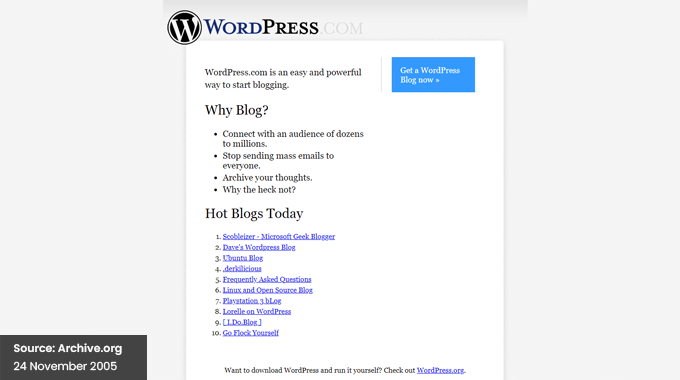
WordPress.com was created as a hosted solution for users who wanted to use WordPress without managing their own hosting. It uses the open-source WordPress.org software as its foundation.
Today, Automattic is one of the most influential WordPress companies in the world.
Ownership of the WordPress Trademark
The WordPress trademark is owned by the WordPress Foundation, a non-profit organization established in 2010.
Automattic originally registered the WordPress trademark in March 2006. In September 2010, it transferred the trademark to the WordPress Foundation to protect the project’s long-term independence.
As part of this arrangement, WordPress.com received a license to continue using “WordPress” in its domain name.
To learn more, see our guide on Who Owns WordPress and How Does It Make Money?
What’s the Relationship Between WordPress.com and WordPress.org?
WordPress.com and WordPress.org are separate but connected. WordPress.org is the open-source project that produces the free software. WordPress.com is a commercial service, run by Automattic, that is built on top of that software.
The relationship is mutually beneficial. Automattic donates developer time and resources to WordPress.org, while using the open-source code and the WordPress brand for its commercial services.
Thousands of other businesses also build products and services on top of WordPress.org, including Awesome Motive (the company behind WPBeginner).
How Does WordPress.org Benefit From Automattic and WordPress.com?
Automattic is a major contributor to the WordPress open-source project through the Five for The Future initiative.
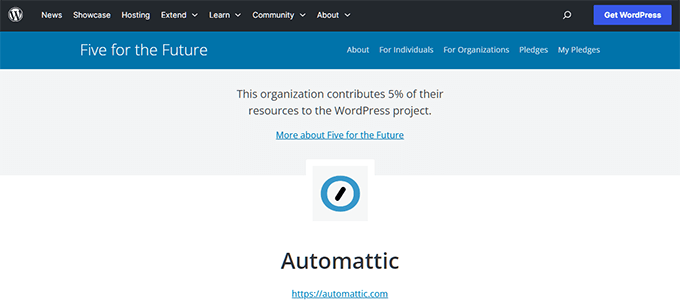
As of early 2026, Automattic sponsors 87 contributors who collectively dedicate 1,923 hours per week across 19 teams. These developers contribute code, translations, documentation, testing, support, and marketing to every WordPress release.
How Do Automattic and WordPress.com Benefit From WordPress.org?
WordPress.com uses the open-source WordPress software as its platform foundation. This gives Automattic a powerful, community-maintained codebase at no cost.
In addition, Automattic’s product ecosystem relies heavily on the WordPress.org software. This includes WooCommerce, the WordPress.com Apps, Jetpack, JetPack Mobile Apps, Akismet, and WP VIP.
Why Is There a Naming Confusion Between WordPress.com and WordPress.org?
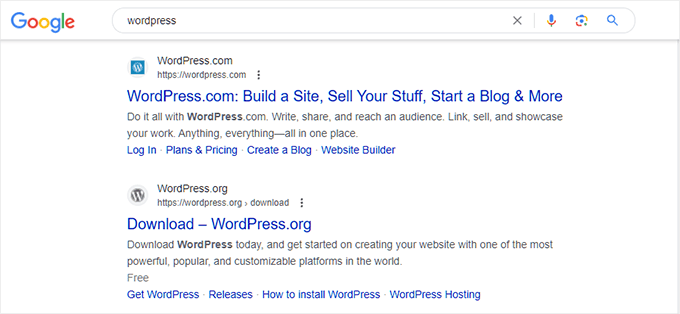
Many beginners get confused because both platforms use the name “WordPress.” The assumption that a “.com” domain is the official website also leads people to WordPress.com first.
At tech conferences and WordCamps, similar branding adds to the confusion. New users often sign up for WordPress.com without realizing the limitations of the platform.
Later, they discover they need to pay for upgrades or consider switching to a self-hosted WordPress.org site for more freedom.
For a detailed breakdown, see our WordPress.com vs. WordPress.org comparison.
Quick Summary of Similarities Between WordPress.com vs. WordPress.org
| Aspect | Details |
|---|---|
| Name | Both use “WordPress” |
| Accessibility | Both let you create a website easily |
| Technology | Both use the open-source WordPress software |
| Leadership | Matt Mullenweg co-founded and leads both |
| Community | Both benefit from and contribute to the WordPress ecosystem |
Which One Is Right for You? WordPress.com vs WordPress.org
We recommend WordPress.org for the vast majority of users because it gives you complete freedom and full access to everything WordPress has to offer.
| Feature | WordPress.org (Self-Hosted) | WordPress.com (Hosted) |
|---|---|---|
| Cost | Starting from $2.99/month | Free tier with strict limitations |
| Control | Full control – install any theme, plugin, or custom code | Limited customization, especially on free and lower plans |
| Monetization | Run ads, build stores with WooCommerce, create memberships | Restricted monetization options |
| Best For | Businesses, serious bloggers, anyone who wants to grow | Casual hobbyists and personal journals |
With WordPress.org, you can start with a hosting provider like Bluehost for a discounted price of $2.99/month, which often includes a free domain name.
Bluehost is one of the largest hosting companies in the world and an officially recommended WordPress hosting provider. Read our full Bluehost review for more details.
Other excellent WordPress hosting options include Hostinger and SiteGround.
If you are currently on WordPress.com and want to switch, then see our guide on how to move from WordPress.com to WordPress.org.
Frequently Asked Questions About WordPress
Which platform is better for making money with a website?
WordPress.org is better for monetization. It lets you run ads, build an online store with WooCommerce, and create membership sites with no restrictions.
Can I switch from WordPress.com to WordPress.org later?
Yes. You can migrate your site from WordPress.com to WordPress.org. See our step-by-step guide on how to move from WordPress.com to WordPress.org.
Will I lose my content if I switch from WordPress.com to WordPress.org?
No. A proper migration transfers all your posts, pages, images, and user data to your new self-hosted site.
Who actually owns the WordPress trademark?
The WordPress Foundation, a non-profit organization, owns the WordPress trademark. Automattic transferred it in 2010 to protect the project’s independence.
Do I need coding skills to use WordPress.org?
No. WordPress.org is designed for beginners. Most hosting providers offer one-click WordPress installation, and you can use drag-and-drop page builders and thousands of plugins to build your site without writing code. See our guide on how to make a website for step-by-step help.
Additional Resources
If you liked this article, then please explore these additional resources about WordPress:
- A History of Blogging (1993 – Present Day Timeline)
- Evolution of WordPress User Interface
- The History of WordPress from 2003 – Present Day (with Screenshots)
- Must-Have WordPress Plugins for Business Websites
If you liked this article, then please subscribe to our YouTube Channel for WordPress video tutorials. You can also find us on Twitter and Facebook.




Daquan Wright
Yes… this confused me ages ago but I simply understood the blog only solution and limited hosting deal wasn’t appealing to me! I wish more distinctions were put into place earlier on! =P
Dennis Muthomi
That trademark section is very interesting. I myself struggled with the decision between the two back in the day when I was starting out and appreciate you breaking it down for people who are in that situation. One more tip I would add is to think long term when deciding between the two. If you think you’ll need extensive customization or plan to monetize your site in the future, go with WordPress.org from the start.
Daquan Wright
I agree… this is why I never considered WordPress.com for my needs!
John Blackbourn
Syed, I believe this article is incorrect regarding the ownership of WordPress.org. Matt Mullenweg owns WordPress.org and is granted a license to use the trademark for it (along with WordPress.net). It is not owned by the foundation. It’s not easy to find a primary source on this topic, but it’s mentioned on this WordPress Book page:
> The WordPress Foundation was launched in January 2010. Automattic transferred the trademarks later that year in September. As part of the transfer, Automattic was granted use of WordPress for WordPress.com, but not for any future domains. Matt was granted a license for WordPress.org and WordPress.net.
Matt has verbally stated in the past that he is the owner of the domain (most recently his Spaces interview yesterday) but I’ve not found anything in writing to back this up.
Editorial Staff
Thank you John. We have updated the article to reflect the correction.
Admin
Mrteesurez
We appreciate this information regarding the two products. Matt has really done a great job and lead the foundation well.
Because of trademark issue, I can see many WordPress resource sites or products only use “WP” in their domain names, WPbeginner included. Thanks, this is an insighful article that shed light on some confusions.
Moinuddin Waheed
Very informative and insightful article regarding wordpress dotcom and WordPress dotorg confusion.
it is good to know that the founder of both the WordPress is Matt Mullenweg himself.
Such a fantastic job that he registered wordpress foundation to make sure wordpress remains available open source for generations to come.
Great respect for this man and thousands of contributors around the world to make such fantastic products and make available as open source.
Daquan Wright
Yes, it’s always amazing to see how many contributors each WordPress update has and the cool features and optimizations it still gets year after year!
Illonda
I began writing a few years ago on wordpress.com. However, upon reading this I’m thinking should I move to wordpress.org because I desire to be recognized and turn my writing into a business through other creative ideas. And if so can I transfer my page and writings already published from wordpress.com to wordpress.org?
Michelle Barrios
It’s 2020 and this article is from 2013 and it’s the clearest about this issue. Thank you very much!
It’s perfectly normal to think that they are all associated if the logos of .com and .org are exactly the same and the brands are one next to the other at a fair, as you have shown in the photos.
WPBeginner Support
Glad you’ve found our guide helpful
Admin
Frances A. Garcia
This was a very helpful article. I have a blog site with wordpress.com and I am looking to migrate to wordpress.org. I would like to know if I have to pay the registration of my domain and the Premium Plan that I have at wordpress.com. May I switch the domain?
WPBeginner Support
Hi Frances,
You will have to pay for the WordPress hosting. Once you have moved your website, you will change the domain name settings and point them to your new hosting provider. You can choose to keep your domain name at WordPress.com and manage it from there.
Admin
Gary
I was looking into the collaboration of Automattic and wordpress.org to see if Automattic has power over it. I noticed that over at the WordPress.org site, their theme review team seems to have been taken over by an Automattic employee named Tammie Lister and was wondering how that can happen if the two are separate. Regardless if it’s Tammie or another from Automattic, do they have say as to what happens at .org ?
Editorial Staff
Hey Gary,
While in theory Automattic as a company doesn’t have any power over WordPress.org, the CEO and founder of Automattic is Matt Mullenweg who’s also the chairman of the WordPress foundation (which handles everything related to WordPress.org). I will let you come to your own conclusion there.
Having that said, the list of Theme Review team is listed here:
https://make.wordpress.org/themes/handbook/about/
Out of the 6 Active Admins, only 1 is an Automattic Employee (Tammie Lister).
Also if you look at the Make WordPress page for Themes, you will see that no one person has taken over and other admins like Chip, Emil, etc are just as active.
https://make.wordpress.org/themes/
Hope this answers your question
-Syed
Admin
Myrna
Thank you for this excellent explanation. I thought self hosting would be much more complex and now I see that it’s not the right way to go. I do have a lot to learn though before I can contemplate creating my site.
Vishesh Kachheda
Hmmm…
Nice post, very useful for newbies!
Pamela
I still have one question. I started one blog through WP.com and moved it to self-hosted. Another blog was begun self-hosted.
Yet every year, I get an email from WP with my annual stats. I access it for one blog using the original WP.com sign in. But how do I get the annual stats for the site that has always been self-hosted? If the two WPs have nothing to do with each other, I wouldn’t expect to get a stats email for the always self-hosted blog.
Editorial Staff
If you are using WordPress.com Stats or Jetpack plugin, then you connect your site with WordPress.com (thus giving them access to your data). This is how they can send you those annual stats email.
Admin
Jeannette Paladino
I’m often asked why a self-hosted WordPress.org website. I now have a thorough explanation for them. There is also a lot of confusion when you mention WP because people think “blog.” And many organizations still do link their non-WP site to a WP blog (a blog is simply an article, another point of confusion). However, as you mention in your post, WordPress.org IS a content management system that functions as a website. It’s difficult for newcomers to understand this. Thanks for this very informative post.
Editorial Staff
Glad to help Jeannette. Thanks for dropping by and commenting
Admin
Mathew Stephen
OK:) But the logo? Both looks same… Only Color Difference is there… No legal problems?
Editorial Staff
No there are no legal issues. Here is the history that will explain:
The WordPress trademark was first registered by Automattic parent company of WordPress.com (remember both WordPress.com and WordPress.org was started by Matt Mullenweg). To keep controversy out, and really make WordPress (open-source), the WordPress foundation was established by Matt. The trademark was then donated to the WordPress foundation. WordPress.com is the only business that is allowed to use WordPress in their domain name.
Admin
Jessica Klassen
The part about this that confuses me is when you say “WordPress.com is the only business that is allowed to use WordPress in their domain name.” Isn’t WordPress.org using WordPress in the domain name??
Widdershins
Hm-m … that explains a lot! … thanks
shane
The thing about using Wordpress.com for me is the community behind it. If you just love to write, and you love to read other blogs, wordpress.com is great because it kind of puts you in connection with other bloggers.
Of course, as the post says- you can’t modify the blog and not really monetize it either (at least with ads) and you are only allowed so much drive space for content.
But if you just want to write and have other fellow bloggers easily come across your posts, Wordpress.com isn’t bad for free.
Editorial Staff
Nope definitely not bad for free. It just depends on what you are using it for, and what are your future goals. As your site grow, you can always move.
Admin