The most experienced team of WordPress experts and educators.
Over 16+ years of WordPress and web development experience.
The team that advises some of the largest WordPress plugins in the industry used by over 25 million websites.
Led by WPBeginner founder, Syed Balkhi, a well-respected WordPress expert.
Experience
Our editorial staff includes a dedicated team of programmers, writers, video creators, and editors with over 16 years of experience in WordPress, web hosting, eCommerce, SEO, and online marketing.
Our editorial team manages every piece of content we publish at WPBeginner. Unlike other copycat tutorial websites, every person in our team is a true WordPress practitioner. You can learn more about our Editorial Process here.
The team is led by the most well-known and well-respected WordPress expert in the world, Syed Balkhi. He graduated from University of Florida and have been building WordPress websites since 2006.
Syed is also the founder of some of the most popular WordPress plugins in the market.
About WPBeginner
WPBeginner is the largest free WordPress resource for beginners to learn WordPress. We are part of the Awesome Motive family and reach over 100 million visitors every year. Our content is fact checked and reviewed by our Editorial team for accuracy and integrity. You can learn more about us and our editorial process.
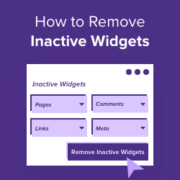
WordPress widgets can make areas like your website’s sidebar, header, and footer more engaging for your visitors. But if you aren’t using particular widgets, then your inactive widgets section can become cluttered over time. By removing inactive widgets, you can make this area easier to… Read More »
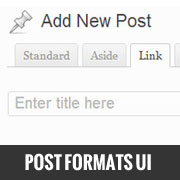
Post formats were introduced in WordPress 3.1 to offer micro-blogging functionality in WordPress. Despite it being there, most beginners have no clue on how to use it. Reason: Because it is not as prominent as it is in on Tumblr. WordPress has a user interface… Read More »
If you allow user registration on your WordPress site, you likely receive an email notification every time a new person signs up. While this is exciting at first, it can quickly become annoying as your website grows. A flooded inbox makes it difficult to spot… Read More »
Are you feeling limited by your free WordPress.com blog? Moving to self-hosted WordPress.org is the best way to take full control of your website. Many beginners delay this switch because they are afraid of breaking their site. You might worry about losing your hard-earned subscribers… Read More »
More than 2 million people read and interact with our website, so we know how important the comments section is for making a blog post more engaging. Featuring comments that are encouraging and exciting at the top of the WordPress comments section can increase user… Read More »
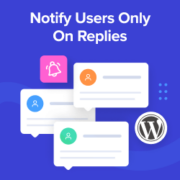
Do you want to notify users only on replies to their WordPress comments? By default, users won’t know that someone has replied to their comment unless they come back to the comment section and see the response. This makes it hard to generate in-depth discussions and… Read More »
We still remember how shocked we were when we first discovered WordPress back in 2008. Like many, we couldn’t believe such a powerful website platform was completely free! After building tons of WordPress sites and helping thousands of people through WPBeginner, we’ve heard this same… Read More »
You try to log in to your WordPress site. Wrong password. You click “Lost your password?” No email. Now you’re worried you might lose access to your entire site. The good news is that you’re not stuck. WordPress actually gives you several reliable ways to… Read More »
We have been creating content for WPBeginner since 2009, so we understand how important it is to stay informed about content changes, especially with multiple authors and editors. While WordPress doesn’t send email notifications for post changes by default, setting up these notifications can help… Read More »
One of our readers recently asked how to display the latest YouTube videos on their WordPress site. It’s a great question, and we’ve got a simple solution. We regularly update our own YouTube channel with helpful WordPress tutorials here at WPBeginner. We’ve learned firsthand how… Read More »
Used to store interaction and conversion data for campaigns in conjunction with Revenue Attribution.
1 year
_gat_omTracker*
Set, controlled and used by Google Analytics to collect and store data and then send that data to Google Analytics. OptinMonster provides the name if there is no existing tracker found on that page.
-
omCountdown-{id}-{elementId}
Used for countdown elements {elementId} in campaigns {id} to determine when it should complete.
-
om-{id}-closed / omSlideClosed-{id}
Used specifically with slide-in campaigns {id} to determine if it has been closed or not by a visitor.
30 days
om-success-cookie / omSuccessCookie
Used to determine if a visitor has successfully opted in to any campaign on your site to unlock content when using our Content Locking feature.
365 days
om-success-{id} / omSuccess-{id}
Used to determine if a visitor has successfully opted in to a campaign with the ID of {id} on your site.
365 days
omSeen-{id}
Used to determine if a visitor has been shown a campaign by the slug.
30 days
om-{id}
Used to determine if a visitor has interacted with a campaign ID of {id} on your site.
30 days
_omappvs
Used to determine when a new visitor becomes a returning visitor.