The most experienced team of WordPress experts and educators.
Over 16+ years of WordPress and web development experience.
The team that advises some of the largest WordPress plugins in the industry used by over 25 million websites.
Led by WPBeginner founder, Syed Balkhi, a well-respected WordPress expert.
Experience
Our editorial staff includes a dedicated team of programmers, writers, video creators, and editors with over 16 years of experience in WordPress, web hosting, eCommerce, SEO, and online marketing.
Our editorial team manages every piece of content we publish at WPBeginner. Unlike other copycat tutorial websites, every person in our team is a true WordPress practitioner. You can learn more about our Editorial Process here.
The team is led by the most well-known and well-respected WordPress expert in the world, Syed Balkhi. He graduated from University of Florida and have been building WordPress websites since 2006.
Syed is also the founder of some of the most popular WordPress plugins in the market.
About WPBeginner
WPBeginner is the largest free WordPress resource for beginners to learn WordPress. We are part of the Awesome Motive family and reach over 100 million visitors every year. Our content is fact checked and reviewed by our Editorial team for accuracy and integrity. You can learn more about us and our editorial process.
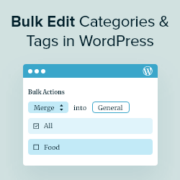
Do you want to merge and bulk edit categories and tags in WordPress? As your blog grows and changes, there may be some categories and tags that you no longer use. This clutter can make it more difficult for visitors to navigate your site and… Read More »
Here’s something that might surprise you: many WordPress users who try to add audio files to their site end up driving visitors away instead of engaging them. The culprit is usually huge files that slow down their sites, broken music players, and audio that refuses… Read More »
Sometimes, it’s more convenient to download an article as a PDF rather than bookmarking it or printing it out. This allows users to save content for offline reading or future reference. While many devices offer a “Save as PDF” option when printing, not all visitors… Read More »
If you’re running a community library, school, or book club, then you’ve probably encountered the same problem: commercial library management software is powerful, but the licensing costs put it out of reach for smaller projects. The good news is that you don’t need expensive software… Read More »
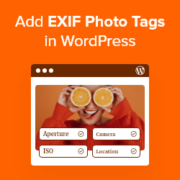
I remember staring at a folder of 500 edited photos, dreading the moment I had to upload them. It wasn’t the uploading that scared me. It was manually typing the aperture, shutter speed, and ISO for every single image caption. Sharing technical details helps your… Read More »
First of all, we wanted to wish you guys a Happy New Year. As we look back at the year of 2012, it was full of success and joy for the WPBeginner team. It was also a great year for the WordPress community in general.… Read More »
Creating your own custom short URLs is a great way to make your links easier to remember and share, especially on social media, in emails, or during promotions. Instead of using long or clunky URLs, a short branded link keeps things simple and clean. For… Read More »
Have you ever lost a potential customer simply because they weren’t sure what your prices meant in their own currency? It’s a common problem for online stores that sell around the world. A currency converter solves this by letting visitors quickly check exchange rates without… Read More »
Want your embedded content to look perfect on your WordPress website, no matter the screen size? By default, WordPress does a great job at embedding videos and other oEmbeds in your posts and pages. However, based on our experience, you sometimes need more control over… Read More »
Managing media files in WordPress can feel overwhelming as your site expands. A messy media library can slow down your site and make simple updates time-consuming. We’ve helped many WordPress users clean up their websites, and we know that changing your media upload location is… Read More »
Used to store interaction and conversion data for campaigns in conjunction with Revenue Attribution.
1 year
_gat_omTracker*
Set, controlled and used by Google Analytics to collect and store data and then send that data to Google Analytics. OptinMonster provides the name if there is no existing tracker found on that page.
-
omCountdown-{id}-{elementId}
Used for countdown elements {elementId} in campaigns {id} to determine when it should complete.
-
om-{id}-closed / omSlideClosed-{id}
Used specifically with slide-in campaigns {id} to determine if it has been closed or not by a visitor.
30 days
om-success-cookie / omSuccessCookie
Used to determine if a visitor has successfully opted in to any campaign on your site to unlock content when using our Content Locking feature.
365 days
om-success-{id} / omSuccess-{id}
Used to determine if a visitor has successfully opted in to a campaign with the ID of {id} on your site.
365 days
omSeen-{id}
Used to determine if a visitor has been shown a campaign by the slug.
30 days
om-{id}
Used to determine if a visitor has interacted with a campaign ID of {id} on your site.
30 days
_omappvs
Used to determine when a new visitor becomes a returning visitor.