The most experienced team of WordPress experts and educators.
Over 16+ years of WordPress and web development experience.
The team that advises some of the largest WordPress plugins in the industry used by over 25 million websites.
Led by WPBeginner founder, Syed Balkhi, a well-respected WordPress expert.
Experience
Our editorial staff includes a dedicated team of programmers, writers, video creators, and editors with over 16 years of experience in WordPress, web hosting, eCommerce, SEO, and online marketing.
Our editorial team manages every piece of content we publish at WPBeginner. Unlike other copycat tutorial websites, every person in our team is a true WordPress practitioner. You can learn more about our Editorial Process here.
The team is led by the most well-known and well-respected WordPress expert in the world, Syed Balkhi. He graduated from University of Florida and have been building WordPress websites since 2006.
Syed is also the founder of some of the most popular WordPress plugins in the market.
About WPBeginner
WPBeginner is the largest free WordPress resource for beginners to learn WordPress. We are part of the Awesome Motive family and reach over 100 million visitors every year. Our content is fact checked and reviewed by our Editorial team for accuracy and integrity. You can learn more about us and our editorial process.
It was just a few months ago when WordPress 3.5 was released (December 11, 2012 to be exact). Well, the next major release, WordPress 3.6, is already underway. WordPress 3.6 is expected to be released in late April 2013. We have been following the developments… Read More »
We live in a world filled with diverse languages. Linguists estimate there are around 6,000 to 7,000 different languages worldwide. Even though many people understand English, translating your site can be worthwhile if a large portion of your audience speaks another language. Translating content ensures… Read More »
You are about to launch a new product, and you have developed a great website for it using the world’s favorite web publishing platform, WordPress. You want to test it live on its own domain and hosting, but you are not yet ready to make… Read More »
Sometimes, you might realize that a specific post type isn’t the best fit for your content. Switching to a different format can help you create a more organized website structure and even boost your visibility in search results. Custom post types are designed to organize… Read More »
A generic WordPress login page can feel out of place — especially if you’re running a membership site, online course, or any site where users regularly log in. It’s often the first impression people get after signing up, and if it looks plain or disconnected… Read More »
Adding a hover effect to your images makes your website feel polished and professional instantly. It is a small design tweak that grabs visitor attention without distracting them from your content. Many beginners worry that adding animations requires complex coding or expensive design tools. You… Read More »
When it comes to making updates or significant changes to your WordPress site, doing so directly can be risky. This is where a staging site comes in. It is a perfect clone of your live website where you can safely test changes, troubleshoot issues, and… Read More »
Uploading videos directly to WordPress might seem convenient, but it often slows your site, eats up storage, and can hurt your SEO, leaving you frustrated and your visitors waiting. You don’t have to compromise performance to share video content. The smarter approach is simple: host… Read More »
Recently, a WPBeginner reader asked for our help regarding an issue with images on their website. It all started when the user switched to a new theme, and the theme displayed thumbnails next to the excerpt of the post. The problem was that all new… Read More »
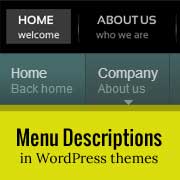
WordPress menu system has a built-in feature where you can add descriptions with menu items. However, this feature is hidden by default. Even when enabled, displaying them is not supported without adding some code. Most themes are not designed with menu-item descriptions in mind. In… Read More »
Used to store interaction and conversion data for campaigns in conjunction with Revenue Attribution.
1 year
_gat_omTracker*
Set, controlled and used by Google Analytics to collect and store data and then send that data to Google Analytics. OptinMonster provides the name if there is no existing tracker found on that page.
-
omCountdown-{id}-{elementId}
Used for countdown elements {elementId} in campaigns {id} to determine when it should complete.
-
om-{id}-closed / omSlideClosed-{id}
Used specifically with slide-in campaigns {id} to determine if it has been closed or not by a visitor.
30 days
om-success-cookie / omSuccessCookie
Used to determine if a visitor has successfully opted in to any campaign on your site to unlock content when using our Content Locking feature.
365 days
om-success-{id} / omSuccess-{id}
Used to determine if a visitor has successfully opted in to a campaign with the ID of {id} on your site.
365 days
omSeen-{id}
Used to determine if a visitor has been shown a campaign by the slug.
30 days
om-{id}
Used to determine if a visitor has interacted with a campaign ID of {id} on your site.
30 days
_omappvs
Used to determine when a new visitor becomes a returning visitor.