Choosing the right WordPress theme for your cafe, coffee shop, or restaurant plays a big role in creating a great first impression online. A well-designed website helps reflect the atmosphere of your business and showcases what makes your food and drinks special. If your site… Read More »
A growing content library usually means your WordPress site is doing well, but it can quickly become a headache for your visitors. When you have hundreds of posts, finding one specific tutorial or guide feels impossible. We’ve managed some large-scale blogs where readers were leaving… Read More »
When it’s time to update or make changes to a WordPress site, it’s important to keep visitors in the loop. A simple, friendly maintenance page can go a long way in setting clear expectations. From our experience helping WordPress users with updates, redesigns, and technical… Read More »
I once managed a site where my Spanish articles kept ranking for English search terms. It confused our visitors and created a massive headache for our SEO efforts. That is when I discovered hreflang tags, which act like a GPS for search engines. They point… Read More »
WPBeginner has been helping WordPress beginners since 2009. As a trusted and reliable resource, we have received numerous questions via email, comments, and DMs. Over the years, we’ve noticed that some questions are asked more frequently than others. And many beginners struggle to find clear… Read More »
Updating WordPress plugins can be as easy as clicking a button – but did you know that if you’re not careful, you can risk breaking your entire website? It’s true. At WPBeginner, we’re extra cautious about plugin updates because our site helps thousands of WordPress… Read More »
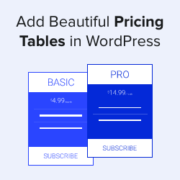
Adding beautiful pricing tables that are easy to scan allows users to select the right product and simplifies the decision-making process. Several of our partner brands offer different pricing plans and have created pricing tables to showcase them. They make their tables visually appealing with… Read More »
I remember the first time I tried to customize a WordPress login page. It was for a friend’s membership site, and the default WordPress login screen just didn’t align with their brand. I wanted a solution that was both visually appealing and easy to use.… Read More »
It’s a familiar story: you find the perfect plugin to add an exciting new feature, but that excitement quickly turns to frustration when your website slows to a crawl. We’ve been there, and we know how stressful it is to wonder if you have to… Read More »
Used to store interaction and conversion data for campaigns in conjunction with Revenue Attribution.
1 year
_gat_omTracker*
Set, controlled and used by Google Analytics to collect and store data and then send that data to Google Analytics. OptinMonster provides the name if there is no existing tracker found on that page.
-
omCountdown-{id}-{elementId}
Used for countdown elements {elementId} in campaigns {id} to determine when it should complete.
-
om-{id}-closed / omSlideClosed-{id}
Used specifically with slide-in campaigns {id} to determine if it has been closed or not by a visitor.
30 days
om-success-cookie / omSuccessCookie
Used to determine if a visitor has successfully opted in to any campaign on your site to unlock content when using our Content Locking feature.
365 days
om-success-{id} / omSuccess-{id}
Used to determine if a visitor has successfully opted in to a campaign with the ID of {id} on your site.
365 days
omSeen-{id}
Used to determine if a visitor has been shown a campaign by the slug.
30 days
om-{id}
Used to determine if a visitor has interacted with a campaign ID of {id} on your site.
30 days
_omappvs
Used to determine when a new visitor becomes a returning visitor.