


Over the last few years, we’ve used different WordPress popup plugins to generate leads and conversions on our websites.
We personally use OptinMonster for all kinds of campaigns, including alert bars, slide-ins, and banners, to promote our services and get more email signups. Additionally, we’ve had a lot of success using TrustPulse to increase sales across our partner websites.
There are dozens of plugins in WordPress that can help you improve conversion rates. However, most of them will either slow down your website, offer inaccurate statistics, or worse.
That’s why we decided to test all the most popular options and look at factors like popup types, customization settings, reports, and pricing.
In this article, we will share everything we learned from testing the most popular WordPress popup plugins on the market so you can see which is the best option for your website.

Things to Look For With WordPress Popup Plugins
The main purpose of using popup plugins for WordPress is to help you capture leads and boost your email list subscribers.
However, popups need to be used carefully. Poorly made WordPress popups can easily become annoying and ruin the user experience, along with your brand’s reputation.
Ben Ratner – HubSpot“Because of the intrusive and disruptive nature of pop-ups, marketers should be careful of when and how they appear as well as the type of content they present. In other words, context.
When they’re appropriate context mixed in with added value, pop-up forms can enhance website visitors’ experience and boost conversion rates.”
You need to pick a solution that offers proper behavior interaction, targeting, and personalization features so that you can offer the best user experience while ensuring maximum conversions.
Performance is another issue with most WordPress popup plugins. Since many plugins use WordPress to track analytics, this significantly increases the server load and slows down your website.
As you already know, a slow page speed negatively affects your SEO rankings.
This is why you need a plugin that offers powerful conversion features without slowing down your WordPress website.
Last but not least, you need to ensure that the popup plugin you choose actually works with your WordPress hosting environment.
Many plugins are poorly coded, so their advanced features, like A/B testing and reporting, will not work with the most advanced caching solutions that many hosting companies are now using.
Contenders for the Best WordPress Popup Plugins
Now that you know the common problems with most WordPress popup builders, you can use this information to evaluate all the options.
Since there are dozens of plugins, this process can be rather time-consuming. That’s why we did the research for you.
Before we jump into our review, here’s a quick summary of the best WordPress popup plugins we will cover in this article:
| Rank | Name | Best For | Price |
| 🥇 | OptinMonster | Targeted popups | $7 per month |
| 🥈 | TrustPulse | Social proof notifications | $5 per month |
| 🥉 | Thrive Leads | Lead capture | $99 per year |
| 4 | Bloom | Basic popups | $89 per year |
| 5 | PopupAlly | Small budgets | Free plan available |
| Bonus | UserFeedback | Customer feedback | $49.50 per year |
How We Tested and Reviewed Popup Plugins in WordPress
- We used them on our websites. We used the plugins across our testing and live websites so that we could see the real-world user experience, features, and conversions. We already use OptinMonster, TrustPulse, and UserFeedback on our own websites, and we have deeply investigated other options.
- We looked at the most popular options. We reviewed the most popular WordPress plugins to see if they were actually worth the hype. We made sure to look for significant features, pros, and cons so that we could evaluate each option thoroughly.
- We considered the plugins from the perspective of a small business. Since we have years of growing businesses from the ground up, we know how important it is to choose a popup plugin that can get you conversions and signups, fast.
Why Trust WPBeginner?
At WPBeginner, we’ve been doing popup marketing and lead generation for over a decade. Along the way, we’ve learned which tools, tips, and tricks work to increase leads and signups on our own website.
Plus, our WordPress experts research, test, and evaluate each popup tool on real websites to make sure we give the best recommendations. For more information, see our editorial process.
1. OptinMonster – Best Overall Popup Plugin
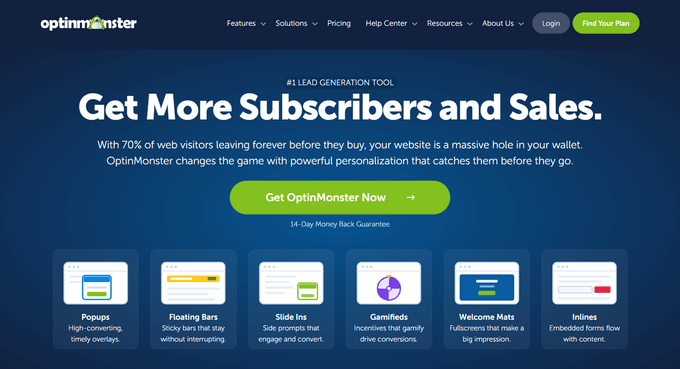
OptinMonster is the most popular lead generation software and popup builder on the market. It allows you to easily convert website visitors into subscribers and customers.
OptinMonster comes with a powerful WordPress popup builder and the most comprehensive targeting and personalization features around. Simply put, it allows you to maximize your conversion potential like a marketing pro.
We use OptinMonster on WPBeginner to grow our email list, and we’ve had a lot of success with different campaign types.
Features
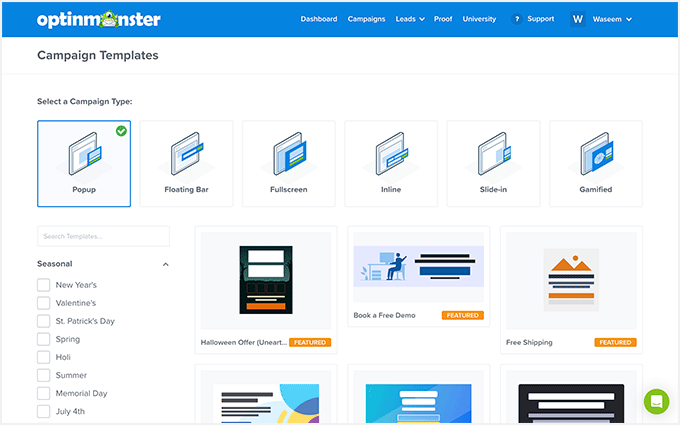
OptinMonster offers the most powerful set of targeting and personalization features in the market. They allow you to create different campaigns, including popups, fullscreen welcome mats, floating bars, scroll boxes, and so on.
Their targeting features allow you to target users by the page they are visiting, activity on your site, geo-location, and dozens more.
You can create your own rules to display a popup, making them more personalized and highly effective.
Below are some of OptinMonster’s most notable features:
- Beautifully designed, non-intrusive lightbox popups
- Exit-intent popups that are displayed when a user is about to leave your site
- Powerful targeting options with page level, geo-targeting, on-site retargeting, device-based targeting, and more.
- Adblock detection to display targeted messages to users
- Device targeting with mobile-friendly campaigns that look good on smaller devices
- Trigger popups with exit intent, scrolling, inactivity sensors, time-based triggers, and more
- Dozens of ready-made beautiful popup templates
- Drag and drop popup maker to easily create popups with your own images, fonts, and style
- Multiple campaign types include inline/after-post optins, a floating notification bar, countdown timers, a fullscreen welcome mat, coupon wheel popups, and more.
- Monster-links popups which trigger a popup by clicking on a link
- MonsterEffects™ technology to make your popups stand out with CSS animations and sound effects
- Yes/No popups, two-step popups, and success message customization
- Integrates with all top email marketing services, contact form plugins, eCommerce platforms like WooCommerce and Shopify, and more.
Looking at all the features, we can confidently say that it is the most comprehensive WordPress popup builder on the market. It has all you will need to grow your email list and instantly boost conversions.
Performance
The biggest advantage of using OptinMonster is its performance. It is a SaaS application that does not use your WordPress hosting resources.
It loads asynchronously and does not slow down your perceived page load speed. This is crucial not just for user experience but also for SEO.
Lastly, since OptinMonster doesn’t use WordPress to store analytics, your stats will be the most accurate, and it will work with any hosting environment.
Ease of Use
OptinMonster comes with an intuitive drag-and-drop builder. You can simply design your own popups by adding a background, choosing colors, images, and fonts, with your text and sign-up form.
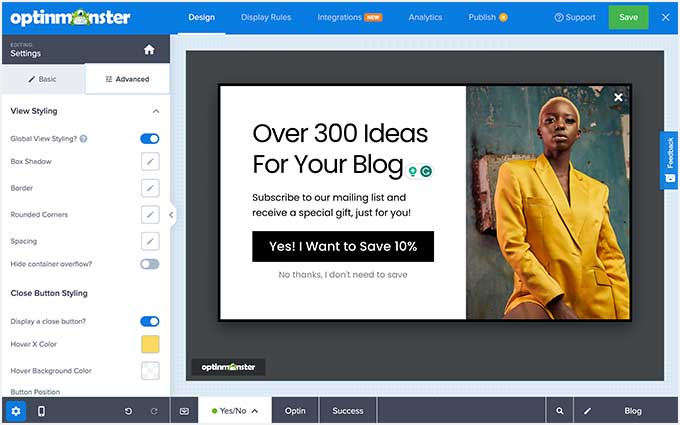
However, if you don’t want to do that, you will find beautiful, ready-made popup templates. Each template is fully customizable using a simple point-and-click editor.
Adding popups to your website is also very easy. You don’t need to edit any WordPress files or add code to your website. You can simply install their WordPress connector plugin.
For more details, see our complete OptinMonster review.
Pricing: Starting from $7 per month (billed annually).
🎯 Bonus: You can try the free plan, which is only available through the OptinMonster WordPress plugin. WPBeginner users can also use our OptinMonster coupon to get additional savings.
Disclosure: OptinMonster is the popup plugin that we use on WPBeginner. Many popular bloggers and businesses use OptinMonster, including Social Media Examiner, Michael Hyatt, NBA, and more.
WPBeginner’s founder, Syed Balkhi, is also a co-founder of OptinMonster. He built this plugin to help us increase our email subscribers, and now, he serves as an advisor to the company.
2. TrustPulse – Best for Social Proof Popups

TrustPulse is a WordPress popup plugin that uses social proof to help you boost conversions on your website. We use it across our partner websites to boost our software sales, which you can learn more about in our complete TrustPulse review.
It shows social-proof notifications on your website to help build user trust, trigger the FOMO (fear of missing out) effect, and encourage more users to sign up or make a purchase.
Features
TrustPulse helps you instantly win user trust by sharing social proof using less intrusive but highly effective popups.

Here are some of the features that make it unique:
- It uses urgency and social proof to trigger the FOMO effect (fear of missing out). This encourages users to sign up or complete a purchase.
- It has real-time tracking and popups to show purchases, activity, and signups.
- TrustPulse uses smart targeting to show social proof popups to the right users at the right time.
- Use the default design or make it your own with easy customization options.
Performance
If you run an eCommerce business, then speed is crucial for more sales on your website. TrustPulse does not affect your page load speed and improves the user experience at the same time.
It is a SaaS app and does not use your WordPress hosting resources. All the code used to display popups loads asynchronously from the cloud servers.
Ease of Use
TrustPulse comes with an insanely easy setup process. The default social proof popup works with very few modifications.
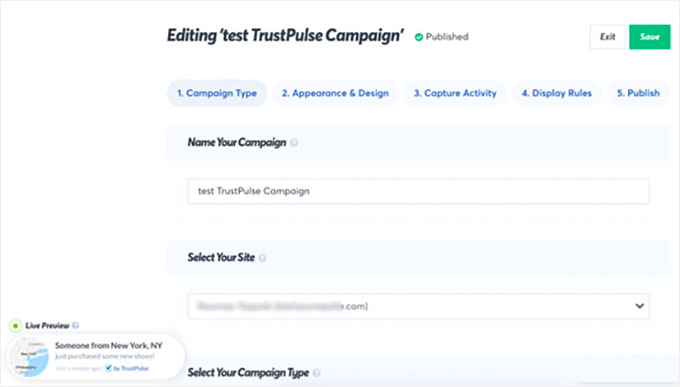
It has an easy-to-use interface, which allows you to customize popups, set up targeting, view stats, and run customized campaigns on your online store.
Pricing: Free 500 sessions per month, and then pricing starts from $5 per month (billed annually).
3. Thrive Leads – Best for Marketers
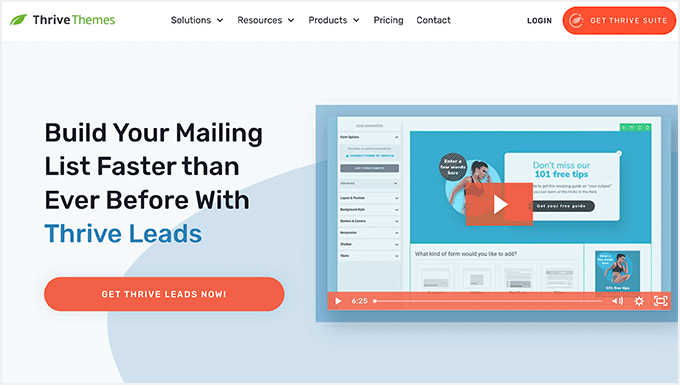
Thrive Leads is another popular popup plugin for WordPress, and it’s a great option if you’re looking for highly targeted and attractive popups. It comes with beautiful popup templates and an easy-to-use popup builder. There are also advanced targeting features that allow you to show more personalized offers to visitors based on posts, categories, tags, and more.
We have tried it out on a few of our websites and had a great experience with it, which you can learn more about in our Thrive Themes review.
Features
Thrive Leads is designed to help you capture leads on your WordPress site and grow your email list. Here is a quick overview of its features:
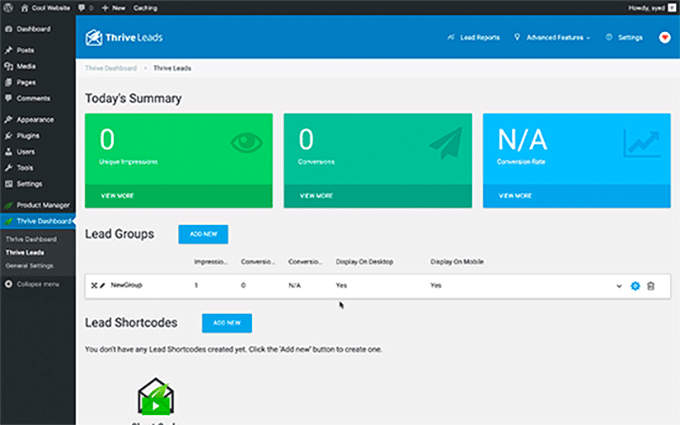
- Multiple optin types, including lightbox popup, inline forms, 2-step optin, slide-in forms, content lock, scroll mat, screen filler overlay, and more
- Simple drag-and-drop editor to customize sign-up forms
- Advanced A/B testing and analytics for your forms
- Multiple trigger options for displaying popups, including exit, time, scroll, and click
- Page-level targeting, including categories, tags, post types, and more
- Hide popups or show different offers to your existing subscribers
- Works with all popular email services
- Mobile-friendly popups for small devices
Performance
Thrive Leads tries to balance out performance and features. However, it is still a bit slower than other solutions like OptinMonster.
It is a standalone WordPress plugin, which means all the code resides on your WordPress site and utilizes your hosting resources.
This means that features like reporting and A/B tests may not work properly on certain hosting companies or with popular caching plugins.
Ease of Use
Thrive Leads is pretty straightforward to use and comes with multiple templates. It also comes with a basic popup maker with drag-and-drop functionality to customize your popup form.
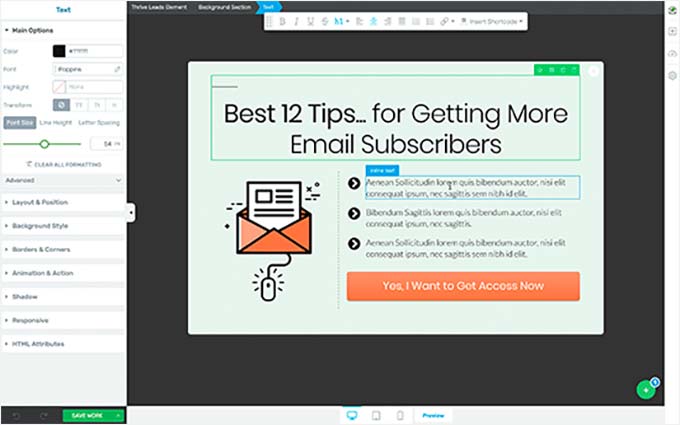
There is a slight learning curve involved in displaying optins on your website. Many beginners would struggle a bit when setting up a popup.
You’ll see different options for Lead Groups, Lead Shortcodes, Thrive Boxes, and other features without much explanation. This means users will have to explore them to learn what they do.
Pricing: Starting from $99 per year for a single site license.
🎯 Bonus: You also have the option to purchase the entire Thrive Suite of plugins, which includes Thrive Architect, Thrive Quizzes, Thrive Apprentice, and more, starting at $299 per year.
4. Bloom – Best for Beginners & Bloggers
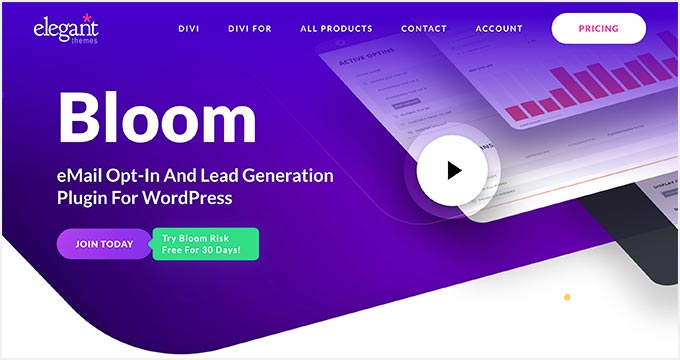
Bloom is a popular WordPress popup plugin made by Elegant Themes, and it’s a great option for beginners and bloggers.
We downloaded and tested it out thoroughly for this review. Learn more in our Bloom review.
Available as a standalone WordPress plugin, Bloom provides an easy-to-use WordPress popup maker for bloggers.
Features
Bloom comes with a decent set of features covering the basic requirements you would need from a good WordPress popup plugin. These include:
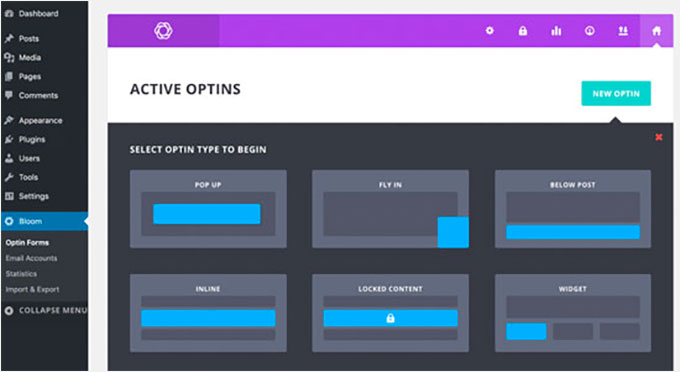
- Automatic lightbox popup
- Multiple optin types, including sidebar, slide-in, and below post signup forms.
- Basic post or page-level targeting
- Basic time delay, form submission, and scroll triggers
- Pre-built popup templates with easy customization
- Integrates with popular email service providers
Performance
Bloom is a stand-alone WordPress plugin that loads all the code from your WordPress site. It uses your server resources and could affect your page load time.
It tries to mitigate this by optimizing the code and using WordPress best practices. However, if you have a busy site with limited server resources, then this will slow down website performance.
Based on your WordPress caching plugin settings, reporting stats and features like A/B testing might misbehave.
Ease of Use
Bloom is extremely easy to use with a simple drag-and-drop popup maker. Creating new email optins with Bloom is straightforward, and the user interface is quite easy to figure out.
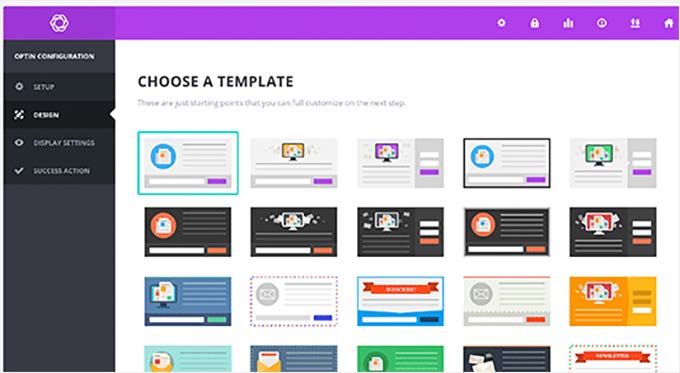
The trouble comes in when you are configuring display settings. There are too many options to choose from, which makes the user interface a bit confusing.
For more details, see our complete Bloom review.
Pricing: Comes with an Elegant Themes membership, starting from $89 per year.
🧑💻 Related: See our expert opinion on the future of popup marketing.
5. PopupAlly – Best Free Popup Plugin
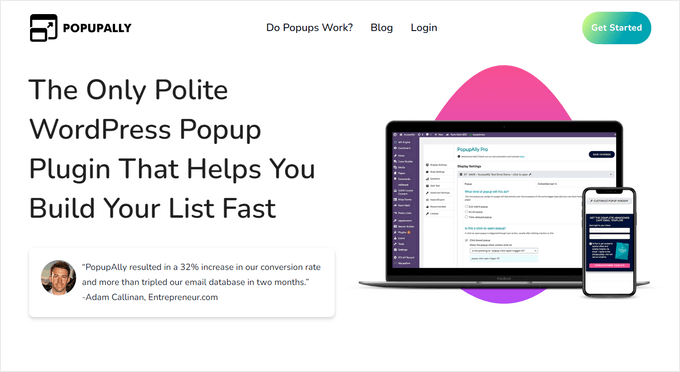
PopupAlly is a free popup plugin for WordPress that allows you to add polite, reader-centric popups to your website. We tested all of its features to see how they stand up, and we discovered that it’s a great option for WordPress blogs and websites.
The free plugin has everything you need to create effective popups. They also have a premium version, which offers more options.
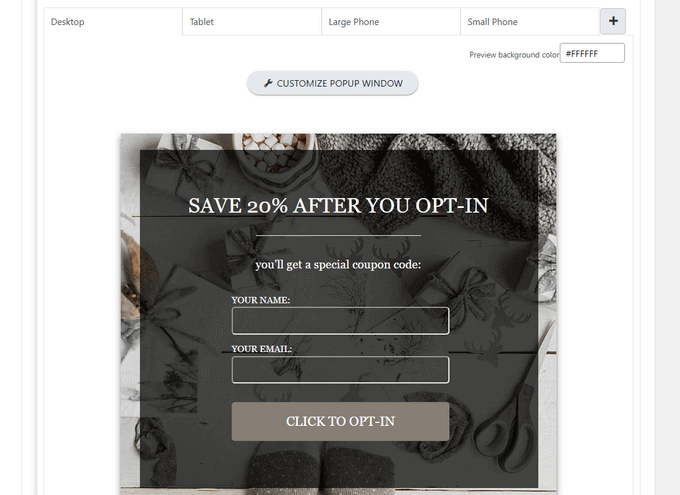
Features
- Allows you to create free WordPress popups and opt-in forms
- You can use multiple optin forms and choose from optin types like exit-intent, time-delayed, embedded, and more.
- Connects with popular email marketing platforms
- Comes with different styles and templates to use
- Includes basic A/B testing and stats for your forms
When you upgrade to the PopupAlly Pro, you’ll also get access to powerful features like a drag-and-drop design editor, click-to-open popups, smart subscriber recognition, reader decision points, and much more.
Performance
PopupAlly is a standalone WordPress plugin, so it loads all of the code from your WordPress site.
Depending on your web hosting resources, the plugin could affect your page loading time, especially if you’re using complex features like video popups and A/B testing.
Ease of Use
PopupAlly integrates with your WordPress site. You can design your campaigns and configure the popup settings from right inside the WordPress dashboard.
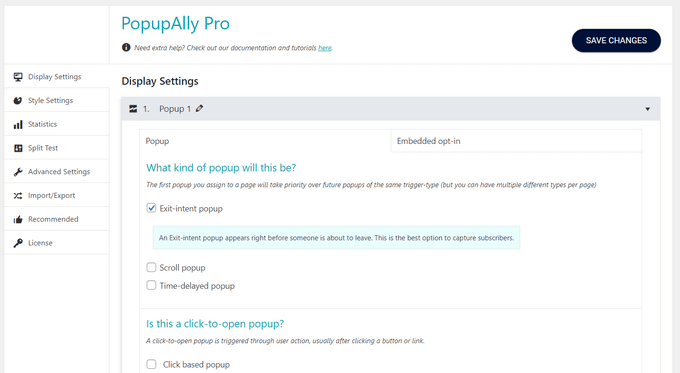
The interface is not as intuitive as other plugins like OptinMonster. The campaign builder is simple, and you’ll find your way around. However, going through all of the settings options can feel complicated.
Pricing: PopupAlly offers a forever-free plugin. There’s also a premium plan that costs $99 per year.
Bonus: UserFeedback – Best for User Survey Popups
UserFeedback is one of the best popup plugins for WordPress that lets you collect feedback from your website visitors in real time. We have used it on WPBeginner and other websites to learn more about our readers. Read our UserFeedback review for more information.
In addition to learning valuable insights from your audience, you can also capture emails, gather star ratings, and more.
Features
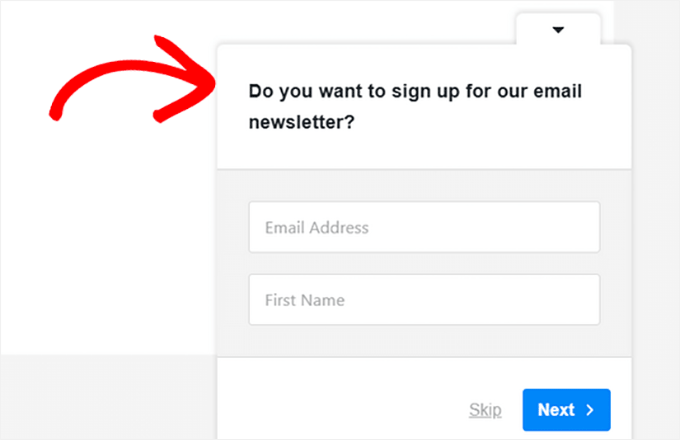
- Easily create popups to collect feedback and capture email addresses.
- Offers 20+ popup templates, including website feedback, phone lead forms, satisfaction surveys, post-purchase reviews, content engagement, and others.
- Add fields like multiple-choice questions, free-form questions, email capture, star ratings, Net Promotor score, and more.
- Use targeting rules to display your feedback popup on specific pages.
- Ability to redirect users to a custom page after completing the form.
- Schedule your popup forms to display during defined periods, which is great for promotions.
- Add your logo and customize the popup widget colors to match your brand.
- Built-in reporting to analyze your responses and integrations with Google Analytics and MonsterInsights.
- Create unlimited popups and receive unlimited responses.
Performance
When a popup is triggered, UserFeedback loads a very small script asynchronously to ensure maximum speed. So, this plugin will not slow down your WordPress site.
Ease of Use
UserFeedback is very easy to set up and use. Simply install the plugin, and you’ll be up and running in minutes.
To create a popup feedback form, you can choose a pre-made template from the library or create your own popup from scratch. All you have to do is point-and-click to add questions and form fields to your popup.
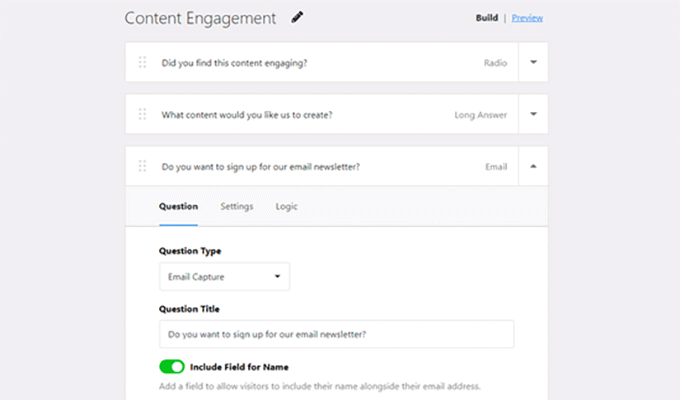
You can also easily configure settings like display timing, device targeting, display length, survey run time, and more.
Pricing: UserFeedback starts at $49.50 per year. There’s also a free version of UserFeedback that you can get started with.
Performance Comparison of Top WordPress Popup Plugins
For this article, we decided to actually try each plugin and test the impact on a website’s performance and speed.
Basically, we created a demo website and used the default settings of each plugin to create a basic WordPress popup. After that, we used Pingdom to test the page load speed.
The following are the results of our tests:
| Popup Plugin | Page Load time | Requests | Page size |
|---|---|---|---|
| OptinMonster | 1.03s | 17 | 225KB |
| TrustPulse | 894ms | 14 | 130KB |
| Thrive Leads | 1.23s | 17 | 170KB |
| Bloom | 1.23s | 22 | 188.8KB |
| PopupAlly | 1.50s | 13 | 156.8KB |
| UserFeedback | 1.14s | 25 | 583.4KB |
In our results, we found OptinMonster to be the fastest WordPress popup plugin with the least effect on performance.
Conclusion: Which Is the Best WordPress Popup Plugin?
Considering the criteria we set up, OptinMonster comes up as the best WordPress popup plugin. It is the fastest popup builder and comes with incredible tools to boost conversion rates.
It is also the easiest to use, with beautiful popup templates and a powerful drag-and-drop editor. It works with all popular CRMs, email marketing platforms, the best WordPress form plugins, custom HTML forms, and more.
Showing your popups at the right time to the right users is what makes them more effective. OptinMonster includes powerful page-level targeting options, personalization, and event-based triggers.
If you are running an eCommerce store, then we would recommend OptinMonster + TrustPulse. This allows you to maximize conversions with social proof and OptinMonster’s powerful cart abandonment features.
We hope this article helped you pick the best WordPress popup plugin for your website. You may also want to see our article on tested and easy ways to grow your email list or our picks of the best SMTP service providers with high email deliverability.
If you liked this article, then please subscribe to our YouTube Channel for WordPress video tutorials. You can also find us on Twitter and Facebook.
Disclaimer: We could have included many other WordPress popup plugins in this list, like the HubSpot form builder, Sumo, Elementor popups, Icegram, Ninja Popups, and others. But we decided only to include the ultimate best popup plugins to help you avoid choice paralysis.

Hajjalah
From my personal experience, OptinMonster plugin wins it all . I have been using this plugin for a while and the best feature I found is the geo-targeting ability which can be effectively used for displaying different popups for different locations .
This has enabled me to effectively display affiliate products to my website visitors based on their location. I really recommend this popup plugin because it really worked for me.
WPBeginner Support
Thanks for sharing which worked for you!
Admin
Mrteesurez
Thanks for your recommendation and sharing your personal experience. I am still a beginner in Optinmonster because I don’t use to pop-up. I will check out the feature you have mentioned to display affiliate products to my website visitors based on location.
Jiří Vaněk
Thank you for the great tip. I’ve been using the plugin for several months, but I hadn’t found this feature there. So far, I’ve been targeting customers only based on the language version of the website and URL addresses. However, this is new to me and sounds really great. It’s a mystery to me how I could have missed it, because now I can easily segment users in campaigns based on location, not just language.
Ayanda Temitayo
So far so good, I have tried sumo and I love their features. Sumo is really good especially for quick display of offers. I haven’t tried Optinmonster but I read their reviews that it’s one of the best especially for mailing list.
Moinuddin Waheed
i would recommend you to try and experience the best of optin monster.
you would love seeing the advanced features for targetting users based on different personalisation features.
This plugin comes with great customisation options to make any kind of campaigns.
Syed Shan Shah
I have personally used bloom for popups and collecting emails. Thank you for giving detailed info about other related plugins.
WPBeginner Support
Glad we could share these alternatives
Admin
Moinuddin Waheed
given the ability to serve the exiting customers based on exit intent, I am seriously planning to use optin monster for all of my websites.
it is very helpful for getting their email and contacts with the help of this plugin in exchange of some pdf guides or videos.
I am exploring these options slowly slowly one by one.
Thanks for the comprehensive guide on pop up plugins with their pros and cons.
WPBeginner Support
You’re welcome
Admin
WPBeginner Support
OptinMonster gives the option to target based on the URL, if you reach out to their support they can assist with setting up the specific targeting
Admin
Jiří Vaněk
Thank you for your answer. So I used the URL condition and it works really great. I would probably have looked for it for a long time myself, and with your advice you helped me set up campaigns for both the English and Czech parts. Thank you very much.
Jiří Vaněk
I use an internal tool for popup windows that has elementor and it’s great. I’ve had the full version of Optin Monster for about a week now and I’m getting to know it. Anyway, I mainly have excellent pre-prepared templates. Really great design. So I’m currently using OptinMonster and it’s great.
Jiří Vaněk
After a while I just wanted to ask. I have a polylang plugin on my website and a Czech and English version of the website. Is it possible to set one minstersight popup window for the Czech version and another only for the English version? The content of the popup window will be the same, but I need to have a different language in each one according to the website version. The website will be divided according to /cs and /en in the URL.
Moinuddin Waheed
Popup plugins are the great window for making lead generation. they not only create new opportunities but also ensure your brand value. The best thing that I like about optinmonster is its exit intent. it does not bother it’s users until they are to leave the page. it just pops up before you are finished and want to leave.
thanks for sharing the detailed instructions of how to use.
WPBeginner Support
You’re welcome, glad you found our list helpful
Admin
Sameer Hussain
OptinMonster seems like a great value. I will recommend it to everyone, including myself.
WPBeginner Support
Thank you for sharing your preferred plugin
Admin
Ahmed Omar
Thank you for the detailed post.
Of course every plugin has its cons and pro as you mentioned above.
personaly I will use optinmonster
WPBeginner Support
Glad you found our list helpful and we hope you enjoy OptinMonster
Admin
Kevin
Do you know if any of these can be set to pop up for new visitors but not for returning or logged-in users? If none of these, are you familiar with any that do?
WPBeginner Support
These tools should each have their own tools and options for hiding popups from returning visitors.
Admin
Suraj
Thanks for sharing the valuable information
WPBeginner Support
You’re welcome
Admin
ebun
GREAT WORK. MORE POWER.
WPBeginner Support
Thank you
Admin
ssbrar
very informative article specially for people like me, who seeks to grow in blogging.
WPBeginner Support
Glad our article could help you see some of the options available
Admin