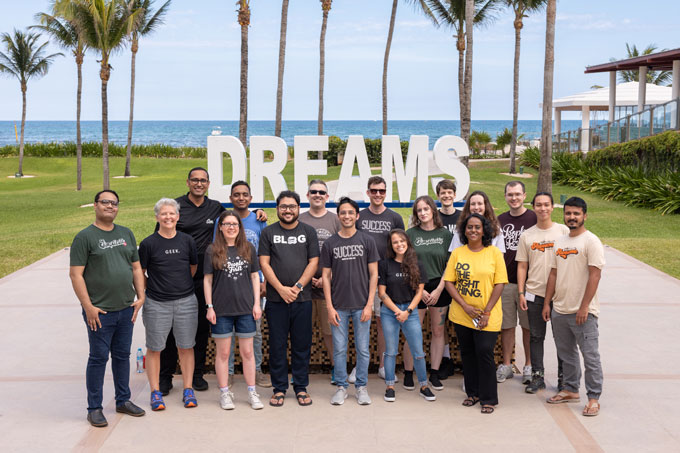
The most experienced team of WordPress experts and educators.
Over 16+ years of WordPress and web development experience.
The team that advises some of the largest WordPress plugins in the industry used by over 25 million websites.
Led by WPBeginner founder, Syed Balkhi, a well-respected WordPress expert.
Experience
Our editorial staff includes a dedicated team of programmers, writers, video creators, and editors with over 16 years of experience in WordPress, web hosting, eCommerce, SEO, and online marketing.
Our editorial team manages every piece of content we publish at WPBeginner. Unlike other copycat tutorial websites, every person in our team is a true WordPress practitioner. You can learn more about our Editorial Process here.
The team is led by the most well-known and well-respected WordPress expert in the world, Syed Balkhi. He graduated from University of Florida and have been building WordPress websites since 2006.
Syed is also the founder of some of the most popular WordPress plugins in the market.
About WPBeginner
WPBeginner is the largest free WordPress resource for beginners to learn WordPress. We are part of the Awesome Motive family and reach over 100 million visitors every year. Our content is fact checked and reviewed by our Editorial team for accuracy and integrity. You can learn more about us and our editorial process.
Looking for more control over your WordPress site’s design and function? Learning to edit HTML is the answer. HTML (HyperText Markup Language) is the code that structures your content, telling web browsers how to display your pages. Editing it directly comes in handy for advanced… Read More »
If you’re a teacher looking to build a professional website, the right WordPress theme can make the process much easier. A good education theme helps you keep things organized. You can share lesson information, post updates, and point parents and students to the right resources… Read More »
‘How do I make my links stand out?’ That’s a question we hear regularly from our WPBeginner readers. While it might seem like a small detail, link colors play an important role in your website’s usability and conversion rates. That is why we use the… Read More »
WordPress 5.8 was released earlier today, and it is the second major release of 2021. This new release is coming with some major new features and improvements. These changes introduce new creative ways to work on your WordPress website. In this article, we’ll share what’s… Read More »
Trying to manage all your website files, from secure backups to shared team documents, can feel overwhelming. Without a solid system, you risk losing important data or dealing with a messy, inefficient workflow. Here at WPBeginner, our team relies heavily on cloud storage to keep… Read More »
Your website’s background color sets the entire mood for your visitors. Maybe you want something clean and professional, warm and welcoming, or bold and creative – whatever vibe you’re going for, the right background color can make all the difference. The good news is that… Read More »
If you want your real estate business to succeed, then you’ll need a professional website. This is where a WordPress real estate plugin can help. A real estate plugin is important for showcasing properties and providing a seamless experience for potential buyers or renters. It… Read More »
Speed tests often flag the ‘leverage browser caching’ warning, making it sound like a complicated technical issue. We fix this error regularly to help websites load faster and rank better in search results. Browser caching simply tells a user’s computer to store files like images… Read More »
When our readers ask us for tips on making their websites more secure, one of our top recommendations is to change the URL of their WordPress login page. This simple change makes it more difficult for hackers to gain unauthorized access to your site because… Read More »
Do you want to learn how to change your WordPress logo size? Your website logo is an important part of your brand, so you will want to make sure it looks good. However, sometimes, it’s not clear how to make the logo bigger or smaller.… Read More »
Used to store interaction and conversion data for campaigns in conjunction with Revenue Attribution.
1 year
_gat_omTracker*
Set, controlled and used by Google Analytics to collect and store data and then send that data to Google Analytics. OptinMonster provides the name if there is no existing tracker found on that page.
-
omCountdown-{id}-{elementId}
Used for countdown elements {elementId} in campaigns {id} to determine when it should complete.
-
om-{id}-closed / omSlideClosed-{id}
Used specifically with slide-in campaigns {id} to determine if it has been closed or not by a visitor.
30 days
om-success-cookie / omSuccessCookie
Used to determine if a visitor has successfully opted in to any campaign on your site to unlock content when using our Content Locking feature.
365 days
om-success-{id} / omSuccess-{id}
Used to determine if a visitor has successfully opted in to a campaign with the ID of {id} on your site.
365 days
omSeen-{id}
Used to determine if a visitor has been shown a campaign by the slug.
30 days
om-{id}
Used to determine if a visitor has interacted with a campaign ID of {id} on your site.
30 days
_omappvs
Used to determine when a new visitor becomes a returning visitor.