WPBeginner WordPress tutorials help you learn WordPress, so you can improve your website. Our step by step WordPress tutorials are easy to understand and will help you follow the WordPress best practices. Don't waste your time buying WordPress books or outdated WordPress tutorial PDFs that cover just the basics. Our WordPress tutorials are written by experts with 15+ years of WordPress experience, and it contains real-life examples and tips that allows you to learn WordPress faster. We also keep our tutorials up to date.
You can find our other latest free WordPress tutorials below, and you can always use the search feature on our site to find helpful WordPress tutorials faster.
If you don't see a WordPress tutorial that you're looking for, then please reach out to your team and let us know. All our WordPress tutorial ideas are suggested by our users over the last 13+ years.
WordPress comes with a default RSS feed that automatically shares your website content, making it easy for subscribers to stay up-to-date. However, if you want to share only specific types of content like blog posts, product updates, or event announcements, then you can set up… Read More »
At WPBeginner, growing our email list has always been a top priority. Over the years, we’ve tried numerous techniques to boost our email subscribers, but not all delivered the results we hoped for. Some methods worked, while others didn’t quite meet expectations. After testing multiple… Read More »
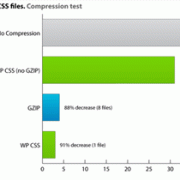
Recently, one of our readers asked us how they can move JavaScripts to the bottom in WordPress to increase their Google page speed score. We are glad they asked, because honestly we wanted to write about this. Previously, we have talked about how to properly… Read More »
When a visitor clicks an image and gets stuck on a file page, it ruins their experience. I’ve seen this frustrate users enough to make them leave a site completely. By default, WordPress often adds these unhelpful links automatically. It disrupts navigation and can even… Read More »
Images play an important role in engaging your audience, and enhancing these pictures with filters can add a professional, creative touch to your website. Editing the photos on your WordPress site using Instagram-like filters can transform their look and help your content stand out. At… Read More »
The WordPress admin area is mobile-responsive and works on any device or screen size. However, due to the smaller screen, the user experience is not the same as with a desktop browser. Luckily, there is a WordPress mobile app available, which makes it easier to… Read More »
Launching a new landing page only to see low conversions can feel discouraging. You may find yourself wondering if a different headline, layout, or button color would work better. But without testing, it’s impossible to know for sure. That’s where A/B split testing comes in.… Read More »
Bloggers often monetize content on their websites using subscriptions or one-time payment models. They do this by restricting certain content to registered users. This is easy to set up if you have the right WordPress plugin. Fortunately, we’ve tested and worked with multiple plugins over… Read More »
When you look at the browser tab of your new blog, you might notice a tiny favicon showing the WordPress logo next to your site’s name. Since this is the default setting for new WordPress websites, it’s a common sight, but it’s also a missed… Read More »
A common technique used by hackers to gain unauthorized access to websites is called ‘Brute Force’. Using this technique, hackers use software designed to scan a website for vulnerabilities and gain access by exploiting any of them. We use Sucuri for security of our websites… Read More »
Used to store interaction and conversion data for campaigns in conjunction with Revenue Attribution.
1 year
_gat_omTracker*
Set, controlled and used by Google Analytics to collect and store data and then send that data to Google Analytics. OptinMonster provides the name if there is no existing tracker found on that page.
-
omCountdown-{id}-{elementId}
Used for countdown elements {elementId} in campaigns {id} to determine when it should complete.
-
om-{id}-closed / omSlideClosed-{id}
Used specifically with slide-in campaigns {id} to determine if it has been closed or not by a visitor.
30 days
om-success-cookie / omSuccessCookie
Used to determine if a visitor has successfully opted in to any campaign on your site to unlock content when using our Content Locking feature.
365 days
om-success-{id} / omSuccess-{id}
Used to determine if a visitor has successfully opted in to a campaign with the ID of {id} on your site.
365 days
omSeen-{id}
Used to determine if a visitor has been shown a campaign by the slug.
30 days
om-{id}
Used to determine if a visitor has interacted with a campaign ID of {id} on your site.
30 days
_omappvs
Used to determine when a new visitor becomes a returning visitor.