WPBeginner WordPress tutorials help you learn WordPress, so you can improve your website. Our step by step WordPress tutorials are easy to understand and will help you follow the WordPress best practices. Don't waste your time buying WordPress books or outdated WordPress tutorial PDFs that cover just the basics. Our WordPress tutorials are written by experts with 15+ years of WordPress experience, and it contains real-life examples and tips that allows you to learn WordPress faster. We also keep our tutorials up to date.
You can find our other latest free WordPress tutorials below, and you can always use the search feature on our site to find helpful WordPress tutorials faster.
If you don't see a WordPress tutorial that you're looking for, then please reach out to your team and let us know. All our WordPress tutorial ideas are suggested by our users over the last 13+ years.
Featuring registered users on your WordPress website can boost engagement and create a stronger sense of community. It’s a great way to recognize your members and show that you value their participation. However, if your site has many users, then highlighting them all can be… Read More »
Videos are one of the best ways to boost user engagement. Recently one of our users asked us about a way to create share button overlays on videos similar to the popular site UpWorthy. In this article, we will show you how to add share… Read More »
Many of our beginner level readers soon start modifying their WordPress themes thats why we have a WordPress theme cheat sheet to help them get started. This brings some interesting challenges for new users. One such reader, recently asked us how to display last week’s… Read More »
Would you like to customize the WordPress admin toolbar? The admin bar contains handy links to some of the most used admin pages. However, you might like to add your own shortcuts to the pages you use most when working on your site. In this… Read More »
Have you ever seen a random tag like [gallery_shortcode] pop up in the middle of a blog post? That’s an unused shortcode – leftover code from old plugins or themes that you no longer use. Here’s something that many WordPress users don’t realize: when you… Read More »
Spreading the holiday spirit through your WordPress site can create a warm and engaging atmosphere for your visitors, improving their online experience during this festive season. Whether you are running a blog, eCommerce store, blog, or nonprofit website, there are plenty of creative ways to… Read More »
Recently one of our users complained to us about WordPress post pagination hiding the full content in their RSS feed. After doing a quick research, it turns out that this is a WordPress core bug (#10984) that was reported 4 years ago and is still… Read More »
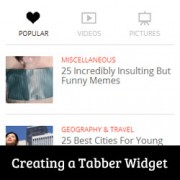
Have you seen a tabber area on popular sites that allows you to see popular, recent, and featured posts with just one click? This is called the jQuery tabber widget, and it allows you to save space on user screen by combining different widgets into… Read More »
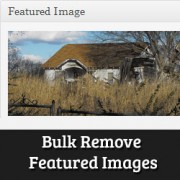
Recently one of our readers asked us how they can bulk remove featured images from posts in WordPress? At WPBeginner, we have discussed featured images (post thumbnails) many times. We showed you how to add featured images in WordPress, how to add new image sizes… Read More »
Have you ever spent hours updating your old articles, only to realize nobody is seeing them? WordPress sorts content by the original publish date, so your fresh tips often get buried deep in the archives. When your site hides valuable updates, it looks outdated even… Read More »
Used to store interaction and conversion data for campaigns in conjunction with Revenue Attribution.
1 year
_gat_omTracker*
Set, controlled and used by Google Analytics to collect and store data and then send that data to Google Analytics. OptinMonster provides the name if there is no existing tracker found on that page.
-
omCountdown-{id}-{elementId}
Used for countdown elements {elementId} in campaigns {id} to determine when it should complete.
-
om-{id}-closed / omSlideClosed-{id}
Used specifically with slide-in campaigns {id} to determine if it has been closed or not by a visitor.
30 days
om-success-cookie / omSuccessCookie
Used to determine if a visitor has successfully opted in to any campaign on your site to unlock content when using our Content Locking feature.
365 days
om-success-{id} / omSuccess-{id}
Used to determine if a visitor has successfully opted in to a campaign with the ID of {id} on your site.
365 days
omSeen-{id}
Used to determine if a visitor has been shown a campaign by the slug.
30 days
om-{id}
Used to determine if a visitor has interacted with a campaign ID of {id} on your site.
30 days
_omappvs
Used to determine when a new visitor becomes a returning visitor.