WPBeginner WordPress tutorials help you learn WordPress, so you can improve your website. Our step by step WordPress tutorials are easy to understand and will help you follow the WordPress best practices. Don't waste your time buying WordPress books or outdated WordPress tutorial PDFs that cover just the basics. Our WordPress tutorials are written by experts with 15+ years of WordPress experience, and it contains real-life examples and tips that allows you to learn WordPress faster. We also keep our tutorials up to date.
You can find our other latest free WordPress tutorials below, and you can always use the search feature on our site to find helpful WordPress tutorials faster.
If you don't see a WordPress tutorial that you're looking for, then please reach out to your team and let us know. All our WordPress tutorial ideas are suggested by our users over the last 13+ years.
Download links are a simple way to offer PDFs, templates, guides, and other files directly from your WordPress site. They’re perfect for building trust, growing your email list, and giving real value to your audience. The good news is that adding download links to WordPress… Read More »
Have you ever seen that dreaded ‘Error 521’ message pop up when trying to visit your website? Unfortunately, it is a pretty common issue for anyone using WordPress and Cloudflare, and it can affect thousands of websites every single day. The bad news? If you… Read More »
Whether you’re running a subscription service, an online membership site, or simply need to process regular donations, accepting recurring payments on your WordPress site can streamline your revenue. These payments ensure a steady cash flow and help you build long-term customer relationships. We sell several… Read More »
A well-designed sales page can be a game-changer for your business by turning casual visitors into paying customers and boosting your bottom line. At WPBeginner, we’ve helped countless WordPress users create various types of pages, but sales pages consistently stand out as one of the… Read More »
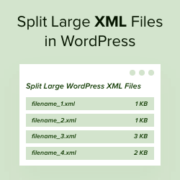
Setting up a new blog or moving your WordPress site can be exciting, but sometimes you might hit a frustrating roadblock: your WordPress export file is too big to import into your new website. We’ve seen this problem many times when setting up blog sites… Read More »
The message ‘The site is experiencing technical difficulties’ is one of the most common WordPress errors that you may see on your website. It’s shown when your site is broken because of a serious problem with PHP code somewhere. Unfortunately, this error can both lock… Read More »
Many online store owners look for ways to increase sales and keep customers coming back. One of the most effective ways to do that is by turning your WooCommerce store into a members-only experience. With a membership model, you can control who gets access to… Read More »
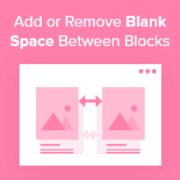
Good spacing can make a big difference in how your content looks and feels. When the gaps between WordPress blocks are too tight or too wide, it can hurt readability and make your layout feel unfinished. We’ve seen many WordPress users run into the same… Read More »
Has your WordPress website been hacked? Hackers will often install a backdoor to make sure they can get back in even after you secure your website. Unless you can remove that backdoor, there’s no stopping them. In this article, we’ll show you how to find… Read More »
You hit publish on a new post, but it sits invisible in search results for days. It is a common frustration for many website owners who want immediate traffic. The good news is that adding an RSS sitemap can fix this by helping Google find… Read More »
Used to store interaction and conversion data for campaigns in conjunction with Revenue Attribution.
1 year
_gat_omTracker*
Set, controlled and used by Google Analytics to collect and store data and then send that data to Google Analytics. OptinMonster provides the name if there is no existing tracker found on that page.
-
omCountdown-{id}-{elementId}
Used for countdown elements {elementId} in campaigns {id} to determine when it should complete.
-
om-{id}-closed / omSlideClosed-{id}
Used specifically with slide-in campaigns {id} to determine if it has been closed or not by a visitor.
30 days
om-success-cookie / omSuccessCookie
Used to determine if a visitor has successfully opted in to any campaign on your site to unlock content when using our Content Locking feature.
365 days
om-success-{id} / omSuccess-{id}
Used to determine if a visitor has successfully opted in to a campaign with the ID of {id} on your site.
365 days
omSeen-{id}
Used to determine if a visitor has been shown a campaign by the slug.
30 days
om-{id}
Used to determine if a visitor has interacted with a campaign ID of {id} on your site.
30 days
_omappvs
Used to determine when a new visitor becomes a returning visitor.