Often beginners get confused when trying to pick the right WordPress plugins for their needs. We frequently get questions like what is the best WordPress plugin to build an online store, add testimonials, accept payments, create a contact form, and so much more. Unlike other sites, our expert team at WPBeginner tests and review the best WordPress plugins for each task and create step-by-step installation guides to make your life easier. We do the research, so you don't have to.
If you're just getting started, then you may want to start with our popular WordPress plugin guides:
We also have a WPBeginner Solutions Center where we have our expert reviews and our community reviews of top WordPress plugins and tools.
You can find our other latest WordPress plugin guides below, and you can always use the search feature on our site to find helpful WordPress tutorials faster.
If you don't see a WordPress plugin guide that you're looking for, then please reach out to your team and let us know. All our WordPress content ideas are suggested by our users over the last 15+ years.
You’ve done it! Your WordPress plugin is ready to go. Now you’re probably wondering how to get it to the plugin repository so that thousands of WordPress users can discover and use it. At WPBeginner, we maintain several popular WordPress plugins in the official directory.… Read More »
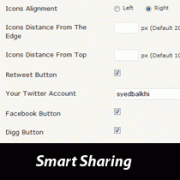
You probably notice that WPBeginner has a floating share box on all posts. We released a plugin over a year ago known as Smart Sharing. Smart Sharing plugin lets you maximize the power of your current readership to get you more votes in social media.… Read More »
SlideDeck is great for beginners because it provides a complete WordPress plugin that lets you use the easy drag-drop interface to create sliders. However, it is also great for developers because it has a jQuery version that offers additional freedom to developers to customize it to their needs. In this article, we will show you how you can create a slider in WordPress without editing a single line of code with the SlideDeck WordPress Plugin.
I remember staring at my first WordPress blog, wondering if my articles were actually helping anyone. It felt like I was writing without knowing if anyone was actually listening or finding value in my work. A simple star rating system gave my readers an easy… Read More »
Email lists are still one of the fastest ways to get loyal following and exposure to your new ventures. The only problem that most bloggers have is the money that is involved into building your email list. In this article, we will show you how you can build a huge email list for free by using WordPress.
Smart sharing adds a floating box with social media buttons in single posts only. By default, you can pick between retweet, facebook, digg, and stumbleupon. But you are not limited to these choices because there is an option to add your own custom codes.
There are two types of sitemap that you can make. One is a XML sitemap and then there is a HTML Sitemap. In this article we will share the WordPress plugins you need to create a XML Sitemap and to create a HTML sitemap.
In this article we will share a way that you can use to allow your users to submit news or even posts to your WordPress site. You will get to moderate them like comments and approve the story that you choose to go live. You can even use Akismet for spam filter.
Over the last few years, we have used different jQuery plugins to add all kinds of interactive elements to our websites like contact forms, popups, accordions, and sliders. After much research, the biggest lesson we learned is that not every jQuery plugin is created equal… Read More »
Plugins enhances your WordPress experience and lets you run your blog efficiently by easing the process. In this article we have suggested the best WordPress plugins for a new blog. We have also included a place to find all plugins, and how to install them.
Used to store interaction and conversion data for campaigns in conjunction with Revenue Attribution.
1 year
_gat_omTracker*
Set, controlled and used by Google Analytics to collect and store data and then send that data to Google Analytics. OptinMonster provides the name if there is no existing tracker found on that page.
-
omCountdown-{id}-{elementId}
Used for countdown elements {elementId} in campaigns {id} to determine when it should complete.
-
om-{id}-closed / omSlideClosed-{id}
Used specifically with slide-in campaigns {id} to determine if it has been closed or not by a visitor.
30 days
om-success-cookie / omSuccessCookie
Used to determine if a visitor has successfully opted in to any campaign on your site to unlock content when using our Content Locking feature.
365 days
om-success-{id} / omSuccess-{id}
Used to determine if a visitor has successfully opted in to a campaign with the ID of {id} on your site.
365 days
omSeen-{id}
Used to determine if a visitor has been shown a campaign by the slug.
30 days
om-{id}
Used to determine if a visitor has interacted with a campaign ID of {id} on your site.
30 days
_omappvs
Used to determine when a new visitor becomes a returning visitor.