Often beginners get confused when trying to pick the right WordPress plugins for their needs. We frequently get questions like what is the best WordPress plugin to build an online store, add testimonials, accept payments, create a contact form, and so much more. Unlike other sites, our expert team at WPBeginner tests and review the best WordPress plugins for each task and create step-by-step installation guides to make your life easier. We do the research, so you don't have to.
If you're just getting started, then you may want to start with our popular WordPress plugin guides:
We also have a WPBeginner Solutions Center where we have our expert reviews and our community reviews of top WordPress plugins and tools.
You can find our other latest WordPress plugin guides below, and you can always use the search feature on our site to find helpful WordPress tutorials faster.
If you don't see a WordPress plugin guide that you're looking for, then please reach out to your team and let us know. All our WordPress content ideas are suggested by our users over the last 15+ years.
One of the biggest challenges we’ve faced as bloggers is getting people to share our content on X/Twitter. It’s not enough to just post your articles; you need to make it easy for your readers to spread the word. That’s where ‘click to tweet’ boxes… Read More »
Are your best articles getting lost on category pages, even after you’ve made them sticky? WordPress has a built-in sticky post feature, which is great for keeping content at the top of your main blog page. However, this feature doesn’t work on category pages by… Read More »
Do you need to send emails from a WordPress installation on localhost? Running WordPress from localhost on your own computer is convenient when developing or testing a new site, plugin, or theme. However, setting up WordPress email on localhost is tricky because your site is… Read More »
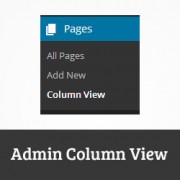
The main difference between posts and pages is that pages can be hierarchical. However when displayed in WordPress, child pages of a page are displayed with a — before them. This works well for most users, but for websites that has lots of pages and… Read More »
Nothing drives visitors away faster than a clunky search experience. We’ve seen many WordPress sites struggle with high bounce rates simply because their search results weren’t helpful. When visitors can’t filter content by category or tag, they often leave without finding what they need. Adding… Read More »
Do you want to set an expire date for widgets in WordPress? By automatically removing a widget after a certain date and time, you can easily run time-sensitive campaigns and promotions with a firm ending date. In this article, we’ll show you how to set… Read More »
When you embed a video in WordPress, by default these videos are not responsive. With the rise of responsive WordPress themes, users visiting your site on smaller screens will see video containers that are stretched and disproportionate. In this article, we will show you how… Read More »
After a YouTube video finishes playing, a list of related videos is shown. Unfortunately, sometimes those related videos may promote your competitors or information that you disagree with. In that case, disabling related YouTube videos on your WordPress site can help maintain viewer focus by… Read More »
At WPBeginner, we have over 15 years of experience testing and building WordPress sites and online stores. We’ve built membership sites for our beginner online courses and eCommerce stores to sell our software. The majority of these websites have allowed users to register to access… Read More »
We were working on how to bulk remove featured images from posts in WordPress, and it got us thinking that there are so many things that can be done to improve the media library. Currently the media library displays all your media in a list… Read More »
Used to store interaction and conversion data for campaigns in conjunction with Revenue Attribution.
1 year
_gat_omTracker*
Set, controlled and used by Google Analytics to collect and store data and then send that data to Google Analytics. OptinMonster provides the name if there is no existing tracker found on that page.
-
omCountdown-{id}-{elementId}
Used for countdown elements {elementId} in campaigns {id} to determine when it should complete.
-
om-{id}-closed / omSlideClosed-{id}
Used specifically with slide-in campaigns {id} to determine if it has been closed or not by a visitor.
30 days
om-success-cookie / omSuccessCookie
Used to determine if a visitor has successfully opted in to any campaign on your site to unlock content when using our Content Locking feature.
365 days
om-success-{id} / omSuccess-{id}
Used to determine if a visitor has successfully opted in to a campaign with the ID of {id} on your site.
365 days
omSeen-{id}
Used to determine if a visitor has been shown a campaign by the slug.
30 days
om-{id}
Used to determine if a visitor has interacted with a campaign ID of {id} on your site.
30 days
_omappvs
Used to determine when a new visitor becomes a returning visitor.