Often beginners get confused when trying to pick the right WordPress plugins for their needs. We frequently get questions like what is the best WordPress plugin to build an online store, add testimonials, accept payments, create a contact form, and so much more. Unlike other sites, our expert team at WPBeginner tests and review the best WordPress plugins for each task and create step-by-step installation guides to make your life easier. We do the research, so you don't have to.
If you're just getting started, then you may want to start with our popular WordPress plugin guides:
We also have a WPBeginner Solutions Center where we have our expert reviews and our community reviews of top WordPress plugins and tools.
You can find our other latest WordPress plugin guides below, and you can always use the search feature on our site to find helpful WordPress tutorials faster.
If you don't see a WordPress plugin guide that you're looking for, then please reach out to your team and let us know. All our WordPress content ideas are suggested by our users over the last 15+ years.
Do you ever notice how cluttered your WordPress dashboard can get? We’ve realized that every WordPress site is different, and sometimes, site owners need a simple way to jot down notes or share quick updates right where they’re most visible. Adding a notepad to your… Read More »
Have you ever wondered if it was possible to hide the title of select posts or pages on your homepage? The answer is Yes. In this article, we will show you how to disable post title for selective posts in WordPress. You will also be… Read More »
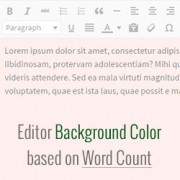
Do you want to write longer articles on your blog? Sometimes it can be hard without having any visual motivation. We found a solution that can help. In this article, we will show you how to change the editor background color in WordPress based on… Read More »
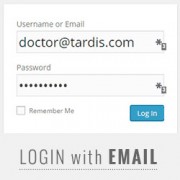
Have you noticed that most popular sites like Facebook, Twitter, etc allow users to log in with email or their username? Want to add the same functionality on your site? In this article, we will show you how to allow user log in with email… Read More »
Displaying PDFs directly on your WordPress site can boost the user experience by providing easy access to documents, e-books, and other valuable material. An embedded PDF viewer allows your audience to view content seamlessly and interact with it right on your website. Plus, it ensures… Read More »
If you manage a growing blog, you’ve probably had those moments where you’re scrolling endlessly through comments, wondering, “Did I already answer this one?” The challenge is simple: WordPress doesn’t offer a built-in way to filter comments you haven’t replied to, so you end up… Read More »
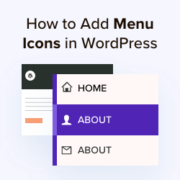
Over the years, we have helped thousands of readers customize their WordPress sites to improve both user experience and visual appeal. From our hands-on experience with web design, we’ve learned that adding image icons to WordPress navigation menus can drastically improve your site’s usability. That’s… Read More »
Managing content ideas in spreadsheets is a common practice for WordPress site owners. CSV files are perfect for organizing post titles, descriptions, and categories – but we’ve noticed that many users hit a wall when trying to move that data into WordPress. The process isn’t… Read More »
Fullscreen video backgrounds instantly grab attention. They turn a simple WordPress site into something that feels polished, modern, and professionally designed. Overall, we’ve seen how much a well-placed video background can improve first impressions and keep visitors engaged. The good news is that you don’t… Read More »
Are you looking for an easy way to move comments between WordPress posts? You might be writing a new version of a post and plan to redirect it from the original post. Redirects are great for avoiding broken links and preserving your WordPress SEO, but… Read More »
Used to store interaction and conversion data for campaigns in conjunction with Revenue Attribution.
1 year
_gat_omTracker*
Set, controlled and used by Google Analytics to collect and store data and then send that data to Google Analytics. OptinMonster provides the name if there is no existing tracker found on that page.
-
omCountdown-{id}-{elementId}
Used for countdown elements {elementId} in campaigns {id} to determine when it should complete.
-
om-{id}-closed / omSlideClosed-{id}
Used specifically with slide-in campaigns {id} to determine if it has been closed or not by a visitor.
30 days
om-success-cookie / omSuccessCookie
Used to determine if a visitor has successfully opted in to any campaign on your site to unlock content when using our Content Locking feature.
365 days
om-success-{id} / omSuccess-{id}
Used to determine if a visitor has successfully opted in to a campaign with the ID of {id} on your site.
365 days
omSeen-{id}
Used to determine if a visitor has been shown a campaign by the slug.
30 days
om-{id}
Used to determine if a visitor has interacted with a campaign ID of {id} on your site.
30 days
_omappvs
Used to determine when a new visitor becomes a returning visitor.