Often beginners get confused when trying to pick the right WordPress plugins for their needs. We frequently get questions like what is the best WordPress plugin to build an online store, add testimonials, accept payments, create a contact form, and so much more. Unlike other sites, our expert team at WPBeginner tests and review the best WordPress plugins for each task and create step-by-step installation guides to make your life easier. We do the research, so you don't have to.
If you're just getting started, then you may want to start with our popular WordPress plugin guides:
We also have a WPBeginner Solutions Center where we have our expert reviews and our community reviews of top WordPress plugins and tools.
You can find our other latest WordPress plugin guides below, and you can always use the search feature on our site to find helpful WordPress tutorials faster.
If you don't see a WordPress plugin guide that you're looking for, then please reach out to your team and let us know. All our WordPress content ideas are suggested by our users over the last 15+ years.
Sending a client a messy list of links often looks unprofessional and can cost you the project. Many creatives worry that building a proper portfolio requires expensive software or complex coding. You might feel stuck because you want to stand out but do not know… Read More »
Managing WordPress comments gets messy fast. One popular blog post can trigger spam, nonstop notifications, and moderation work that takes longer than writing the article itself. The issue isn’t your content — it’s the default WordPress comment system. It’s too basic for real discussion and… Read More »
I’ve noticed that a lot of WordPress users forget about email sharing when adding social sharing buttons to their posts. But this simple feature can actually go a long way. Sometimes, sharing an article on Facebook or X (Twitter) isn’t the right fit. Your readers… Read More »
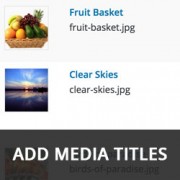
Images are an important part of a content rich website. Using proper titles and alternate text for images can make them SEO friendly. However if you upload a lot of images, then there is a good chance that you may sometimes forget to add proper… Read More »
If you’ve shopped on the internet, then you’re probably familiar with website security seals such as Norton and McAfee. These badges show users that you have taken all the necessary precautions to make your website safe and secure. This social proof helps increase user’s trust… Read More »
Long-form content is fantastic for SEO and providing value to your readers, but there’s one small problem: people like to know what they’re getting into. When someone lands on a 3,000-word tutorial, they want to understand their commitment upfront. Progress bars solve this beautifully by… Read More »
When you run a multi-author blog, communication among team members become very important. There are several WordPress plugins that allow site-admins and authors to exchange notes and feedback within the WordPress admin area. However these notes and feedback may go unnoticed. In this article, we… Read More »
Managing comments on your WordPress website can be time-consuming. While WordPress offers basic comment features, many of our readers tell us they are looking for more control and customization options. The free Comment Hacks plugin introduces useful features that improve your comment management experience. It… Read More »
Small design touches can make a huge difference in how professional your website looks. Custom scrollbars are one of those details that most visitors won’t consciously notice, but they’ll definitely feel the improved visual consistency when navigating through your content. The good news is that… Read More »
If you’ve ever explored your WordPress dashboard, you’ve probably noticed a mysterious plugin called “Hello Dolly” that you never installed. It’s one of those things that makes you wonder: “Is this important? Should I activate it? Can I delete it?” 🤔 This little plugin has… Read More »
Used to store interaction and conversion data for campaigns in conjunction with Revenue Attribution.
1 year
_gat_omTracker*
Set, controlled and used by Google Analytics to collect and store data and then send that data to Google Analytics. OptinMonster provides the name if there is no existing tracker found on that page.
-
omCountdown-{id}-{elementId}
Used for countdown elements {elementId} in campaigns {id} to determine when it should complete.
-
om-{id}-closed / omSlideClosed-{id}
Used specifically with slide-in campaigns {id} to determine if it has been closed or not by a visitor.
30 days
om-success-cookie / omSuccessCookie
Used to determine if a visitor has successfully opted in to any campaign on your site to unlock content when using our Content Locking feature.
365 days
om-success-{id} / omSuccess-{id}
Used to determine if a visitor has successfully opted in to a campaign with the ID of {id} on your site.
365 days
omSeen-{id}
Used to determine if a visitor has been shown a campaign by the slug.
30 days
om-{id}
Used to determine if a visitor has interacted with a campaign ID of {id} on your site.
30 days
_omappvs
Used to determine when a new visitor becomes a returning visitor.