Often beginners get confused when trying to pick the right WordPress plugins for their needs. We frequently get questions like what is the best WordPress plugin to build an online store, add testimonials, accept payments, create a contact form, and so much more. Unlike other sites, our expert team at WPBeginner tests and review the best WordPress plugins for each task and create step-by-step installation guides to make your life easier. We do the research, so you don't have to.
If you're just getting started, then you may want to start with our popular WordPress plugin guides:
We also have a WPBeginner Solutions Center where we have our expert reviews and our community reviews of top WordPress plugins and tools.
You can find our other latest WordPress plugin guides below, and you can always use the search feature on our site to find helpful WordPress tutorials faster.
If you don't see a WordPress plugin guide that you're looking for, then please reach out to your team and let us know. All our WordPress content ideas are suggested by our users over the last 15+ years.
Do you want to add your LinkedIn profile on your WordPress site? LinkedIn is a social network of professionals which helps you connect with other professionals and influencers in your industry. In this article, we will show you how to easily add LinkedIn Profile to… Read More »
Managing a WordPress website can feel overwhelming, especially with the constant stream of plugin and theme update notifications. We hear from users all the time that manually clicking through dozens of these updates, one by one, is a frustrating and time-consuming task. But, it’s a… Read More »
Bringing LinkedIn traffic to your WordPress site can significantly grow your business. It’s one of the most powerful social networking platforms available, with over 930 million professionals actively sharing and engaging with content. At WPBeginner, we’ve seen great success sharing our WordPress tutorials and guides… Read More »
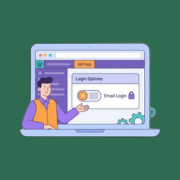
Ever noticed how your WordPress login page accepts both usernames and email addresses? While this flexibility can be helpful, some website owners prefer to keep things simple and only allow username-based logins. You might want this for consistency, easier user management, or to match your… Read More »
The membership site business model is really popular, and for good reason. It provides predictable recurring revenue and builds a loyal community around your content. But when we were launching our own WordPress membership website, we were worried that choosing the wrong plugin could cost… Read More »
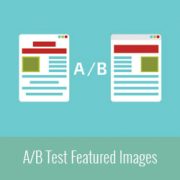
Do you want to run an A/B split test for featured images in WordPress? Featured images play an important role in increasing pageviews and engaging users. A/B testing featured images can help boost your engagement. In this article, we will show you how to A/B… Read More »
You may have seen an Ask Me Anything (AMA) segment on popular sites like Reddit, Tumblr, and Quora. Recently, a user asked if it was possible to add it to WordPress. An AMA option allows users to ask you questions anonymously, and then you can… Read More »
Choosing the right eCommerce plugin can feel overwhelming when every tool promises to “do it all.” Many store owners only discover the limitations later: missing features, payment restrictions, or checkout experiences that don’t match the products they sell. That’s why the real challenge isn’t finding… Read More »
Looking for a way to create custom layouts in WordPress without diving into code? We get it. Most guides out there either feel like reading a novel or assume you’re a coding expert. We’ve noticed that some experienced WordPress users shy away from page builders… Read More »
Running a nonprofit organization means you’ll need tools that can support your mission, engage your community, and manage resources efficiently. We’ve worked with lots of different nonprofits and helped them start their own websites. Plus, our founder, Syed Balkhi, runs his own charitable foundation, so… Read More »
Used to store interaction and conversion data for campaigns in conjunction with Revenue Attribution.
1 year
_gat_omTracker*
Set, controlled and used by Google Analytics to collect and store data and then send that data to Google Analytics. OptinMonster provides the name if there is no existing tracker found on that page.
-
omCountdown-{id}-{elementId}
Used for countdown elements {elementId} in campaigns {id} to determine when it should complete.
-
om-{id}-closed / omSlideClosed-{id}
Used specifically with slide-in campaigns {id} to determine if it has been closed or not by a visitor.
30 days
om-success-cookie / omSuccessCookie
Used to determine if a visitor has successfully opted in to any campaign on your site to unlock content when using our Content Locking feature.
365 days
om-success-{id} / omSuccess-{id}
Used to determine if a visitor has successfully opted in to a campaign with the ID of {id} on your site.
365 days
omSeen-{id}
Used to determine if a visitor has been shown a campaign by the slug.
30 days
om-{id}
Used to determine if a visitor has interacted with a campaign ID of {id} on your site.
30 days
_omappvs
Used to determine when a new visitor becomes a returning visitor.