Microsoft Outlook is an excellent choice for businesses of any size. However, if you’re using a free plan, you’ll be stuck with the default email domain. That means, you’ll see ‘@outlook.com’ at the end of your email address. Keeping the default email domain isn’t ideal,… Read More »
Plenty of bloggers and business owners don’t realize the importance of building an email list when they’re first starting out. That said, most people change their minds when they see the impact email lists can have on someone else’s traffic and revenue. Over the years,… Read More »
As a blogger, you might have seen the orange RSS feed icon. It’s a way for your readers to get updates on your latest posts without visiting your site manually. RSS is a powerful tool for delivering your content to your audience. In this article,… Read More »
When we started WPBeginner in 2009, we had a tight budget and limited resources. We built it as a simple WordPress blog, using free tools and a lot of creativity to make things work. Since then, we’ve grown WPBeginner into a thriving platform and helped… Read More »
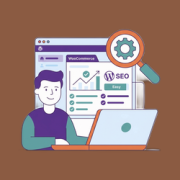
You have spent hours designing your WooCommerce store. The products look great, and your site is ready for customers. But if people can’t find you on Google, your hard work won’t turn into sales. Your store is barely getting any customers, while your competitors get… Read More »
One of the things that makes WordPress so amazing is its vast library of plugins. These are like apps for your website that add useful new features and functionality. When there are so many quality free and premium plugins available, you may be wondering when… Read More »
Writing technical tutorials without visuals often leads to confused and frustrated readers. Words alone simply cannot describe a process as clearly as an image can. At WPBeginner, we have written thousands of guides, and screenshots are our secret weapon for keeping users engaged. They turn… Read More »
Starting a blog for the first time can be a nerve-wracking experience. There’s a lot of excitement, but at the same time, there’s a fear of the unknown. You want to do everything the RIGHT way and avoid all major pitfalls, so your blog can… Read More »
As your website grows, you may need to bring in team members or contractors to help manage different tasks. Whether it’s writing posts, tweaking settings, or handling customer orders, not everyone needs the same level of access. It’s easy to assume that every new user… Read More »
Here’s something you might not have noticed — your WordPress website has its own email address. It’s called the administration email address, and it’s the one WordPress uses to send important notifications about your site. It alerts you about new user registrations, security updates, and… Read More »
Used to store interaction and conversion data for campaigns in conjunction with Revenue Attribution.
1 year
_gat_omTracker*
Set, controlled and used by Google Analytics to collect and store data and then send that data to Google Analytics. OptinMonster provides the name if there is no existing tracker found on that page.
-
omCountdown-{id}-{elementId}
Used for countdown elements {elementId} in campaigns {id} to determine when it should complete.
-
om-{id}-closed / omSlideClosed-{id}
Used specifically with slide-in campaigns {id} to determine if it has been closed or not by a visitor.
30 days
om-success-cookie / omSuccessCookie
Used to determine if a visitor has successfully opted in to any campaign on your site to unlock content when using our Content Locking feature.
365 days
om-success-{id} / omSuccess-{id}
Used to determine if a visitor has successfully opted in to a campaign with the ID of {id} on your site.
365 days
omSeen-{id}
Used to determine if a visitor has been shown a campaign by the slug.
30 days
om-{id}
Used to determine if a visitor has interacted with a campaign ID of {id} on your site.
30 days
_omappvs
Used to determine when a new visitor becomes a returning visitor.