


Here’s something most WordPress users don’t realize: the features you use every day probably started as suggestions from people just like you. 💡
That block editor? User feedback. The automatic updates? Community input. Even small interface improvements often come from real users sharing their experiences and ideas.
At WPBeginner, we’ve been part of the WordPress community, and we’ve seen how powerful user suggestions can be. The platform’s developers genuinely want to hear what’s working, what isn’t, and what features would make your life easier.
But here’s the catch: most people don’t know how to properly submit their ideas or where to go. In this guide, we’ll show you step-by-step how to make new feature suggestions for WordPress using the official Trac and GitHub channels.

How New Features Make Their Way into WordPress
As open-source software, WordPress’s development is driven by its users and volunteer developers, who make up the core team. Anyone can suggest new features and improvements they think would benefit all WordPress websites.
If enough users want a feature, and developers are interested in working on it, it eventually becomes part of the software.
This has been the winning formula that has led to WordPress now powering over 43% of all websites.
WordPress can also be easily extended with plugins. This means that even if a feature is not included in the core software, it could still be added as a WordPress plugin.
If a feature can be easily added using a plugin and is not beneficial for most WordPress users, then it might not be added to the core. This is usually the case with most new feature suggestions.
Users can suggest features using WordPress Trac, GitHub, a bug tracking, development, and ticketing software.
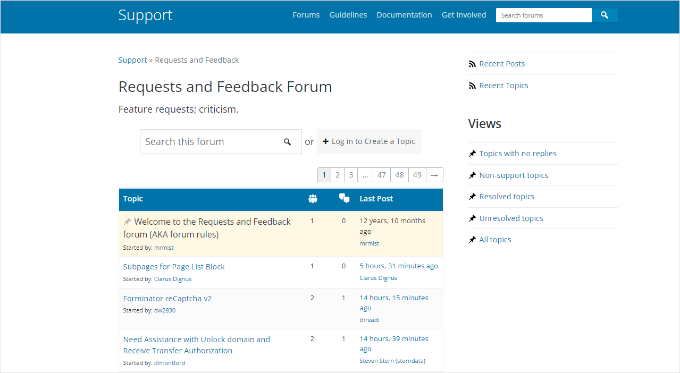
Before creating a formal ticket, we highly recommend starting with the WordPress Requests and Feedback Forum. It’s the perfect place to share your suggestion as an ‘idea’ and see if it gets support from other users.
If your idea gets a lot of positive votes and feedback, you’ll have a much stronger case when you submit a formal feature request on Trac or GitHub later on.
Quick Tip: Which Platform Should I Use?
Not sure where to post your idea? Here’s a quick guide:
- WordPress Requests and Feedback Forum: Best for brand-new ideas. You can use it to share your thoughts, see if others agree, and get feedback before creating a formal ticket.
- Trac: The official tracker for everything else in the core WordPress software, like comments, themes, plugins, and general administration.
- GitHub: The right place for any suggestion related to the Block Editor (Gutenberg).
With that in mind, it’s helpful to learn how to use WordPress Trac and GitHub to submit new feature ideas. Here’s a quick overview of all the methods we’ll share in this guide; simply click the links below to jump ahead:
Ready? Let’s get started.
Method 1: Adding a New WordPress Feature Suggestion Using Trac
First, make sure that you are using Trac correctly.
✏️ Note: Trac is not a support platform. If you need support, then you should use the WordPress support forums instead.
Before creating a Trac ticket, please thoroughly search through it to ensure someone else hasn’t already suggested this feature.
You can do that by going to the WordPress Core search page and entering the search term in the search bar.
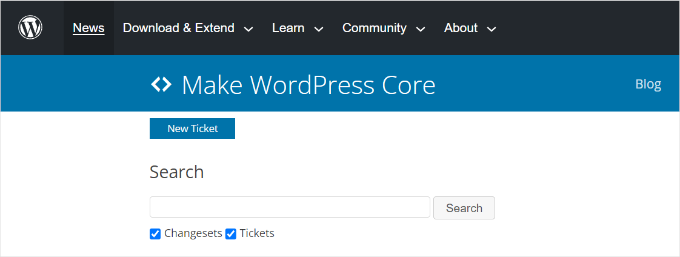
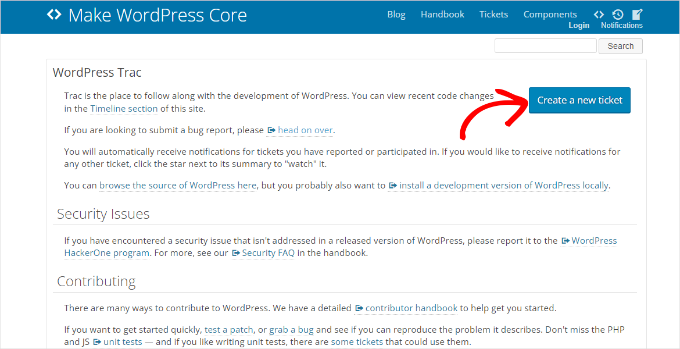
Once you are sure that the feature you are going to suggest does not exist, then you can visit the Trac website.
From here, simply click the ‘Create a new ticket’ button.
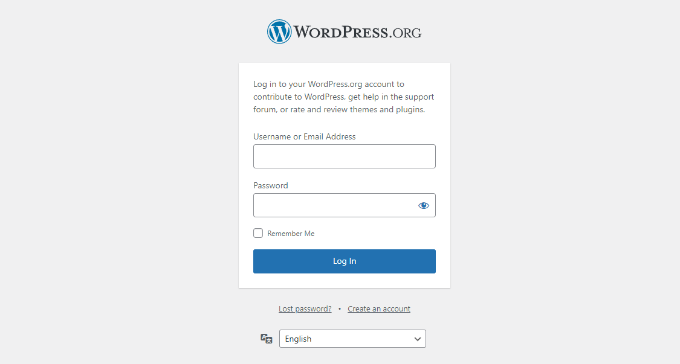
Next, you will need to log in to your WordPress.org account.
If you don’t have an account, you must sign up first.
Once you are logged in, you will see the ‘New Ticket’ form.
Go ahead and enter the details for your feature suggestion.
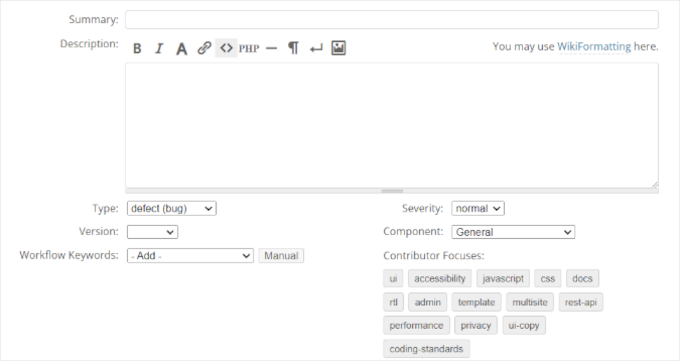
First, you need to provide a summary of your feature suggestion. This should be a simple one-liner that explains the problem that you are trying to solve with your feature suggestion.
In the ‘Description’ area, you will need to provide as much detail as you want about the feature you are suggesting.
Feel free to add screenshots and mockups to explain your suggestion. You also need to use this space to make a case for your feature suggestion, explaining why you think it should be part of the core.
Make sure that you select ‘Feature request’ as your ticket type. If you add a bug report, then you’ll want to select ‘defect (bug).’
And if you think that the feature you suggest is actually an existing feature enhancement, select ‘enhancement’ as your ticket type instead.
Next, you’ll see a few more technical fields:
- For the WordPress version, simply select the one you are currently using (like 6.1).
- For Component, just make your best guess about which part of WordPress your idea relates to. So if your idea is about the post editor, you might choose Editor. And if your idea is about the WordPress comments section, then choose Comments.
If you’re unsure, it’s perfectly fine to leave it as is. Other contributors can help categorize it correctly later.
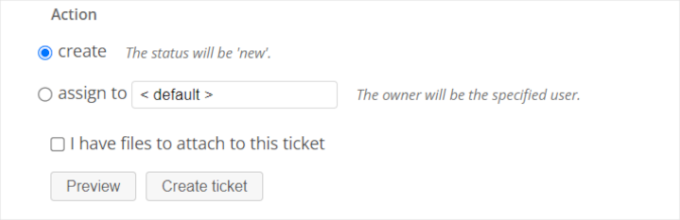
When you are done, you can preview the details and click the Create ticket button.
Don’t worry about getting every single field perfect. The most important part is to describe your idea clearly and explain why it would be helpful. Plus, the WordPress community is very helpful, and other contributors can always help tidy up the technical details later on.
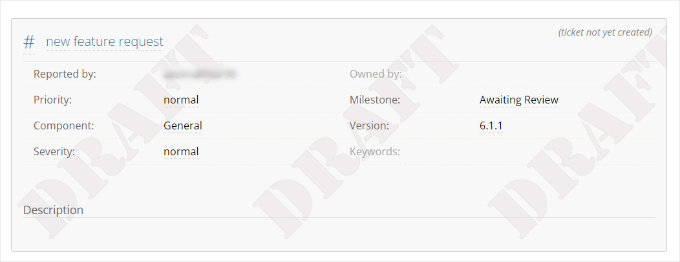
If you scroll down from there, you will see a preview of your ticket. Ensure that all the details are correct before submitting the WordPress feature suggestion ticket.
What Happens After You Submit a Ticket to Trac?
Once you have submitted a ticket to Trac, it will be available to other contributors and developers for review. Lead developers will also receive notifications, and they can review your ticket and take action on it.
For example, a developer might update your ticket to better categorize it, like changing the Component. Or a contributor might update the Status to reflect its progress, like Under Review.
You’ll see all these changes recorded on the ticket, so you can follow along.
If your ticket gains enough interest, someone can develop and submit a patch for it. The lead developer can then review this patch, which can be accepted.
Once a patch is accepted, either a lead developer or another user with permission can ‘commit’ the change, and it will be added to the core during the next update cycle.
Depending on the nature of your suggestion, it can take days, weeks, months, and sometimes even years to become a part of the core.
Despite the sometimes long wait, submitting feature requests is worth the effort. Because of requests like these, WordPress has grown from software that only supported blogs to the content management system (CMS) that it is today.
Method 2: Adding a New WordPress Feature Suggestion Using GitHub
Another way you can request new features in WordPress is by using GitHub.
GitHub is a cloud-based website that allows developers to store and manage their code, track changes, offer version control, and collaborate with others on a project.
Our own development team at WPBeginner actually relies on GitHub every day. We use it for version control when building our plugins and for collaborating on new site features, which makes it an essential tool for our workflow.
First, you’ll need to visit the GitHub website and sign up for a free account.

After that, you can head over to the WordPress Gutenberg repository on GitHub. This is the main development hub where all work on the block editor happens.
Once you are on the main Gutenberg repository page, simply click on the ‘Issues’ tab near the top to see existing discussions and add your own suggestion.
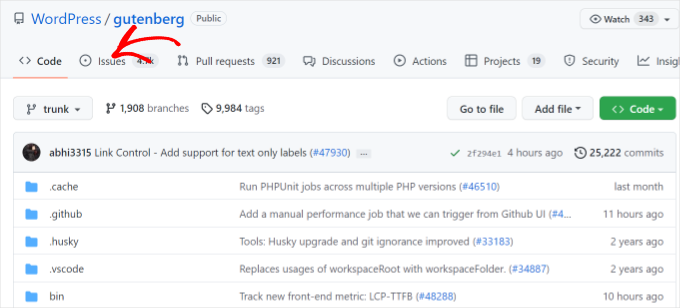
Next, you’ll see a list of issues, bug reports, and other threads.
From here, you can search the issue tab and ensure your feature request hasn’t already been posted. Then, you can click the ‘New issue’ button in the top corner.
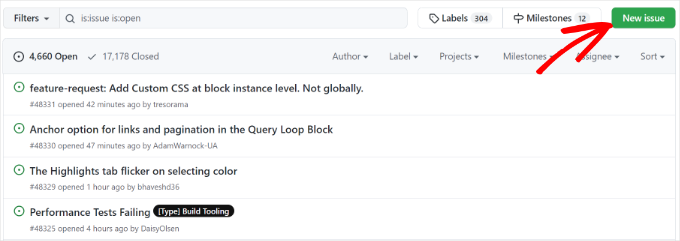
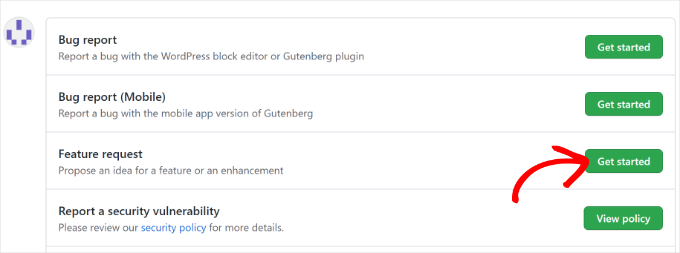
You should then see multiple options to create a new issue.
Go ahead and select the ‘Feature request’ option.
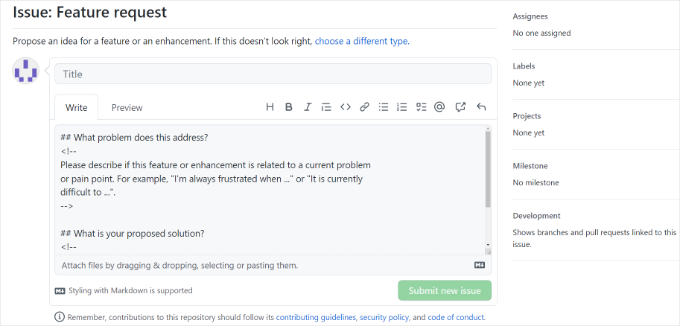
The next step is to type in a title and your request in detail.
After that, simply click the ‘Submit new issue’ button to create the ticket.
With that done, there will be a GitHub thread where you can follow the discussion and development of your suggested feature.
Take a Deeper Look: Is WordPress the Best Choice for Your Website?
If you’re still deciding whether WordPress is right for you, we’ve put together a real, no-nonsense review to help.
Unlike other website builders such as Wix, Squarespace, and Weebly, WordPress is 100% free and open source, but that also comes with a slight learning curve.
We’ve been using WordPress since 2009, and we can confidently tell you that even completely non-technical users can learn how to use it.
But if you’re not convinced yet, you can check out our in-depth WordPress review for more information.
Frequently Asked Questions About Suggesting WordPress Features
What’s the difference between Trac and GitHub for feature suggestions?
Trac is the traditional, official project tracker for the WordPress core. It has been used for years to manage bug reports and feature ideas for the main software.
GitHub is now often used for newer, more distinct projects within the WordPress ecosystem, like the Gutenberg block editor.
While both are solid options, it’s best to check where a specific project’s development is most active.
Is my idea guaranteed to be added if I submit it?
Unfortunately, there is no guarantee that a suggestion will be added to the core software. A feature’s inclusion depends on how much community support it gets, if it aligns with the project’s overall goals, and if there are volunteer developers available to build it.
However, every suggestion is a valuable part of the conversation and helps shape the platform’s future.
What if someone has already suggested my idea?
That’s actually a good thing! It shows that other users would also find the feature useful. Instead of creating a duplicate ticket, you should contribute to the existing one.
You can add your own comments, provide a different use case, or simply add your voice to support the idea. This helps developers see which features are most in demand.
Further Reading: More WordPress Guides
We hope this article helped you learn how to make new feature suggestions for WordPress. If you found this helpful, you may also want to check out our guides on:
- Why WordPress Is Free? What are the Costs? What’s the Catch?
- How to Make a Living with WordPress
- How to Create a Do Not Sell My Info Page in WordPress
- WordPress vs Laravel – Which Is Better?
- The Ultimate Guide to WordPress Privacy Compliance
- How to Choose the Best WordPress Hosting
- WordPress Maintenance vs Managed Hosting – Which Is Better?
If you liked this article, then please subscribe to our YouTube Channel for WordPress video tutorials. You can also find us on Twitter and Facebook.


Moinuddin Waheed
I have always thought of many features that I wish to see in the wordpress and I wanted to make suggestions but didn’t know how to suggest a feature of wordpress.
This guide is a light for me to make any feature suggestions regarding my ideas and creativity that I want to witness inside wordpress.
Thanks for mentioning both the methods using trac ticket and GitHub way.
Mrteesurez
I have always wondered how the WordPress community decides on new features for each update. It seems like a lot of the ideas come from suggestions made by users like us.
Thanks for explaining how to submit feature suggestions, using Trac does seem straightforward. But, is it possible to attach a code file with my suggestion, like a code snippet that implements the feature I am proposing ?
WPBeginner Support
Yes, you can add code to your feature suggestion in Trac
Admin
Mrteesurez
Thank you for the clarification. I appreciate the guidance on adding a code snippet to my feature suggestion in Trac. Including code can definitely help illustrate the functionality I’m proposing and make it easier for reviewers to understand and evaluate. I’ll ensure to attach a well-documented code file with my suggestion. This will not only enhance the proposal but also provide a practical reference for implementation. Thanks again for your support!
John Dee
I use screencast captures to communicate with my team. How do trac people feel about a video link? Can I submit a ticket with a ‘description’ of a youtube link?
WPBeginner Support
Hi John Dee,
You can add a video link to your description.
Admin