


Finding the right WordPress eCommerce developer can make or break your online store.
Through our experience testing WordPress and WooCommerce implementations, we’ve learned exactly what skills and qualities to look for in a developer who can truly deliver results.
We have worked with and evaluated numerous developers while testing eCommerce setups, and we’ve discovered that technical skills are just one piece of the puzzle.
What really matters is finding someone who understands both the technical aspects of WordPress and the practical needs of an online business.
In this guide, we’ll share expert tips for hiring WordPress eCommerce developers, based on real-world testing experience.
💡Quick Answer: How to Hire an eCommerce Developer
1. Write a Detailed Project Brief: Start by clearly outlining your store’s goals, required features, design ideas, timeline, and budget. This document is the foundation for finding the right match.
2. Find a Hiring Platform: You can choose a full-service agency for a managed experience or use a freelance platform like Codeable to hire and manage an individual expert directly.
3. Vet Your Candidates: Review their portfolio, check client testimonials, and prepare a list of questions to assess their technical and communication skills before making a decision.
Why Hire a WordPress eCommerce Developer?
If you are a beginner, hiring a WordPress eCommerce developer is a great idea.
It gives you access to expert skills to build a secure, fast, and professional online store, saving you time and letting you focus on growing your business.
An expert developer helps in several key areas:
- Custom Store Design: They can build a unique store tailored to your specific brand and needs.
- Speed Optimization: A developer will ensure your site loads quickly, which improves user experience and helps with SEO rankings.
- Security: They implement security measures to protect your site from hackers and malware.
- Maintenance: They can handle routine tasks like updates and backups, keeping your store running smoothly.
- Scalability: A professionally built store is ready to handle growth in traffic and sales.
Having said that, let’s take a look at how to easily hire WordPress eCommerce developers for your project. You can use the links below to jump to the section of your choice:
Best Places to Hire WordPress eCommerce Developers
To provide you with top recommendations for hiring eCommerce developers, we did extensive research to identify the best platforms available.
When comparing these platforms, we evaluated key factors like the quality of developers’ work, their portfolio of previous projects, pricing models, and overall reputation. This helped us compile a list of reliable options.
1. Codeable

Codeable is ideal for hiring top-tier freelance developers for individual projects. They accept only the top 2% of experts and focus specifically on WordPress and eCommerce, ensuring specialized expertise.
It’s pretty simple to hire a developer. After you sign up, you will just need to fill out a form detailing your vision for your site. Codeable will then connect you with the right person within a day.
Overall, Codeable is a super reliable platform that pre-screens each developer and makes sure they pass a strict vetting process.
Once connected, you can communicate directly with your developer, set milestones, and track progress through Codeable’s platform.
They handle payments securely and offer a satisfaction guarantee, so you only release funds when you’re happy with the work.
✅Pros of Codeable
- The platform provides tools to manage projects, communicate with developers, and track progress.
- Codeable gives a full refund if you are not satisfied with the developer’s job.
- You can get estimates for free.
- Developers are pre-vetted and highly specialized in WordPress.
❌Cons of Codeable
- Developers at Codeable can ask for $70-$150 per hour. This can be expensive if you are on a budget.
- Hiring a freelancer on Codeable requires more hands-on management from you.
Why we recommend Codeable: If you want a trusted platform to hire a vetted WordPress developer for a custom project, Codeable makes it easy. You get direct communication, milestone tracking, and a satisfaction guarantee, perfect for single-project work.
2. Toptal
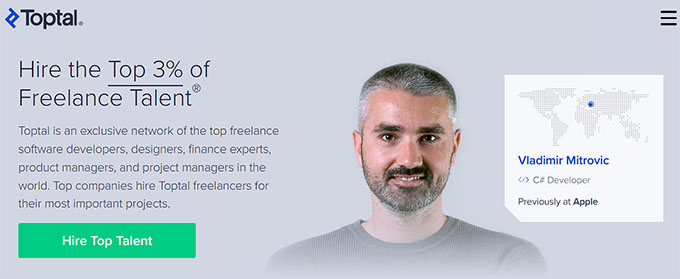
Toptal is best for building a small team of elite freelancers, including WordPress developers, designers, and project managers.
They accept the top 3% of global talent across multiple disciplines, making them ideal for larger or ongoing projects. Their rigorous screening process ensures you’re working only with highly skilled professionals who can deliver quality results.
Hiring a developer is straightforward. After filling out a short form detailing your project, budget, and timeline, Toptal matches you with the best expert for your needs.
You can then communicate directly, set milestones, and even try a 14-day risk-free trial to make sure the developer is a perfect fit.
✅Pros of Toptal
- Only the top 3% of developers and freelancers are accepted, ensuring high-quality talent.
- Risk-free 14-day trial to test your developer before fully committing.
- Transparent pricing based on hourly rates.
- Excellent customer support for onboarding and project planning.
❌Cons of Toptal
- An initial platform fee is required.
- The hiring process can take several weeks.
Why we recommend Toptal: If you need multiple experts or want to scale your project with highly skilled freelancers, Toptal offers a risk-free trial and transparent hourly rates, making it simple to assemble a professional team.
Important Note: These are just our top two picks for hiring an eCommerce developer. However, platforms like Upwork and Freelancer are also great options to consider.
We thoroughly researched these platforms and found them reliable for hiring skilled developers. For more details, check out our list of the best places to hire WordPress developers.
How to Write a Project Brief for an eCommerce Developer
When you decide to hire an eCommerce developer, you will need to provide a project brief that clearly outlines your website design. This brief can be sent to an agency where you plan to hire a developer. You can also use it as a job posting on platforms like Codeable, Upwork, and others.
This will eliminate misunderstandings and ensure that everyone involved is aware of the project’s scope, goals, and expectations.
Here are some key elements that you should include in your project brief:
- 📝 Clear Project Description: To start your project brief, you need to clearly summarize the type of eCommerce store you want to build and what you expect from it. Provide a detailed description of your goals and how you envision the store performing once it’s live. This will help set clear expectations and guide the development process efficiently.
- 🔧 Detailed Website Requirements: You should specify the functionalities you want your website to have, such as payment processing, contact forms, multilingual support, and membership capabilities. Additionally, mention any specific plugins or themes you’d like to add to your site.
- 🎨 Design Preference: You should describe the layout and general appearance you want for your store. If possible, provide links to websites with similar designs. You can also include things like your logo and brand colors if you have them. This will give the developer a clearer idea of the style and aesthetics you want.
- ⏳ Timeline: If you want to launch your website in a timely manner, you will need to set a realistic timeline for your project. Make sure to set a final delivery date.
- 💰 Budget: Being upfront about your budget range from the start helps developers tailor their services to your needs, saving you time and ensuring you get realistic project proposals.
- 📬 Communication Method: You should clarify your preferred method of communication and how often you’d like to receive updates on the project’s progress. For example, you may like to receive a weekly update via email until the project is complete.
- 📣 Call To Action (CTA): At the end of your brief, encourage developers to ask questions and turn in a project proposal for your approval. A clear brief empowers developers to ask the right questions and submit a detailed, relevant proposal for your project.
If including all of this seems a bit overwhelming, don’t worry. In the next section, we’ll show you exactly how to incorporate it into our project brief template.
And remember, a project brief is just a way to get the conversation started. Your WordPress eCommerce developer should be able to use it to create the perfect plan for your future site.
Template for Writing a Project Brief to Hire a Developer
Now that you know what to include in a project brief, it’s time to create one.
Using a template is the best way to start, as it ensures you cover all key details and helps developers provide more accurate proposals.
For this document, you can use Google Docs, Microsoft Word, or any other software that you are comfortable with. However, if you opt for Google Docs like us, then you can use one of the premade templates to create a project brief with just a few clicks.
Check out our complete review of Google Workspace for more details.
That said, you can start the process by writing your name, your company’s name, address, and contact details at the top right corner of the screen. You can then add a name for your project as the title of the document.
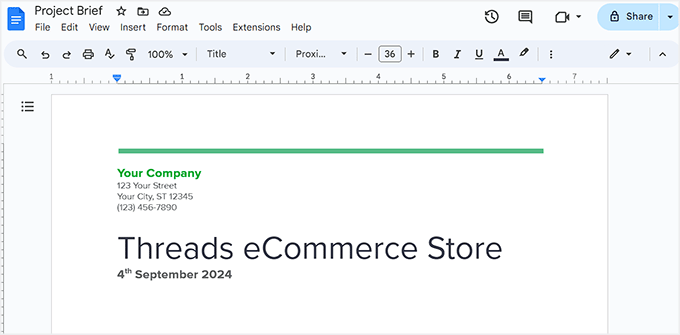
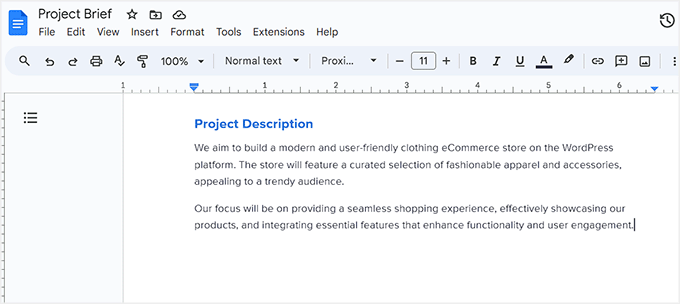
Next, add ‘Project Description’ as a heading and provide a detailed explanation of the type of eCommerce store you want to build.
Here, you can talk about your niche and how you expect your website to grow upon its launch.
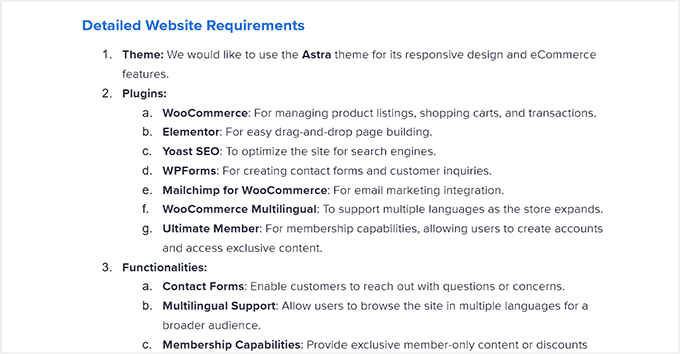
After that, you need to add some details about your website’s requirements. For instance, you can suggest the theme and eCommerce plugin that you want to use to build your store.
You can also list other plugins to use on your site and specific functionalities that you want to offer, like a search form, contact form, product filtering, and more.
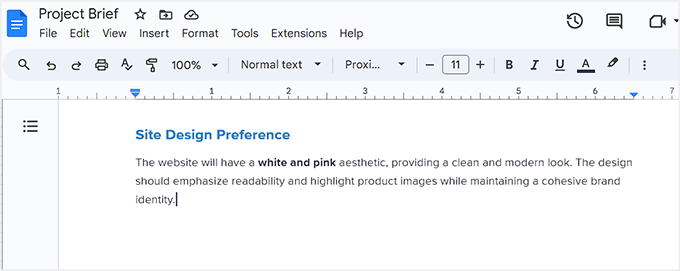
Once that is done, you need to add your design preferences for the online store.
Here, you can mention your preferred color scheme, link to website layouts you admire, and discuss the overall aesthetic you envision for your store.
If you have any materials related to your overall brand, such as a logo or typography preferences, you can include those here, too.
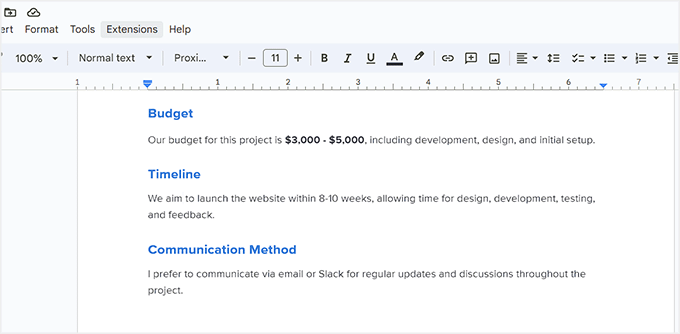
Next, you need to talk about the budget, timeline, and communication methods you prefer.
These sections don’t need to be overly detailed, as timelines and budgets can change based on your developer’s capabilities. Still, keeping it straightforward allows for flexibility as the project evolves.
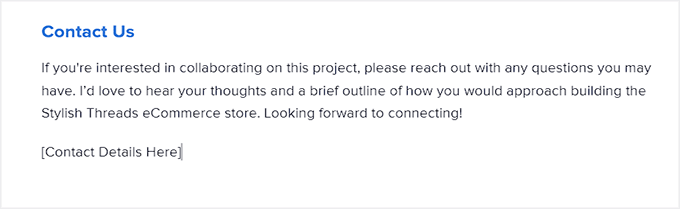
Finally, you can add a simple call to action heading like ‘Contact Us.’ Here, you can provide your contact details again (phone number, email address, LinkedIn profile, etc).
You can also add a few lines telling developers to reach out to you if they have any questions. It’s also a good idea to encourage them to send an outline or project proposal explaining how they would build your eCommerce website.
Once you are done, you can save your document and upload it on platforms like Upwork, Codeable, or Freelancer as a job posting. This way, developers who believe they can handle the job will reach out to you.
If you choose an agency, then you can share this project brief during your consultation. This will help the developers understand your store’s vision and specific needs.
Here is a demo of our final project brief template:
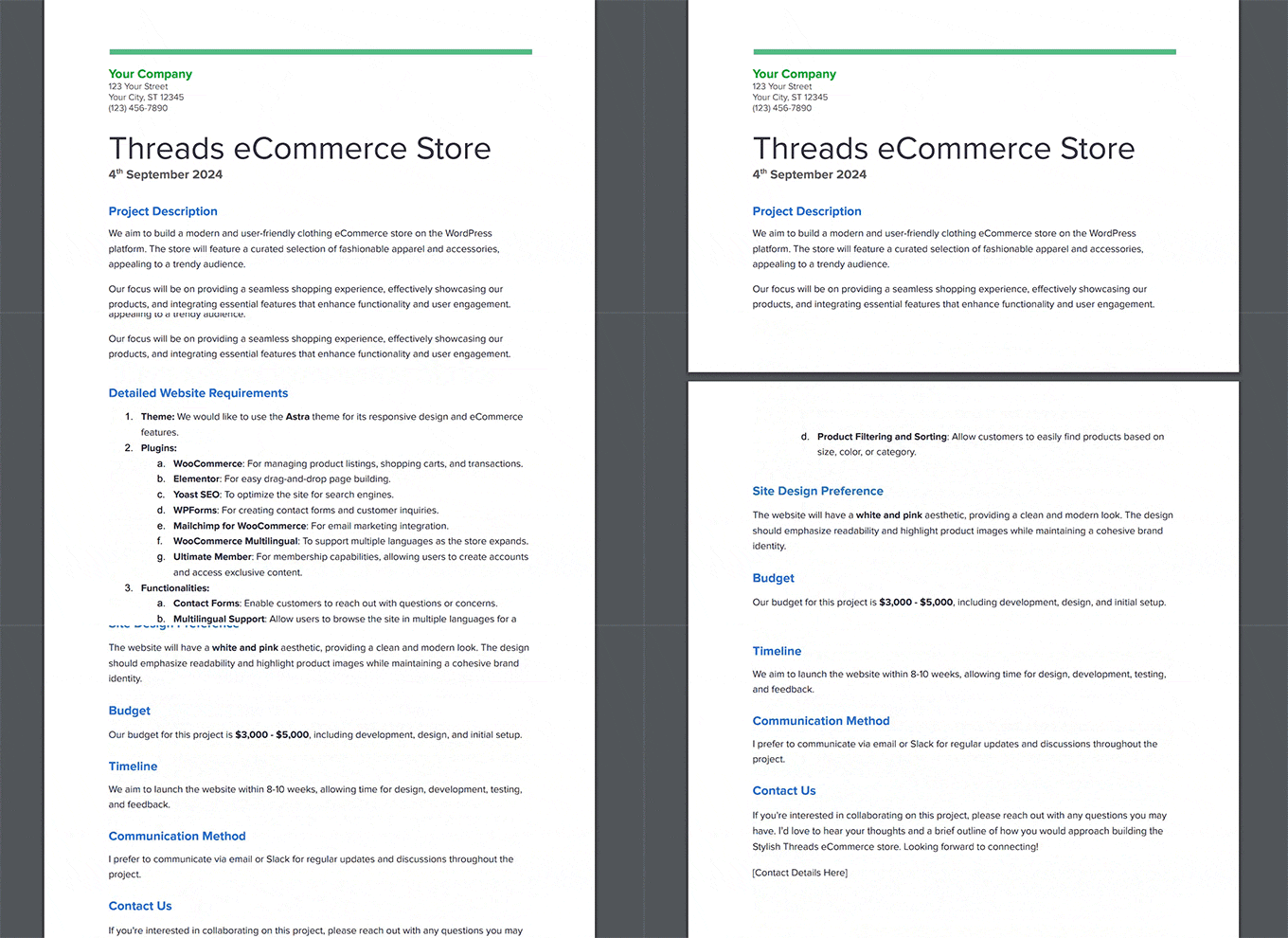
Feel free to use this for inspiration!
Tips For Hiring the Best WordPress eCommerce Developers
Once you have created a project brief and used one of the platforms above to get connected to a developer, you will still need to ensure that you hire the best eCommerce developer for your WordPress project. Here are some tips to help you.
View the Developer’s Portfolio
Before making the decision to hire a developer, it’s best to do your research. We recommend thoroughly reviewing their portfolio to get insights into their experience and the quality of their work.
A portfolio showcases their ability to handle projects similar to yours and highlights their strengths in design, functionality, and customization.
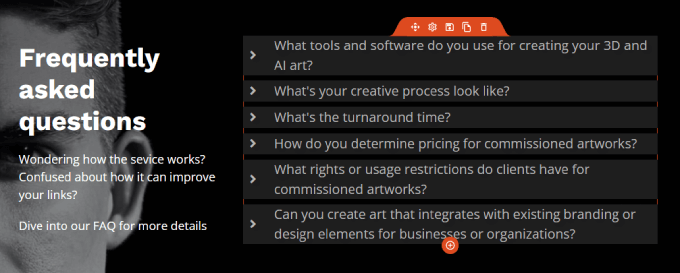
By reviewing past projects, you can assess their technical skills, creativity, and whether their style aligns with your vision. It also gives you an idea of how they have tackled challenges in previous work, ensuring that you hire someone who meets your specific needs.
Check Out Reviews and Testimonials
Checking reviews and testimonials before hiring a developer is important because they offer real-world insights into the developer’s performance, reliability, and communication skills.
Reviews from previous clients highlight the quality of their work, their ability to meet deadlines, and their ability to solve problems.
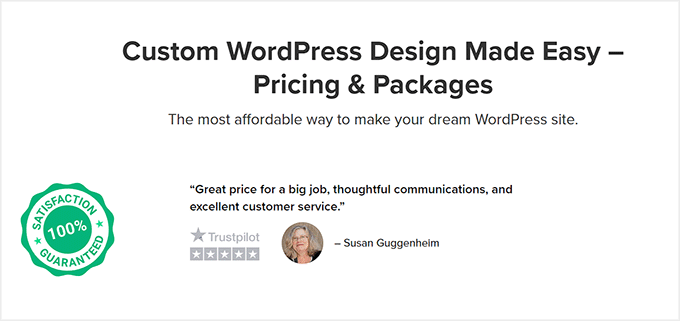
Testimonials also provide a sense of how well the developer collaborates with clients, which is crucial for long-term projects. Ultimately, reviews help you see whether the developer is trustworthy, experienced, and capable of delivering results that meet your expectations.
For freelancer marketplaces like Upwork and Freelancer, you can usually find these reviews directly on the developers’ profiles. Meanwhile, if you are considering working with an agency, you should be able to find testimonials on their website.
Prepare a List of Questions
After researching, you might find a few different candidates who you think are qualified to set up your WordPress eCommerce store.
In that case, you may want to interview them. We recommend preparing a list of questions beforehand to better understand the developer’s technical and soft skills.
These questions can include:
- How long have you been working with WordPress and eCommerce?
- Can you share examples of similar projects you’ve worked on?
- What is your experience with specific eCommerce plugins like WooCommerce, Easy Digital Downloads, or MemberPress?
- Do you have experience with payment gateways, shipping integrations, and tax calculations?
- What security measures do you set up to protect online stores?
- What is your experience with theme and plugin development?
- How do you handle website performance and speed optimization?
- How do you handle updates and maintenance?
- What is your timeline for completing the project?
After that, you can also ask some situational questions, placing candidates in hypothetical situations to see their problem-solving skills. This will help you quickly find the best eCommerce developer for your store.
Assess the Developer’s Soft Skills
Soft skills include things like communication, teamwork, and problem-solving. They impact how effectively someone interacts with others and approaches their work. In our opinion, they are just as important as technical expertise.
Good communication helps developers share ideas clearly and collaborate smoothly with clients and teams. Time management is another soft skill that ensures they meet project deadlines.
Assessing a developer’s soft skills before hiring is very important. This is because a developer who works well with others and manages time effectively is more likely to contribute positively to the success of your online store.
Discuss Pay Expectations
It is important to discuss pay expectations and pricing with developers before hiring them to build your WordPress eCommerce store to avoid misunderstandings.
If you are hiring a freelance developer, it’s important to discuss pricing directly and as soon as possible. That way, you don’t waste time on someone who is completely out of your price range.
Clear communication about pricing allows you to understand what services are included, like design revisions, plugin setups, or future maintenance. Additionally, discussing pay expectations early on leads to transparency and prevents any unexpected costs that could come up later.
Discuss Post-Launch Support
After the site goes live, there may be bugs, technical issues, or the need for updates. This is where having a developer who offers ongoing support can help resolve these issues quickly.
Post-launch support can include regular maintenance, security updates, and performance optimization, all of which are crucial for keeping your site running smoothly.
Clear communication about this support helps avoid unexpected costs and ensures your store continues to operate smoothly as your business grows. We recommend choosing a developer who offers ongoing support after your site launches.
Frequently Asked Questions About Hiring WordPress Developers
Here are some frequently asked questions about hiring WordPress eCommerce developers to build an online store.
How can I verify a developer’s credentials and portfolio?
To verify a developer’s credentials and portfolio, you can check their online presence on platforms like LinkedIn or GitHub. You can also request references from previous clients and ask developers to provide samples of their work. This will help you determine the credibility of the developer before you hire them.
How can I effectively communicate my project requirements to a developer?
To effectively communicate your project requirements to a developer or agency, you need to create a project brief using clear and concise language. Make sure to avoid vague statements in the brief, be open to suggestions from developers, and clearly communicate the important functionalities and features you want for your website.
Should I hire a freelancer or an agency for my WordPress eCommerce project?
Whether you hire a freelancer or an agency for your eCommerce store depends on the size of your project and your budget. Freelancers are often more affordable for small projects, while agencies may provide more comprehensive and reliable support for larger or more complex sites.
How much does it cost to hire a WordPress eCommerce developer?
The cost of hiring a WordPress eCommerce developer can vary based on their experience, location, and your project’s complexity.
On general freelancer marketplaces, rates can range from $20 to $60 per hour. For pre-vetted platforms, you can expect higher rates between $70 and $150 per hour for more experienced developers.
Development agencies typically quote on a per-project basis. These projects often start at a few thousand dollars and can go up to tens of thousands, reflecting their team-based approach and included resources.
We hope this article helped you learn how to hire the best WordPress eCommerce developers. You may also want to see our beginner’s guide on how much eCommerce websites cost and our ultimate eCommerce store launch checklist for WordPress.
If you liked this article, then please subscribe to our YouTube Channel for WordPress video tutorials. You can also find us on Twitter and Facebook.




Have a question or suggestion? Please leave a comment to start the discussion.