The most experienced team of WordPress experts and educators.
Over 16+ years of WordPress and web development experience.
The team that advises some of the largest WordPress plugins in the industry used by over 25 million websites.
Led by WPBeginner founder, Syed Balkhi, a well-respected WordPress expert.
Experience
Our editorial staff includes a dedicated team of programmers, writers, video creators, and editors with over 16 years of experience in WordPress, web hosting, eCommerce, SEO, and online marketing.
Our editorial team manages every piece of content we publish at WPBeginner. Unlike other copycat tutorial websites, every person in our team is a true WordPress practitioner. You can learn more about our Editorial Process here.
The team is led by the most well-known and well-respected WordPress expert in the world, Syed Balkhi. He graduated from University of Florida and have been building WordPress websites since 2006.
Syed is also the founder of some of the most popular WordPress plugins in the market.
About WPBeginner
WPBeginner is the largest free WordPress resource for beginners to learn WordPress. We are part of the Awesome Motive family and reach over 100 million visitors every year. Our content is fact checked and reviewed by our Editorial team for accuracy and integrity. You can learn more about us and our editorial process.
If you have a multilingual WordPress site, adding a multilingual search feature is a great idea. It helps users find what they need faster, in their language and improves the overall user experience. To reach a global audience, we have expanded WPBeginner’s content into various… Read More »
The default WordPress admin area works fine out of the box, but it rarely feels like your site. Whether you’re running a personal blog or managing projects for clients, the generic dashboard doesn’t reflect your brand. That’s where white labeling comes in. It lets you… Read More »
By default, most WordPress themes have a generic disclaimer in the footer, but this can make your site look unprofessional. It also leaves less space for your own links, copyright notices, and other content. Whether you are looking to declutter your footer or add your… Read More »
If you run a CrossFit gym or fitness business, your website should feel just as motivating as your workouts. It needs to showcase your classes, coaches, schedules, and community without forcing you to wrestle with complex design tools or code. That’s where the right WordPress… Read More »
A box shadow is one of the easiest ways to add depth and emphasis to elements on your WordPress site. We can create this effect with just a few lines of CSS. That said, even if it’s simple, some WPBeginner readers have asked for pointers… Read More »
Building an anonymous website helps protect your privacy and keep your identity safe online. Whether you want to stay private for personal reasons or to improve security, creating an anonymous site is possible with the right steps. Now, anonymity on the web requires more than… Read More »
Keeping WordPress up to date is important for website security and performance. While minor WordPress updates are installed automatically in the background, major version updates need to be installed manually. In our experience, many website owners find these updates inconvenient and don’t install them promptly,… Read More »
Back when we were just getting started with WordPress, something as simple as centering a video could be surprisingly frustrating. After helping many beginners through WPBeginner, we realized we weren’t alone – it’s one of the most common formatting questions we get asked. The good… Read More »
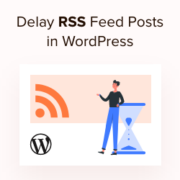
Delaying posts in the RSS feed allows you to control when your content goes live. However, when you publish a new post in WordPress, it appears in your site’s RSS feed immediately. While quick sharing is useful, you may want extra time for last-minute edits,… Read More »
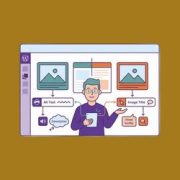
Confusing image alt text with image titles is a mistake we see WordPress users make every day. It’s an easy oversight, but one that can quietly affect your site’s SEO and accessibility. After optimizing thousands of images on our own websites, we’ve learned just how… Read More »
Used to store interaction and conversion data for campaigns in conjunction with Revenue Attribution.
1 year
_gat_omTracker*
Set, controlled and used by Google Analytics to collect and store data and then send that data to Google Analytics. OptinMonster provides the name if there is no existing tracker found on that page.
-
omCountdown-{id}-{elementId}
Used for countdown elements {elementId} in campaigns {id} to determine when it should complete.
-
om-{id}-closed / omSlideClosed-{id}
Used specifically with slide-in campaigns {id} to determine if it has been closed or not by a visitor.
30 days
om-success-cookie / omSuccessCookie
Used to determine if a visitor has successfully opted in to any campaign on your site to unlock content when using our Content Locking feature.
365 days
om-success-{id} / omSuccess-{id}
Used to determine if a visitor has successfully opted in to a campaign with the ID of {id} on your site.
365 days
omSeen-{id}
Used to determine if a visitor has been shown a campaign by the slug.
30 days
om-{id}
Used to determine if a visitor has interacted with a campaign ID of {id} on your site.
30 days
_omappvs
Used to determine when a new visitor becomes a returning visitor.