The most experienced team of WordPress experts and educators.
Over 16+ years of WordPress and web development experience.
The team that advises some of the largest WordPress plugins in the industry used by over 25 million websites.
Led by WPBeginner founder, Syed Balkhi, a well-respected WordPress expert.
Experience
Our editorial staff includes a dedicated team of programmers, writers, video creators, and editors with over 16 years of experience in WordPress, web hosting, eCommerce, SEO, and online marketing.
Our editorial team manages every piece of content we publish at WPBeginner. Unlike other copycat tutorial websites, every person in our team is a true WordPress practitioner. You can learn more about our Editorial Process here.
The team is led by the most well-known and well-respected WordPress expert in the world, Syed Balkhi. He graduated from University of Florida and have been building WordPress websites since 2006.
Syed is also the founder of some of the most popular WordPress plugins in the market.
About WPBeginner
WPBeginner is the largest free WordPress resource for beginners to learn WordPress. We are part of the Awesome Motive family and reach over 100 million visitors every year. Our content is fact checked and reviewed by our Editorial team for accuracy and integrity. You can learn more about us and our editorial process.
WordPress 6.2 Beta arrived a few days ago and it is expected to be released on March 28th, 2023. It will be the second major release of 2023 and will come with significant new features and improvements. We have been closely monitoring the development and… Read More »
Let’s talk about emojis in WordPress. We use them sometimes in texts and social media, but they’re not always right for every website. We’ve built lots of business sites where it made more sense to remove them completely. Also, here’s something most people don’t know: WordPress… Read More »
Setting up age restrictions in WordPress allows you to stop users from seeing content or products that might not be appropriate for their age group. This could be due to legal requirements or the nature of the material. It lets you sell or promote age-sensitive… Read More »
One of our readers recently asked us if it is possible to prevent WordPress from overwriting their custom code in the .htaccess file. This is a common concern, as WordPress and various plugins often add their own settings to this configuration file. If you’ve added… Read More »
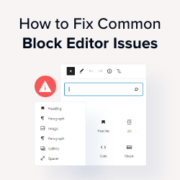
WordPress replaced the old classic editor in 2019 with a brand new content editor called Gutenberg. This editor uses blocks to create content in WordPress. However, sometimes, you may come across annoying issues when using it. Even at WPBeginner, we’ve experienced multiple errors when using… Read More »
We’ve scrolled through countless YouTube and TikTok videos promising a fast track to making money online. It’s easy to feel a surge of hope watching influencers share their secrets to success. But it’s also natural to feel a bit skeptical and wonder if it’s all… Read More »
If you can’t access your WordPress admin area, that can be super stressful. Especially if you need to activate an important plugin to restore your site’s functionality. Fortunately, there is a way to activate WordPress plugins directly from the database, even when you are locked… Read More »
Running a WordPress website used to feel like navigating through a maze. Every time we needed help, we had to sort through dozens of blogs to find accurate, trustworthy information. It wasn’t easy figuring out which WordPress experts actually knew their stuff. That’s probably why… Read More »
Lazy loading usually helps your website load faster by delaying images from loading until a user scrolls down to see them. However, it can sometimes cause display issues, make your ‘above the fold’ content appear slower, or conflict with your theme’s layout. We often see… Read More »
Encountering a ‘DNS server not responding’ error can be frustrating for users since it prevents them from accessing your WordPress site. This common issue can be due to several factors, such as network problems or incorrect DNS settings. With years of experience troubleshooting various WordPress… Read More »
Used to store interaction and conversion data for campaigns in conjunction with Revenue Attribution.
1 year
_gat_omTracker*
Set, controlled and used by Google Analytics to collect and store data and then send that data to Google Analytics. OptinMonster provides the name if there is no existing tracker found on that page.
-
omCountdown-{id}-{elementId}
Used for countdown elements {elementId} in campaigns {id} to determine when it should complete.
-
om-{id}-closed / omSlideClosed-{id}
Used specifically with slide-in campaigns {id} to determine if it has been closed or not by a visitor.
30 days
om-success-cookie / omSuccessCookie
Used to determine if a visitor has successfully opted in to any campaign on your site to unlock content when using our Content Locking feature.
365 days
om-success-{id} / omSuccess-{id}
Used to determine if a visitor has successfully opted in to a campaign with the ID of {id} on your site.
365 days
omSeen-{id}
Used to determine if a visitor has been shown a campaign by the slug.
30 days
om-{id}
Used to determine if a visitor has interacted with a campaign ID of {id} on your site.
30 days
_omappvs
Used to determine when a new visitor becomes a returning visitor.