Allison began her digital journey in 2017, transitioning from office administration to freelance writing. She quickly immersed herself in WordPress and content creation, building a blog that helped other aspiring writers start their freelance careers.
She joined Awesome Motive in 2018 and became part of the WPBeginner team in 2021, where she's dedicated to creating WordPress tutorials that make sense to everyone—especially beginners.
She has written thousands of articles and tutorials for WPBeginner, Blog Tyrant, IsItWP, OptinMonster, and more. Beyond writing, her expertise extends to content strategy, keyword research, email marketing, and analytics.
When she's not writing, she enjoys listening to punk rock music, doing yoga, playing Stardew Valley, and reading a good book.
If you have an online store, then keeping track of stock levels, ensuring timely restocks, and automating tasks can simplify your order management. This can improve the customer experience in your store and boost conversions as a result. The good news is that there are… Read More »
Your customers want to make smart purchasing decisions, but scrolling through endless product pages to compare features gets old fast. A good product comparison table can be the difference between a confused visitor and a confident buyer who’s ready to hit ‘add to cart.’ The… Read More »
Sometimes, a high price tag can make potential customers pause. Allowing customers to pay in installments in your WooCommerce store is one of the easiest ways to make expensive products feel more affordable while boosting conversions. But many store owners hesitate to offer installment payments… Read More »
When I first discovered WPForms, it quickly became my favorite form builder for WordPress. It’s easy to use, packed with features, and makes creating forms feel effortless. But I also know WPForms isn’t the perfect choice for everyone. Maybe the pricing feels a little steep… Read More »
As your WordPress site grows, you’ll often start getting visitors from different countries and regions. The problem is that the same content, prices, or offers do not always make sense for everyone. That’s where geolocation tools come in. They let you show visitors content based… Read More »
When I first started helping clients with their WooCommerce stores, I quickly realized that the default product grid leaves a lot to be desired. Products would look cramped together, and customers had a hard time browsing through everything they were trying to sell. That’s when… Read More »
Etsy is a fantastic marketplace for selling creative and handmade products, but there’s a point where it can start to feel restrictive. I’ve heard the same frustrations over and over again from Etsy store owners: high fees, limited customization, and the constant fear that Etsy… Read More »
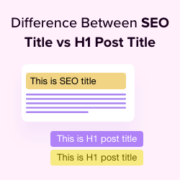
Seeing a completely different post title appear in Google search results can be confusing. Many beginners worry they broke something on their website when this happens, but it is actually a very normal part of publishing content. Your WordPress site relies on two distinct titles:… Read More »
A WooCommerce store owner recently shared with us how one of their customers emailed them during a routine update, asking if the business had shut down. Why? The customer landed on a broken checkout page while the site was being updated. Situations like this are… Read More »
Working for a remote business has taught me a very important lesson: even the best teams will struggle to succeed without the right communication tools. I’ve seen many small businesses waste thousands of dollars on overcomplicated platforms they don’t need, while missing out on tools… Read More »
Used to store interaction and conversion data for campaigns in conjunction with Revenue Attribution.
1 year
_gat_omTracker*
Set, controlled and used by Google Analytics to collect and store data and then send that data to Google Analytics. OptinMonster provides the name if there is no existing tracker found on that page.
-
omCountdown-{id}-{elementId}
Used for countdown elements {elementId} in campaigns {id} to determine when it should complete.
-
om-{id}-closed / omSlideClosed-{id}
Used specifically with slide-in campaigns {id} to determine if it has been closed or not by a visitor.
30 days
om-success-cookie / omSuccessCookie
Used to determine if a visitor has successfully opted in to any campaign on your site to unlock content when using our Content Locking feature.
365 days
om-success-{id} / omSuccess-{id}
Used to determine if a visitor has successfully opted in to a campaign with the ID of {id} on your site.
365 days
omSeen-{id}
Used to determine if a visitor has been shown a campaign by the slug.
30 days
om-{id}
Used to determine if a visitor has interacted with a campaign ID of {id} on your site.
30 days
_omappvs
Used to determine when a new visitor becomes a returning visitor.