Understanding how WordPress works behind the scenes can be fascinating. For most users, it seems simple: type in a URL, and a page loads quickly. However, there’s actually a lot happening in the background. When we first started working with WordPress several years ago, we… Read More »
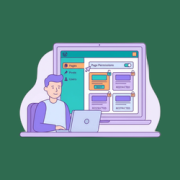
If you are hiring freelance editors or growing your content team, then you might be worried about giving them too much access to your WordPress site. The last thing you want is someone accidentally deleting important pages or messing with content they shouldn’t touch. WordPress’s… Read More »
When we first launched our blog, security was always on our minds. We knew that building a successful site meant more than just great content. It required a secure foundation to protect our hard work and our readers. But when we noticed a big increase… Read More »
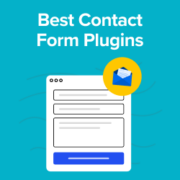
When we first started WPBeginner, one of our earliest challenges was figuring out how readers could get in touch with us. A simple contact form sounds easy enough, but we quickly discovered that not all WordPress form plugins are created equal. Some were too limited,… Read More »
WordPress 4.8 was released just a few hours ago. It is the first major release of 2017, with some long awaited new features and enhancements. In this article, we will show you what’s new in WordPress 4.8 and which features you should try after updating… Read More »
I once found the perfect GIF to make a post more engaging, but it turned into a static, non-moving image immediately after upload. It was incredibly annoying to see the animation disappear right when I wanted to engage my readers. This happens because when WordPress… Read More »
Often people think that WordPress is just a blogging platform that you use to start a personal blog. That might have been true in 2003, but now WordPress powers nearly 28% of all websites on the internet. This includes many of the top brands as… Read More »
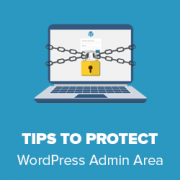
There’s nothing worse than finding out your website has been compromised. The WordPress admin area is the main entry point for hackers, making it the most critical part of your site to protect. We know it can be stressful to think about brute force attacks… Read More »
Managing user registrations is an important part of running a WordPress site, especially if you have a membership site, online course platform, or community forum. One common task is finding and handling pending or unconfirmed users who have registered but haven’t yet completed the email… Read More »
Finding the right WordPress theme for an affiliate marketing site isn’t easy. Most themes are built for blogs or business websites, and they often don’t include the design features or layouts that work best for promoting products and earning commissions. We’ve been in the affiliate… Read More »
Used to store interaction and conversion data for campaigns in conjunction with Revenue Attribution.
1 year
_gat_omTracker*
Set, controlled and used by Google Analytics to collect and store data and then send that data to Google Analytics. OptinMonster provides the name if there is no existing tracker found on that page.
-
omCountdown-{id}-{elementId}
Used for countdown elements {elementId} in campaigns {id} to determine when it should complete.
-
om-{id}-closed / omSlideClosed-{id}
Used specifically with slide-in campaigns {id} to determine if it has been closed or not by a visitor.
30 days
om-success-cookie / omSuccessCookie
Used to determine if a visitor has successfully opted in to any campaign on your site to unlock content when using our Content Locking feature.
365 days
om-success-{id} / omSuccess-{id}
Used to determine if a visitor has successfully opted in to a campaign with the ID of {id} on your site.
365 days
omSeen-{id}
Used to determine if a visitor has been shown a campaign by the slug.
30 days
om-{id}
Used to determine if a visitor has interacted with a campaign ID of {id} on your site.
30 days
_omappvs
Used to determine when a new visitor becomes a returning visitor.